Hello
I’ve tried this before but now I have the sold version and licensed. I spent 4 hours trying MM for my Sainsmart Genmitsu 6050 XL Pro. I’ve tried this in Mac native and Windows VM (I did receive permission to use with VM’s) with same or similar issues.
Before I go on and this is repeated but I’m trying again and starting this new topic. None of the previous suggestions in another topic worked.
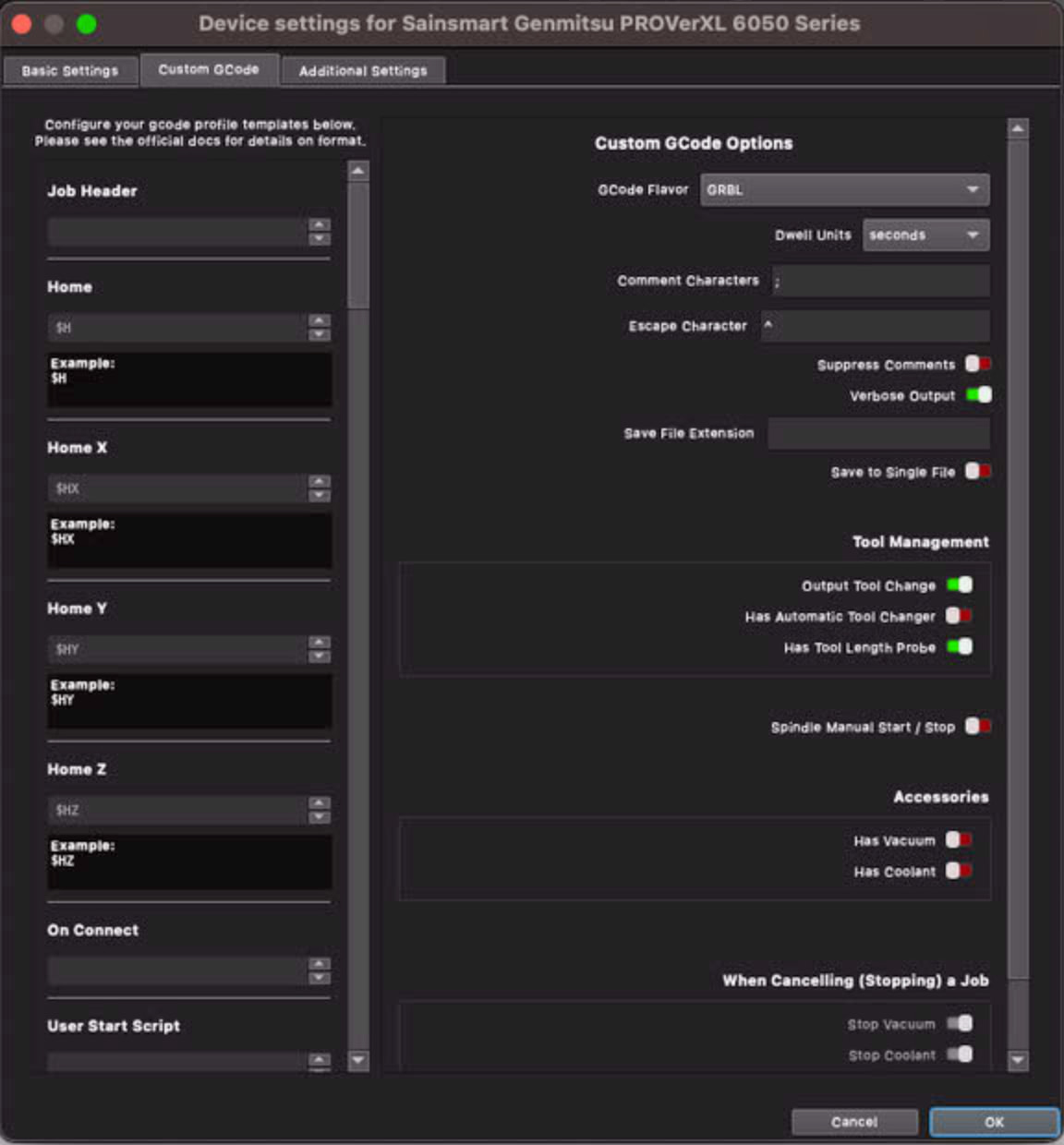
Within MM, I can manually turn on/off the spindle. I can move the spindle along the X,Y, and Z axis. I set workpiece axis to zeros. I can home. I can then say to travel to workpiece X,Y zeros and watch the spindle travel to the left front of the CNC (the corner to my left, closest to me as I stand at the front of the CNC). I can do the framing for a vector that I set an operation for. I do have multiple operations set to not output and one set to output.
There are multiple issues. Be aware I am very frustrated!
I have been exporting my operations to gcode then running them with Gsender (GS). Gsender works BEAUTIFULLY and maybe people on Youtube that say to only use Gsender have it right but I’m trying and trying and trying with MM. The only thing I set in GS is the probe thickness and the workpiece xeros after homing it.
Please know I have, multiple times, removed and reloaded the device via the wizard to choose Sinsmart then the model. I have gone in and set the Zprobe to be allowed and then, via the probe wizard, entered the thickness of the probe as .767 inches.
The USB port is set to the same as GS, FYI. I believe this wouldn’t be an issue though because I have intentionally set the speed wrong with no manual movements working. I then set it back and manual commands work.
First Issue to Tackle
I have set the Max S Value (BTW, I think misnamed from the description the flyout gives) to 10000, and then tried 18,000. I can manually turn on the spindle. The spindle does NOT turn on when running an operation. There are multiple other issues but I’d like to get the spindle to come on then tackle the other issues. I have confirmed the device toggle for manually turning on the spindle is NOT enabled. The command in the device config does show the right command for turning on the spindle. This isn’t a delay thing. I have enabled the delay up to 6 seconds with no difference. I will say that when exporting the operations with that delay configured in the start spindle setting and running that gcode via GS that it waits that 6 seconds to continue but its after the spindle turns on. In MM, no such action. I really don’t believe a delay, at least where I have been told to put it, is the cause of this problem.
The 1/8” endmill from the toolbox I think was set for 18000 RPM. I have changed that value to multiple values. I have displayed the settings and the G30 (I forget as I type this) does show 10000. I have changed that as well.
I want to fix the auto on/off first but let me give the other issues at a high-level in case they give hints to a larger or accumulative issue that may be the real cause behind the auto start/stop.
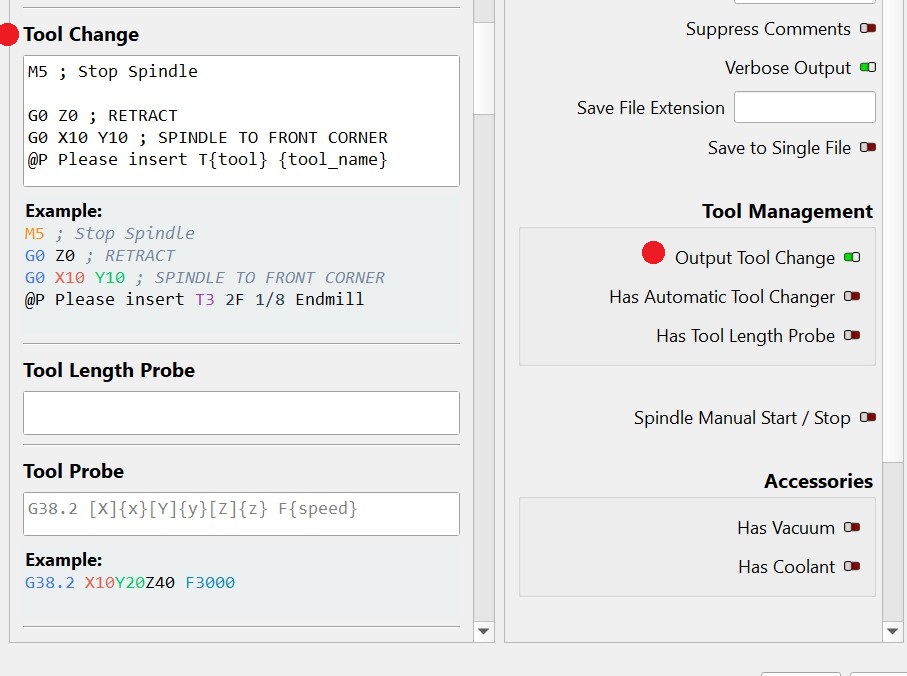
A. Z probe. It seems that I can do my own z probe, complete it, and “Finish” it with me then starting an operation with it saying I’ve haven’t Z probed it for this time around. I hit the button to do the z probe. I complete it. Then it says the same dialog box again. BTW, I’m not a fan of the default to bring the spindle to home to do the zprobe. So at times, and its doesn’t seem to cause or cease my other issues, commented out the line to move to home and then move back to workpiece zero.
B. When, at times, and a pattern I can’t determine, the start actually gets the z axis to move and seem to working, the z axis (I’ve read here to remove the bit, I’ve broken three before this from MM) moves way lower then it should.
C. For the last two tests, I hit start the the z axis goes up and hardware limits out. I don’t know why. This is after also reloading the device from scratch.
So any suggestions on how to get the spindle to auto on/off going for the first thing are beyond greatly appreciated! Once this gets working then I will ask again about the other issues.
What makes GS so much better to run things out of the box then MM?
Do I sound very frustrated? I am. Like I said I spent 4 hours trying different things. Looking at settings, testing, going back to look again. That’s 4 hours this time but many hours before this finally using GS to get something done.
Is there a debug mode that will allow me to set breakpoints in the gcode? I want to personally let a line say its being executed to turn on the spindle, take a video to show if the spindle is spinning, and be able to check other variables at the time of the execution of that line of gcode. I am not an expert at gcode but I was a developer for many years, a Sysadmin, and a MySQL DBA. I know my way around a keyboard and am methodical in testing. There must be some obscure issue but again why does GS work? What tools do you use at LB to test the device is operating as expected at a per-line-of-gcode ?
Thanks
 (When you check the gcode do you see for example, m3s18000 near the start of the op? (You can just search for M3))