The program cannot be disabled, only through Device Manager. There’s no cross in the upper right corner, the program can’t be enlarged or reduced, and the layers at the bottom of the program aren’t visible. I should add that this is an older laptop, but before the update, everything worked fine.
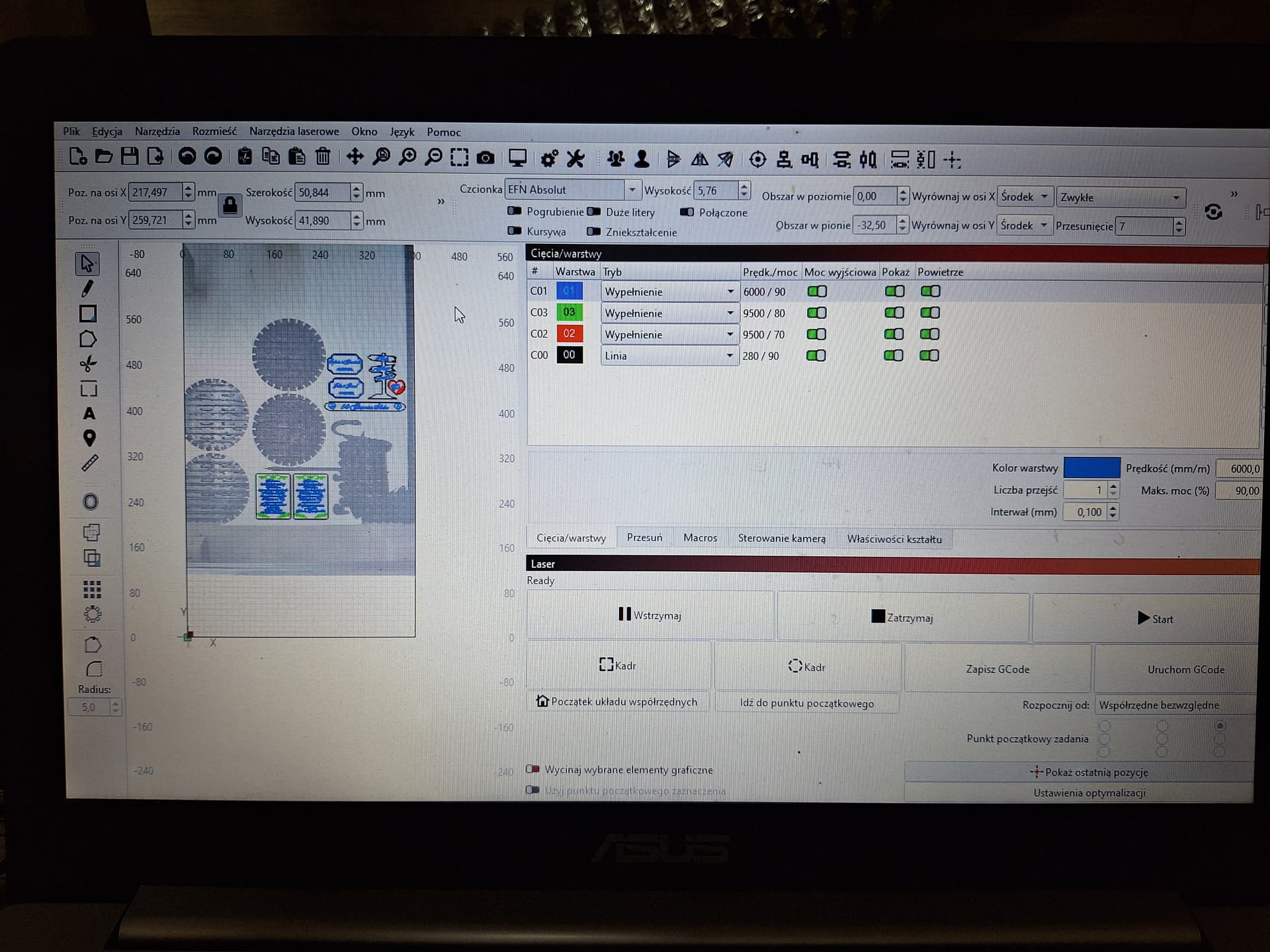
Every windows programm can be closed by ALT+F4
But in fact, this is aknown issue, searh the forum for “window too large”
i.e. Window sizing and lock/docking
I found only one topic that has no solution
I believe from the top Menu “File Exit” closes the program.
Or Ctrl + Q
Loren, I understand the controls that are built-in to the program. The minimize/maximize and close buttons are part of Windows that a program can decide to hide or show (I’m a retired software developer). They will appear if I change the size of the window, it’s just odd. Thank you for your comment.
To see the upper right Windows icons, use WinKey + UpArrow.
To change the icon and text sizes in the Lightburn window, use the Edit → Settings → Display tab for adjustments using the slider controls.
I also set the Windows Taskbar to Auto-Hide.
1 Like
Press the WINDOWS + up,down,left or right to resize the screen. It is a windows feature.
Did not get the result that implied.
Did you select the the lightburn app before trying that
From memory, Alt+Enter switches from a full screen view to a windowed view. Failing that, have you tried pressing “Alt + Space” to bring up the application menu? “Restore” from that menu might help.
Update: Later launched Lightburn and found the window can be resized!
Hello. Go into windows and change the resolution. From 150 to 125.
I ran into the same Issue on one of my lasers. Take the mouse arrow down to the lightburn logo at the bottom and when the little screen comes up, Right click on it and minimize then do again and maximize and it should come up correct. Worked for me after messing around with it for a while. Good luck
3 Likes
I had this same issue too on my laptop, not my desktop PC. All I done was to change the screen resoloution in the Windows settings.
1 Like
Mulțumesc frumos. Aveam setat pe laptop 150 și am setat 125. Acum este bine.
1 Like
This topic was automatically closed 30 days after the last reply. New replies are no longer allowed.