i have updated from 1.9 to 2.what ever. i have a we creat 40 w . it was working fine until i updated i have tried every one suggests on how to fix it the problems and it still does not work. for one the laser will not focus at all . and then if i try to start the laser it will go to a starting point and stop the laser does not start. i’m tired of it not working . os i reloaded 1.7 because it the only one i had. and now i can not get the camera to work because i don’t have the correct pattern to align. can any body help with this. 1.7 is working other than the camera.
Was there a .lbdev file for your Wecreat laser? Try reloading that into the updated version of Lightburn.
Just got my own camera, but I suspect you will have to redo the camera setup starting with LB v2.0.0 and later.
Hello Richard,
In Version 2.1, we added a dedicated WeCreat Flavor, which fixed known firmware compatibility issues.
Download the latest version again from here. You can install it over the old version without needing to uninstall first.
Then, download this device profile, and drag it to the workarea to add the device:
WeCreat_Vision_40W_08_2026.lbzip (30.6 KB)
Or this one for the Pro
WeCreat_Vision_Pro_08_2026.lbzip (25.2 KB)
Please let us know how it goes.
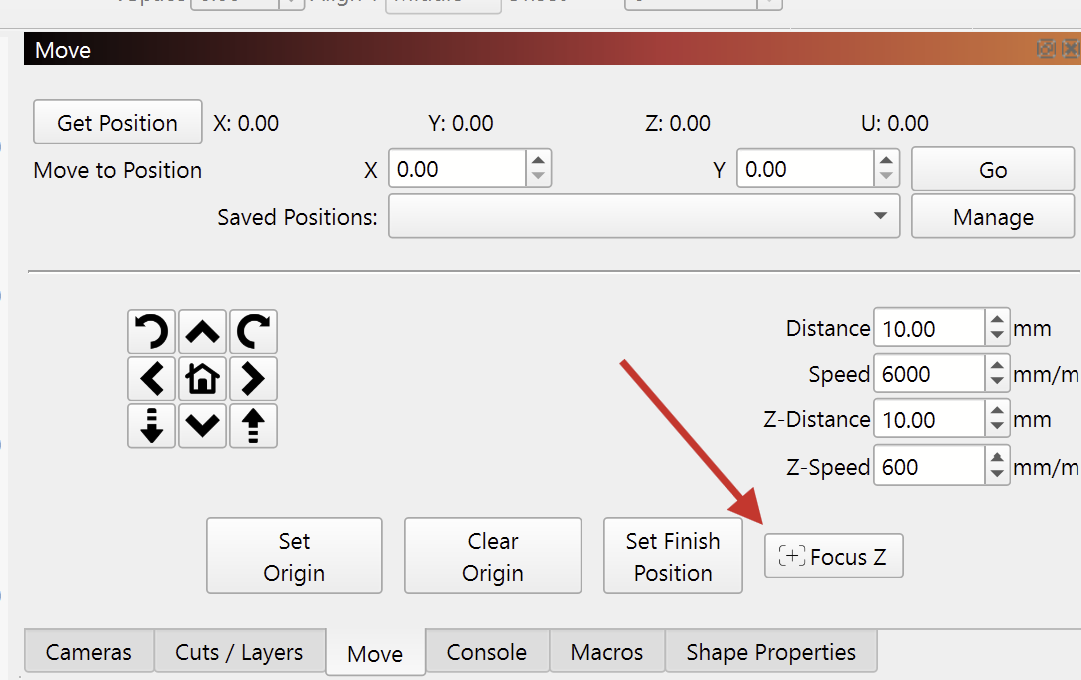
I added the wecreat device setting file. and changed the gcode flavor to wecreat like the program said to. there is no focus button any where in the program its blank box in maroc. i tried to set the camera but it will no move in the alignment area of the camera what’s next what am i missing.
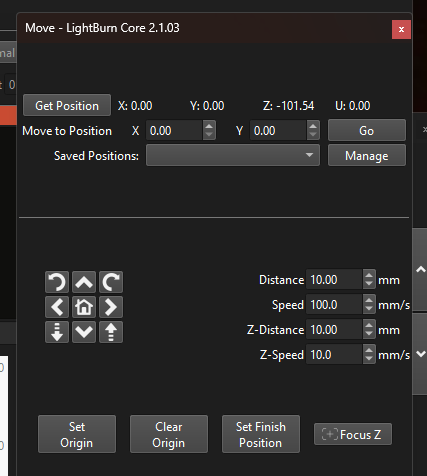
As shown above, the Focus button is now in the Move window.
Please send a screenshot explaining where you got stuck in the alignment process.
Without more information available we can’t see what might be missing.
At your convenience, please confirm the version of LightBurn you’re using.
It will be visible in a full-screen screenshot and will inform us how to help you.
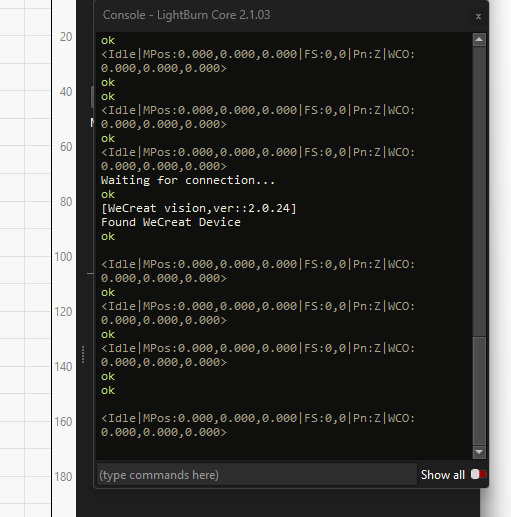
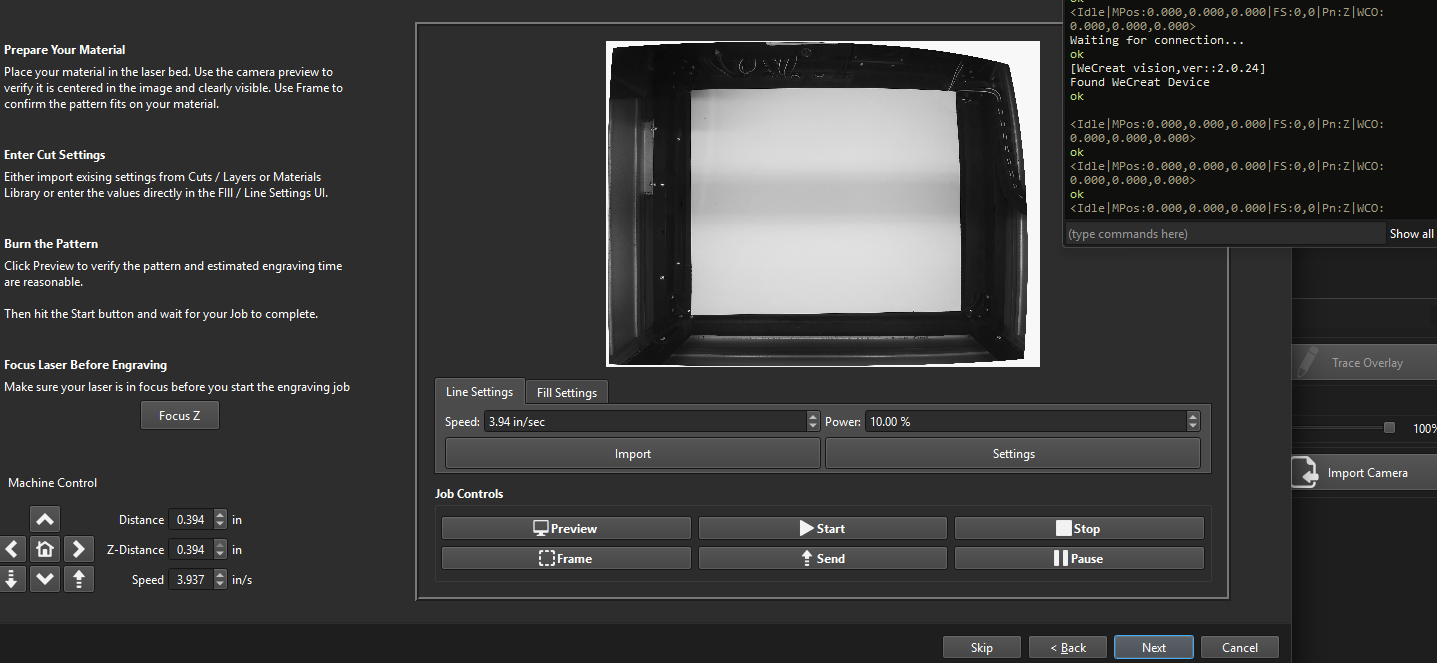
@Medic9 The device profile I uploaded was an older one, still using the GRBL Flavor. Good call on your side to change the Flavor by hand.
I’ve now updated my previous post with the correct .lbzip files. Please download and import the file again.
The new file also includes these additional macros from WeCreat’s lbzip.
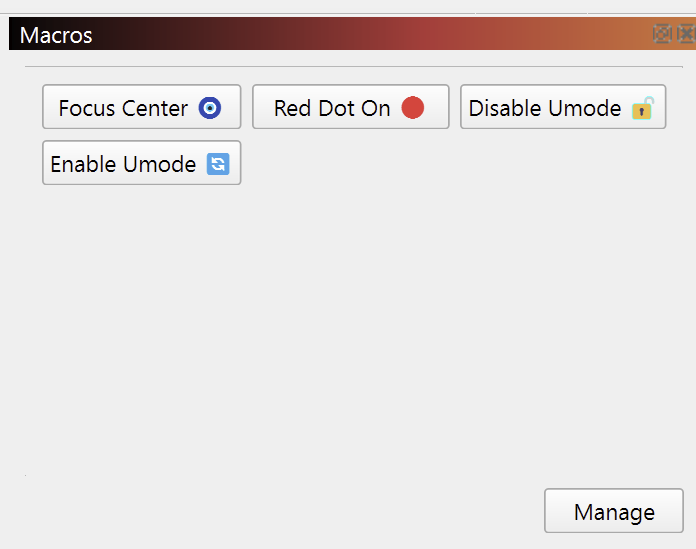
Please let us know if the updated lbzip file resolves this completely or if there are still outstanding concerns.
I can now focus the laser but start to cut or line fill the laser head lifts up the max height its like something is reversed. i can stop it and refocus but as soon as i start the laser the head lifts up . and the camera will do the same when a try to align the camera
when i focus the laser the position for z say it a -101.54 and when the laser starts it goes to 0.0
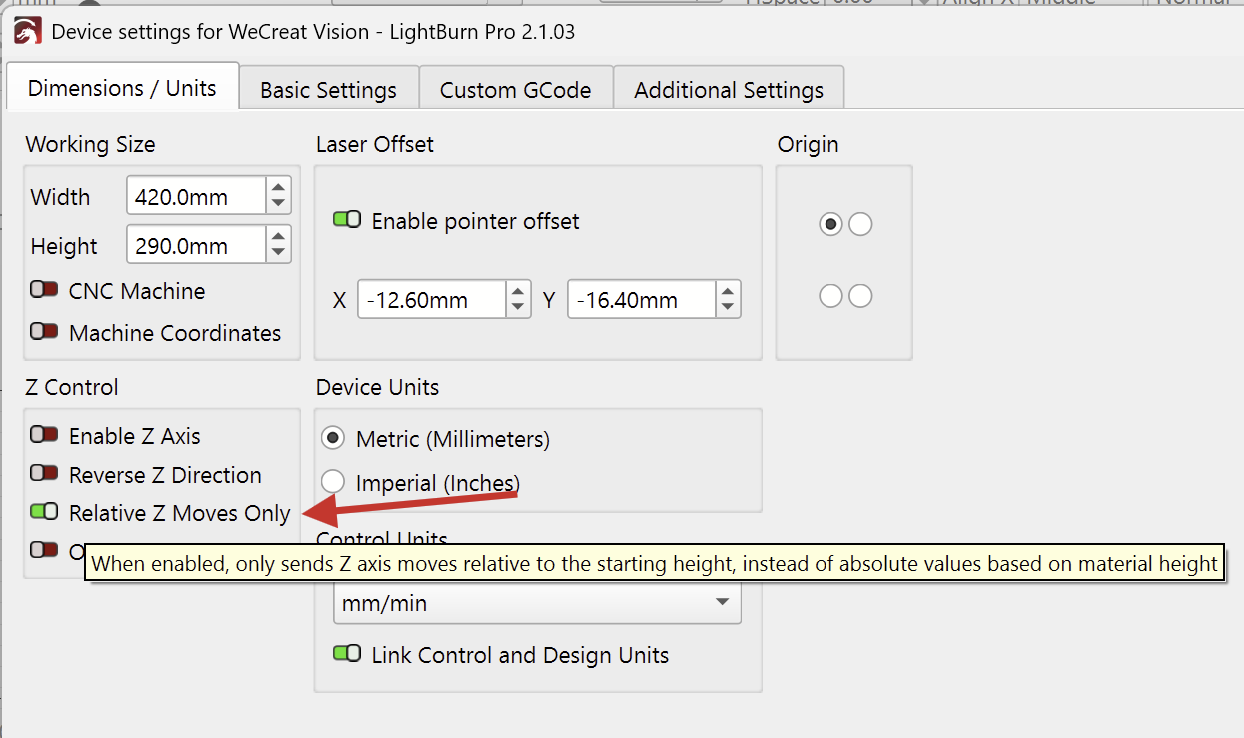
Hi Aron - this is fantastic awesome work! It is working great I think there are some nuances that worked for me. Here are my little tweaks that you already kind of eluded to:
-
Had to select both Enable Z and Relative Z moves only. Otherwise when I press “start” the laser just moves up way out of focus.
-
The (for me) the only way the focus would work and is working is with the macro “focus in center” you provided. I tried using the “Focus” button on the move screen and the laser focusses but goes all the way up when I press start (still doing that).
-
I think you (wecreat users) need to purge as much of wecreat as you can from machine memory, registers, cache or where ever, so I deleted the wecreat supplied file, the 1st install of your masterpiece did not work, deleted my first install of your machine file installed copy (1) it somewhat worked. Removed my second install and installed copy (2) and it all began to work for the most part.
The only setting I changed was the “Relative Z moves only switch”. And yay off to the races.
Calibrated camera, all good, did a number of test focus runs, run some samples - all good trumpets of joy sounded!
- Deleted everything wecreat from my PC, all my crappy frustrating wecreat files, everything I had created over the last 13 months erased forever it was like a rebirth a cleansing a resurrection of my laser maker soul - I think you get what I mean!
My Monport laser can now rest easy knowing it will not be called upon tirelessly because I cannot be bothered to fight with the terrible wecreat SW!
Hi Chris,
Thank you for the nice feedback on the WeCreat! It’s great to hear that it’s working well with these settings.
The “Focus-Z” button in the Move panel should work exactly the same as the macro. Both send the laser WeCreat’s custom command M130 for the focus sequence. In the macro, I only added the coordinates to perform the sequence in the middle of the workarea: M130X200Y150.
I’m updating the device profiles I posted earlier. Eventually, we should send them to WeCreat, so they can host the settings on their website.
Hi Aron,
Yes I think it would be very helpful for WeCreat to have this profile, I will try the Z focus button again my thinking (only a theory not a computer guy) is that wecreat has a very stubborn register/cache/memory infrastructure and leaves no option for a true factory reset and this is causing a number of the reconfiguration issues, maybe wecreat will allow a full reset to Lightburn configuration patch? Only my musings TBH.
But thanks again Aron moving away from wecreat software is a huge positive and many will be jumping ship to Lightburn as soon as this configuration gets more public. As a matter of fact, I did let the wecreate community know there is life after wecreat makeit sw.
I have been fielding some of their help requests from the wecreat forum as the profile will not configure for some of them, mostly due (I think) to not removing as much of the fragments of the original wecreat profile as possible, I had to load and reinstall your profile 3 times before it worked properly and it only remained working when I removed the makeit sw, maybe coincidence? Or just a quirk that day? My vision pro has always been quirky.
Anyway thanks Aron great work, appreciate the effort greatly, if I can be a useful guineapig for future development and testing, I am happy to support you.
You’re right on track with this one. Thank you for your efforts to help others!
It was probably this coincidence:
They are using two separate MCUs with different firmware for each software. Spinning up the controller in different “modes” for their own program. When switching from the MakeIt software to LightBurn, one needs to completely power-cycle the laser, so that the firmware reboots correctly.
Thank you!
I didn’t get to test the Z-Steps per pass Cut Settings yet.
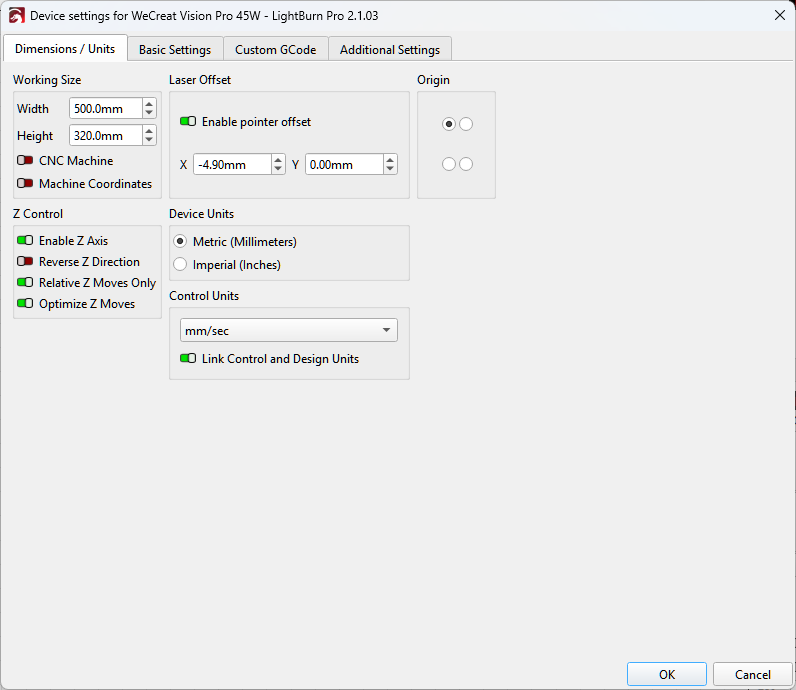
In the device profile they shared, they didn’t enable the Z-Axis, so the options for “Z Offset” and “Z step per pass” weren’t available.
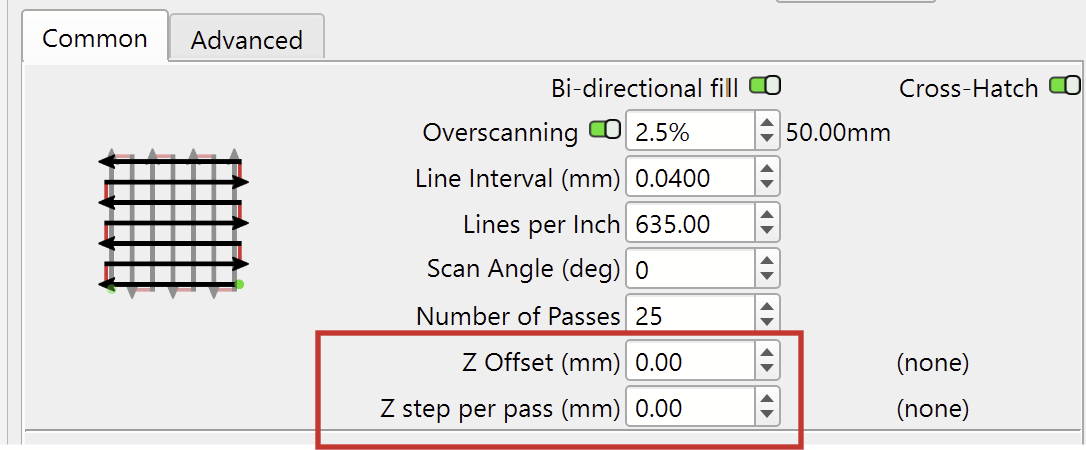
The machine might be using an offset, and I’m not sure if it requires relative, or absolute coordinates for the Z-Axis.
With the correct combination of these two toggles in “Edit > Device Settings” it should be possible to get it working.
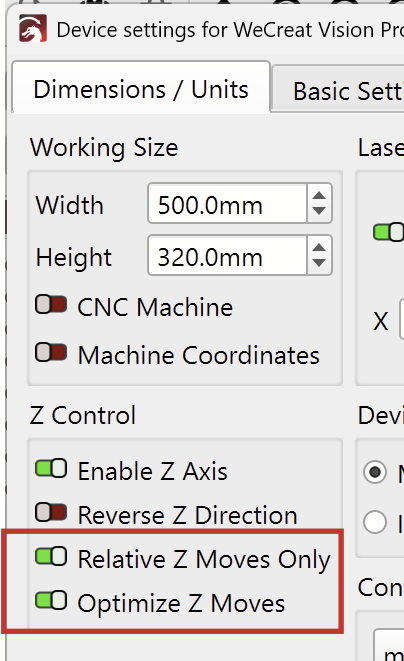
Please note this warning on the linked Docs page if you want to test this.

This docs page is also relevant:
Credit to WeCreat for doing this! Too bad not all manufacturers play this well with Lightburn.
Hi Aron, the Focus Z is now working fine for me.