Uneven kerf & different cut settings

Hey folks,

i was having problems with my laser cutter.
forum link: Laser wont move, i need to work! Lightburn is never the problem! - #2 by nickvoodoo

turned out it was the 36v 10a Switching power supply (smps), the one that handles the axis drivers and motors. I replacedd it was a beefier model, a 36v 15a option i found.

now ive got it all running, tried calibrating, seems the pulse dot is well centered, mirrors clean, lens clean…. etc
BUT ITS NOT RIGHT
but this is whats happening:

back left corner… (900,0) i go to cut a square, and the horizontal lines are THICK. (x axis), and the vertical lines are thin, as should be (y axis),

front left (900,600) and front right (0, 600) both have thin kerf lines.

and back right, (0,0), has thin kerf lines. Here i can cut with double speed and half potency as the rest of the work space. a 4mm MDF is cutting here at 10mm, 30% Power.

the rest of the work space is cutting at around 5mm, 50% power. Ive NEVER had to go so slow, or so high potency for this mdf before, or had such variation accross the workspace.

what could i have done wrong or overlooked? ive also never seen a kerf line vary in width depending the axis!
Ill get a pic to show it. its very unexpected.

thanks guys!
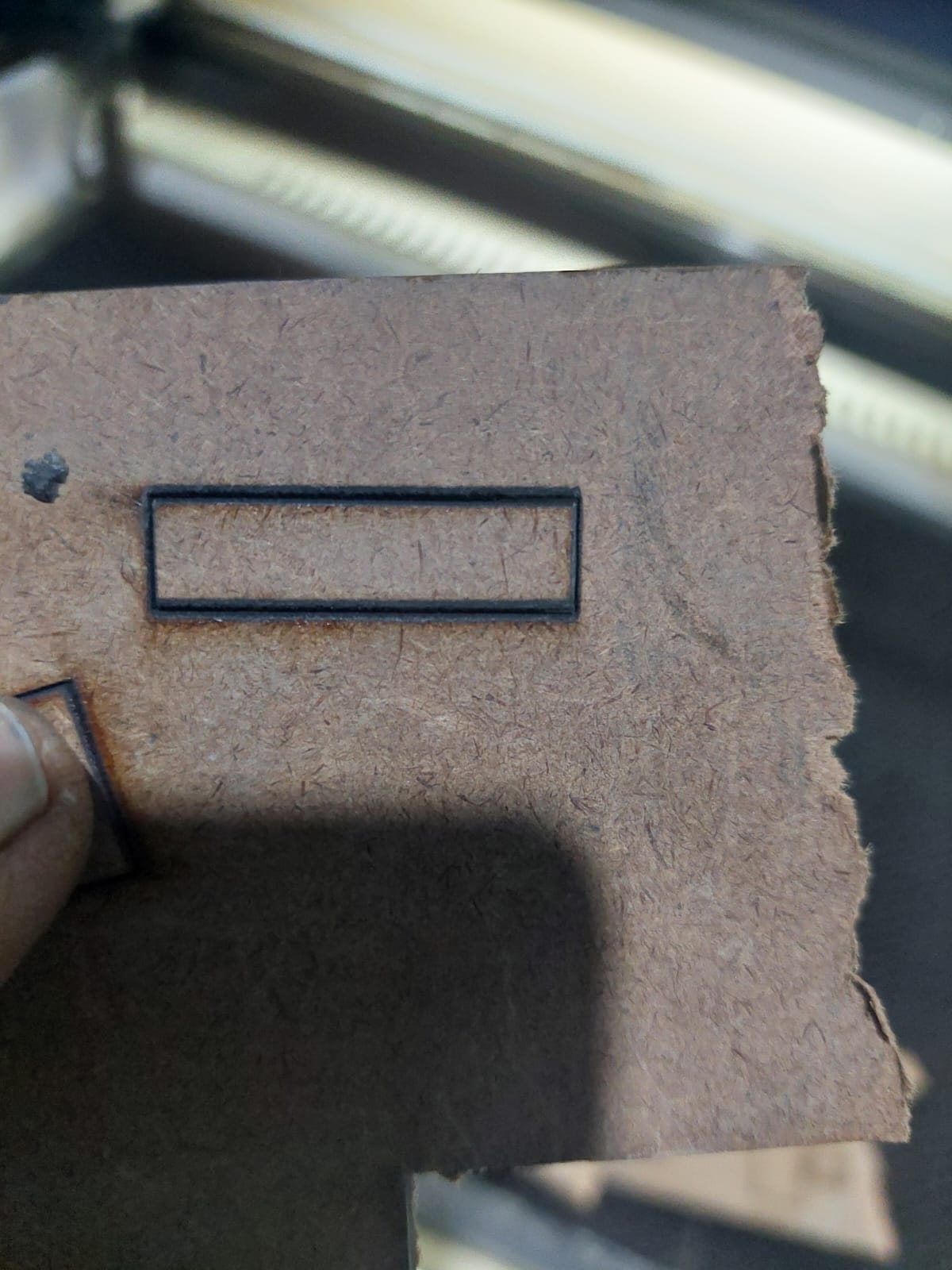
kerf variation in x and y routes:

My 43W machine cutting 5mm sub flooring. It’s running at 11mm/s@45%. You’ve got almost twice the power and running at less speed than I do for a similar job.

Running at this speed, you’re likely within the Ruida start speed area. Are you using both min/max power?

:grinning_cat:

Most likely, the beam is not at the middle of all three mirrors over the laser head’s entire range of travel, so it hits either the edge of a mirror or the edge of the nozzle.

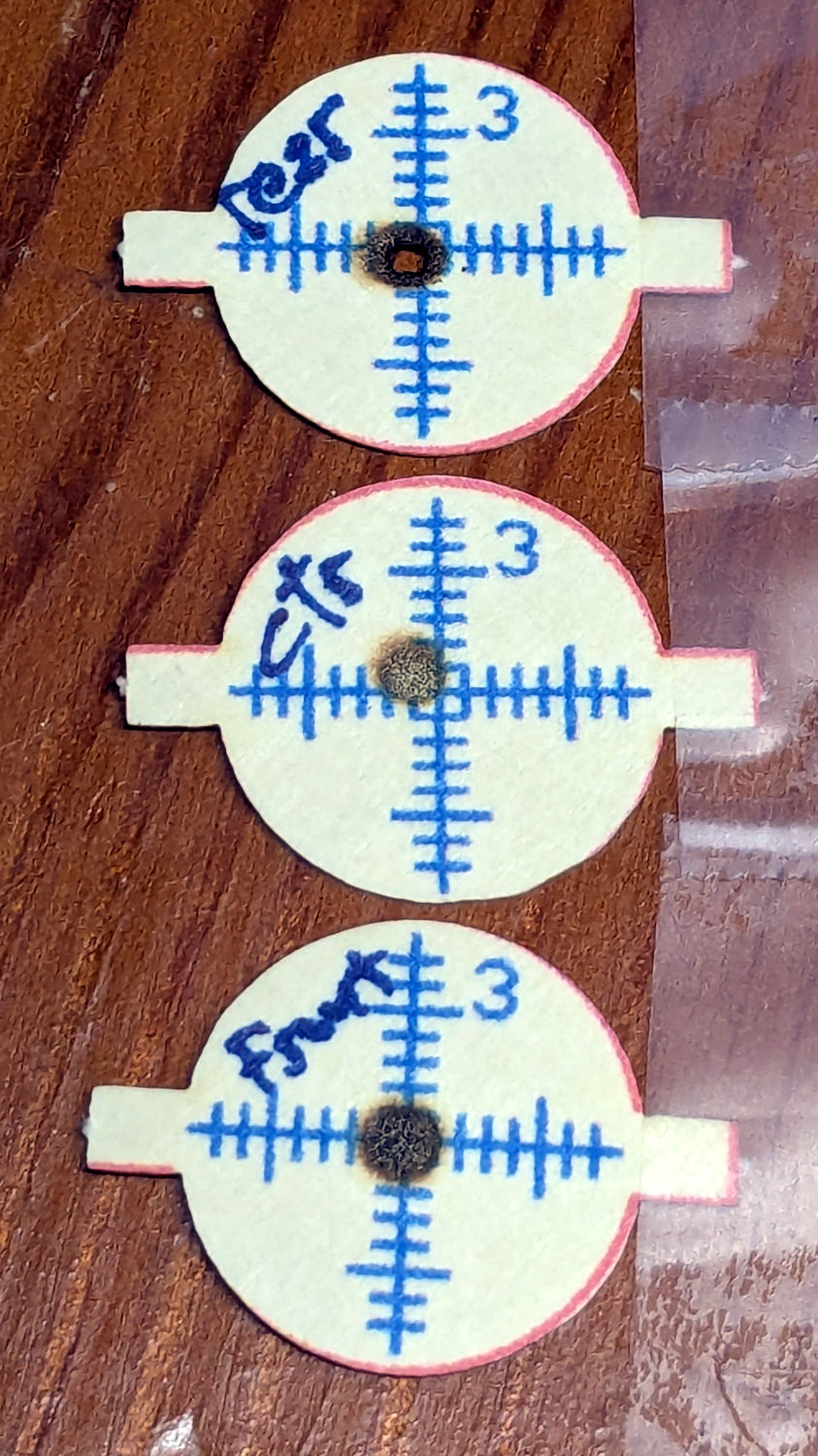
I use manila targets to located the beam at each mirror:

Verify the beam position on the mirrors at both ends and the middle of each axis, then check that it’s in the center of the focus lens and the nozzle:

While you’re in there, make sure all the mirror lock rings are tight and the focus lens is installed with the flat side down and the lock ring snugged on the silicon O-ring.

The next possibility is that the tube is not resonating in TEM00 mode, so the beam cannot focus correctly. A previous discussion describes what’s going on and how to check for it:

All that may seem tedious, but when you’re done you can show off the targets to prove the problem lies elsewhere … :grin:

ednisley… oh my god!!! YOU ROCK DUDE! … i was reading it what you posted about the TEM mode… (sounds interesting.. ill look into that, during my free time. i am SO behind on work! .) … and i came to the part where you wrote ¨and the focus lens is installed with the flat side down¨ and i instantly knew.

its been a few days… long hours and lil sleep: ive been testing/diagnosing my main problem, changed out the SMPS for the axis and motors, refitted the wiring, got a new grounding rod, upgraded the circuit breakers, cleaned all the ventilation stuff, all sorts of maintenance stuff. and at the end of last night, me and a NEW assistant finally did a last calibration and cleaning… and i was teaching them the laser basics… and i told them flat side up, belly down.
i had even drew them a few diagrams explaining focal point and distance, mirror alignment, all sorts of basic stuff … and i even drew in the lens upside down.

**i feel a lil stupid but IM SO HAPPY IT WAS A DUMB MISTAKE that you just fixed for $0.
THANK YOU **

jkwilborn - thats how crazy i was going trying to figure this out.

——————

im going to get some coffee going and finally get back to making some money!
thanks everyone
-n

Those are absolutely the best kind, because when I finally fix it, I know it’s gonna stay fixed. :grin:

Happy Dance!

Thanks for telling us the solution, so the next person with this problem knows where to look!