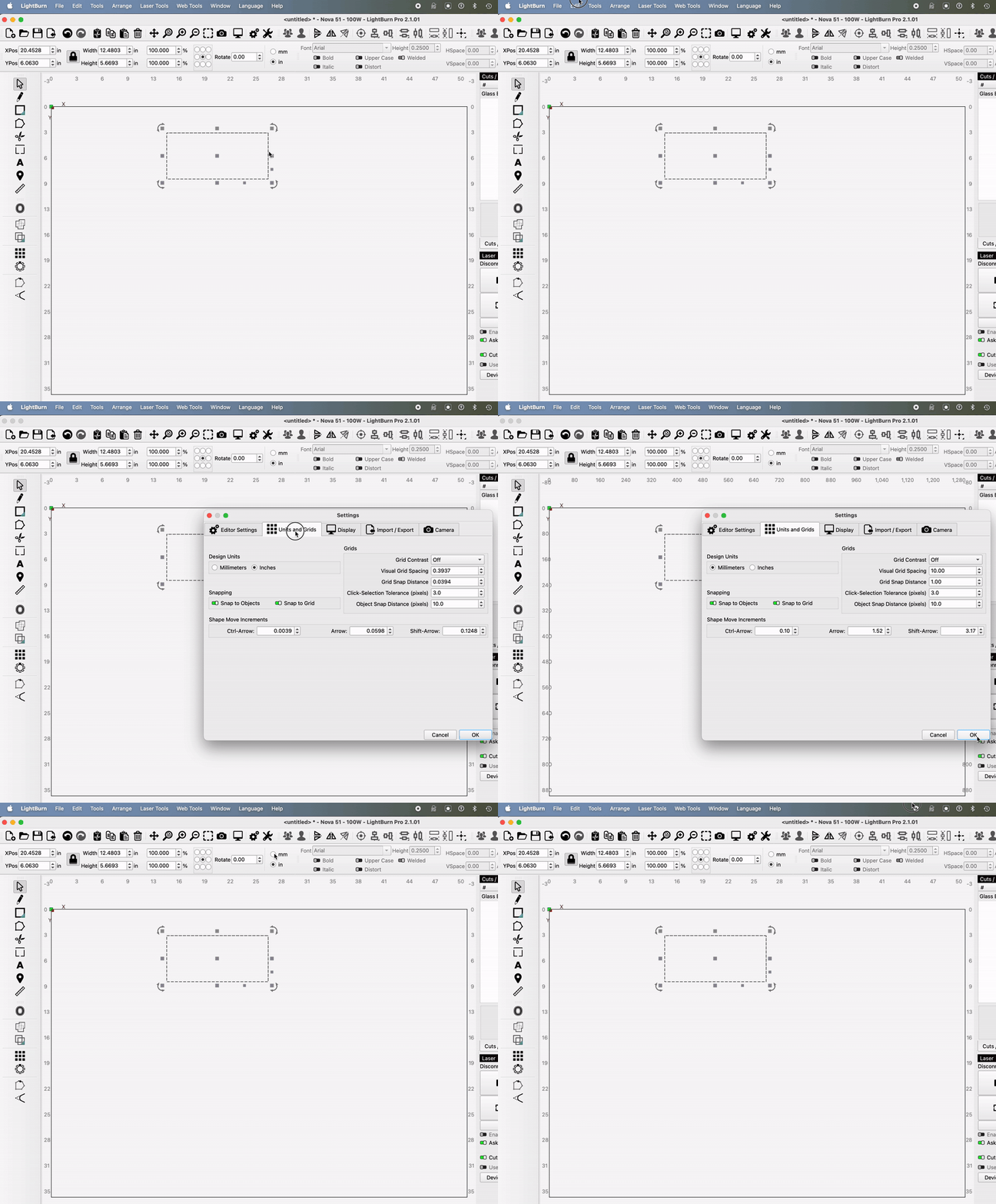
Updated to version 2.1.01 on my Mac running Sonoma 14.7.6. Lot’s of changes to get used to, but oddly the software is stuck in Imperial units “in” and can not be changed to Metric units “mm”. When clicking in the toolbar on “mm” it shows the toggle button as selected momentarily, but immediately goes back to “in” mode.
When going to Edit>Settings>Units and Grids>Design Units, I can select “Millimeters”, but as soon as I hit OK, it instantly reverts back to inches in the design window toolbar.
Anyone else having the same problem? Is there a solution or will it need to be fixed in an update?
Thank you for the quick reply! Not a stuck keyboard button since this is a non issue with version 2.0.05 that I still have (luckily I didn’t delete it).
I just recorded a screen capture of the issue if it helps to see what I am experiencing.
On an unrelated note, my camera shows up and is calibrated but does not overlay on my design work area no matter what I do. Less of an issue for me than this units glitch at the moment.
For the units issue, can you go to Help > Generate Support Data and email that to support@lightburnsoftware.com with a link to this thread? I’m not sure if what’s happening is related to your config or not, but in case it is, that’ll help.
For the camera, I’ll have to pass that to @JediJeremy - he wrote a lot of the new system.
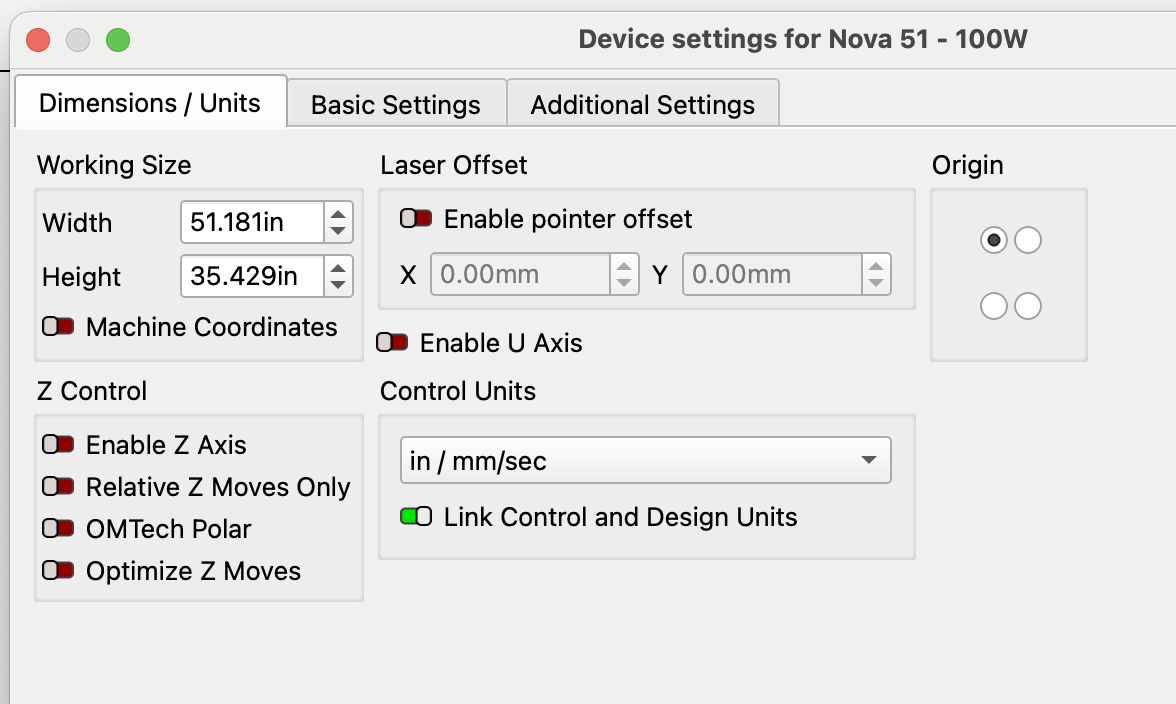
Can you check what your Device units are set to? Edit > Device Settings. Check there for what units you’re set to and whether it’s set to linked. Like Bernd, I have been unable to reproduce this at all so far, and I’ve tried about every combination of all the units changes I can think of.
Under Laser Tools>Device Settings>Dimensions/Units, I have the same settings I’ve always had when I first set up my ThunderLaser Nova 100W CO2 laser 5 years ago. I never change these settings:
Great work, Adam! And a really fast turnaround is much appreciated!
I installed the dev version but did NOT import preferences to have a clean slate for testing. And I chose a dummy device for testing the units glitch/bug. The good news is it works as expected and the problem is fixed! Not sure if importing my preferences would break it or not. Curious what was the issue in the code or my configuration?
Is it safe to use this dev version for my work projects or better to use the previous stable version until you guys add this patch to the next minor release?
Damn - I should’ve specified to let it import the settings for the production version.
In this dev version, can you possibly go to File > Preferences > Open Prefs folder
Then close LB (the dev). Then delete the contents of that folder.
Re-open and let it import from the production version. Then try again.
Make absolutely sure you don’t do above with the production version so you don’t lose your prefs.
No worries! I followed your instructions and relaunched then imported existing prefs plus machine settings (i.e., my Nova 51 shows up like usual). One caveat is I noticed under device settings dimensions/units the setting for control units had “mm/sec” selected rather than my usual “in / mm/sec”, so perhaps not all preferences were properly transferred.
With that said, no need to record, convert, and attach another screen recording because I can verbally confirm this dev version still fixes the problem. I can switch between units quickly and the device settings page allows unit changes as well without any issue. Whatever you did has fixed the issue.
I already sent it this morning to the “support” email per Oz’s request. I’m happy to send you the support data as well or the prefs.ini. Via email or does this forum allow messages with attachments?