Updated to the new lightburn 2.1.03 now after the job is done the laser is very slow returning to home but if i hit stop it homes at normal speed. if i uncheck the relative z moves only it returns at the normal speed but my cutting settings from 2.0.05 dont work. I tried to cut 3mm mdf in 2.1.03 with the settings i always use and it wont cut through. It isnt even close i have no sign on the back side of the woof that the laser beam even go close to going all the way through. Any advise would be helpful. i am using the new file for the vision from lightburn.
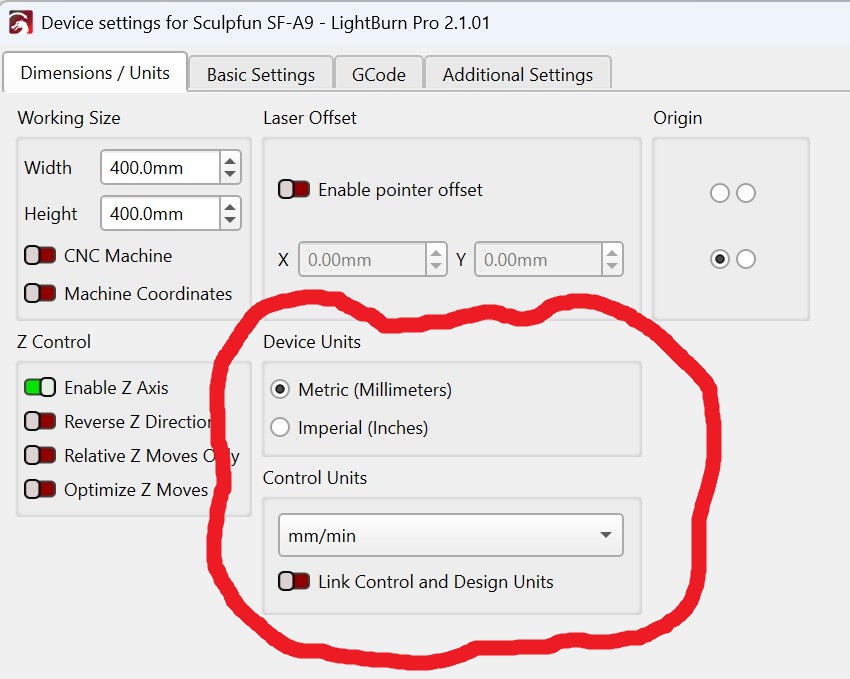
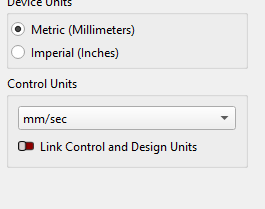
it was already off. it works fine if relative z moves are off but it wont cut with the settings from 2.0.05. But if realtive z moves only is on it cuts fine just after the laser raises back up the head is very slow moving back to home. if i click stop then the head moves back to home at normal speed.
I think Speed in the Move window has an effect on that.
I thought that also i had already tried upping speed in the move section but it doesn’t affect the homing speed.
My bad for not paying attention!
The rapid go-to speed is set by $25 in GRBL parameters. 3000 is a good number. See “Note” below.
The pull-off and return speed is set by $24. 200 is a good number here.
Note: This a precision operation where you want the best repeatability. This means not blasting into the switch and expecting the module to stop in time. Also, the harder you hit that switch, the woese the bounce time will be.
If you want it to blast over to the switch then Home, use a **Macro (**name it Fast Home):
G0 X25 Y25
$H
This will get you speedy close and then execute a Homing cycle. Of course whether or not this works depends on whether or not your controller cooperates.
making the marco didnt work. the laser raises up at the right speed. its after it raises and head starts to move toward home that is when it crawls. didnt do that in 2.0.05 im not sure if it is something in the lightburn version of the WeCreat.lbcm file that talks to the laser.
In the Console window, enter $$. If that produces a long list of parameters in the Console window, tell us what the values are for $24 and $25.
The Z-Axis control for the WeCreat came up in this topic:
WeCreat didn’t enable the Z-Axis in their device profile. Probably, because they couldn’t find settings that worked. Is Z-Steps per pass a feature that’s supported in WeCreat MakeIt?
The $H homing command is being processed by the firmware. The speed in the Move window won’t have an effect on this sequence.
@MikeyH changing $24 would be the way to go on vanilla GRBL firmware, but I don’t think WeCreat supports changing any $$ values with the proprietary firmware implementation.
According to WeCreat, their devices require the M6 command at the end of a job to “get the laser ready for the next run”. M6 is used for a tool change on standard GRBL firmware. We don’t know how and what they implemented here exactly.
This is likely due to a change in the focus distance.
I’d advise to disable the Z-Axis in the device Settings, until we know the exact settings to control the Z-Steps per pass, as mentioned in the post I linked above.
Well that was an unpleasant thing to learn. Manufacturers do this thinking it protects their product, but it just makes life difficult for the purchasers.
So in 2.0.05 when i use wecreat’s file for light burn laser homes just fine but that files doesn’t seem to work well in 2.1.03. I am using the file that light burn created and that is when i have the slow home of the laser head. So am not sure what is different between the two files that allow wecreat to work in Lightburn. Unless relative z moves only is turned on in 2.1.03 my material settings from 2.0.05 will not cut all the way through the material.
Hello Doug,
Do you mean the Device Profile I shared here on the forum?
Please check the Device settings. In the Custom GCode tab, you should have “WeCreat” as the GCOde Flavor. That’s the main difference we added in version 2.1.03.
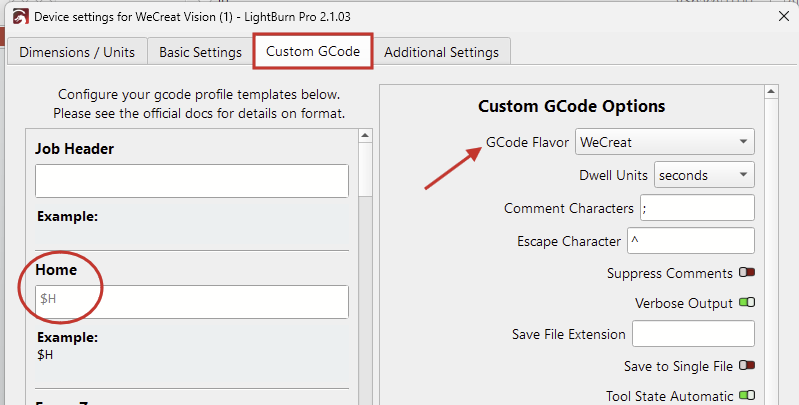
Both settings files send the machine the $H command for homing, so the sequence should be exactly the same.
I ran a few more tests on our Vision, and couldn’t get Z-Steps per pass working.
The machine has a mind of its own and decides to randomly lift the Z-axis during the last pass without turning off the laser.
It then returns to the home position but Z remains at the current height.
The Z-Axis in Device Settings should be disabled until someone can find a workaround for this.
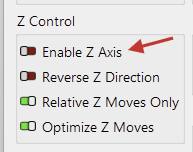
The Focus-Z function will still work when this is disabled. We only send the machine their custom command M130 and the firmware of the laser starts its focus sequence. That is: Move the head down until the material is detected, then move X & Y to the homing position. (The only way to prevent it from moving X Y after homing, is by using our “Focus Center” macro M130X200Y150.
The same goes for the Homing sequence. We send the machine $H, and the controller does its thing. The homing speed is defined in the firmware, so I’m not sure what you mean by “slow home of the laser head”.
The laser might move out of focus. See if it works better when Z-Axis is disabled.