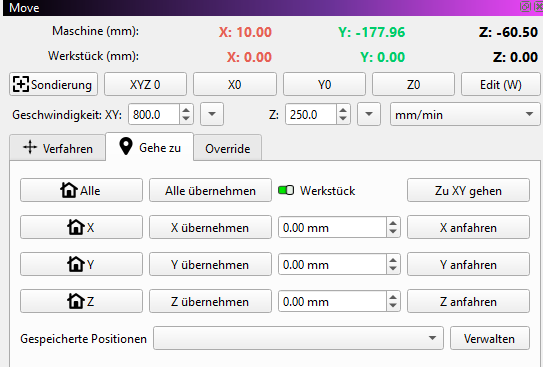
I’m having the following problem: I keep getting the error message: “Due to the current workpiece origin and project size, your project is partially outside the allowed range. Do you want to continue?” I’ve attached some photos so you can see my settings. Perhaps you can help me.
I’m having the following problem: I keep getting the error message: “Due to the current workpiece origin and project size, your project is partially outside the allowed range. Do you want to continue?” I’ve attached some photos so you can see my settings. Perhaps you can help me.
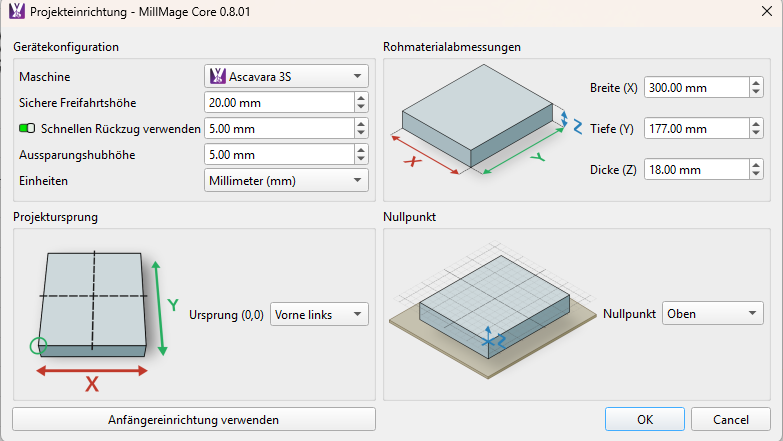
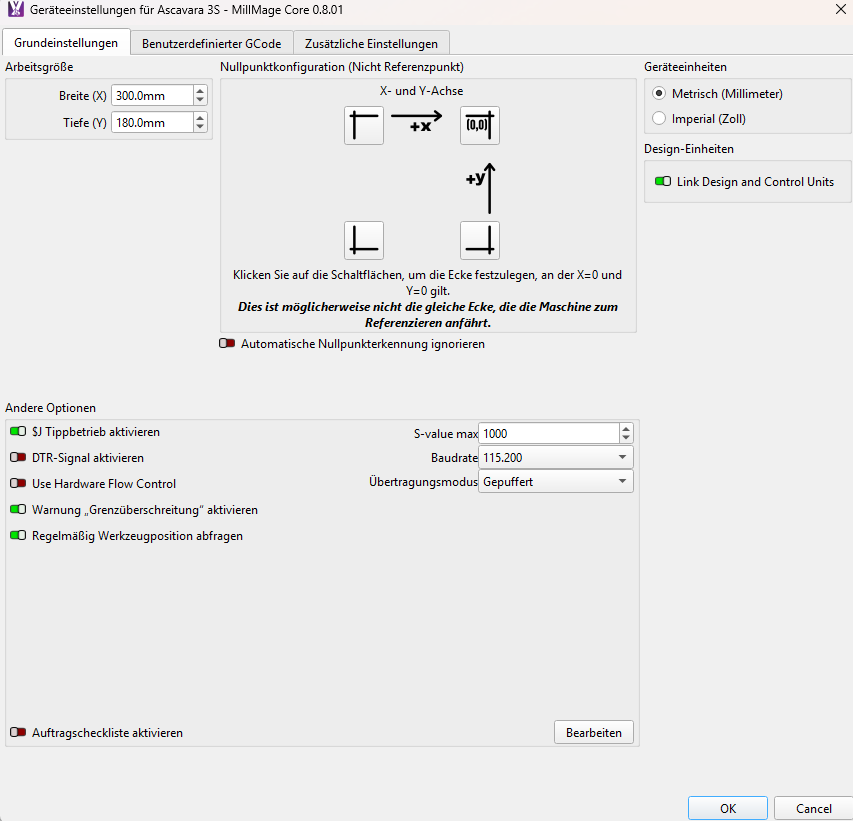
Does your spindle go to the back right corner when you Home the machine?
Can you upload your design file (.mage) so we can see the rest of your settings?
Hello,
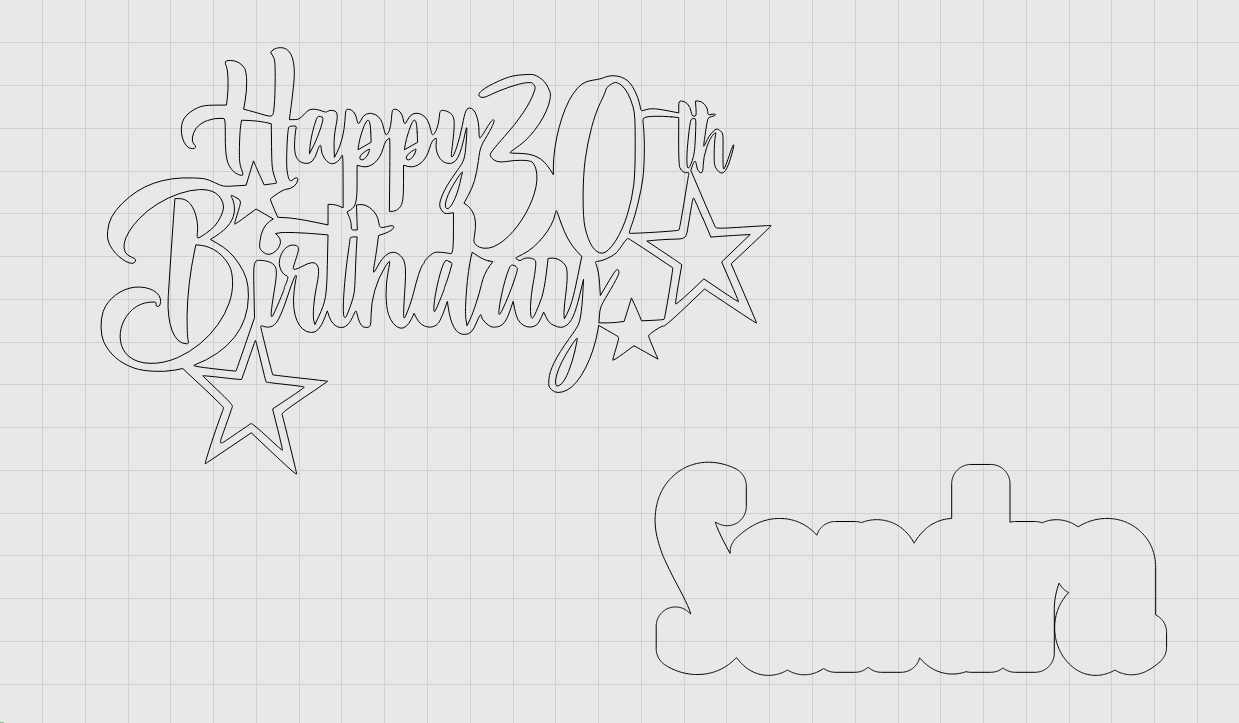
This is a photo of my Acmer. As it appears in the photo, this is the home position. Attached are some other settings and the file I want to create.

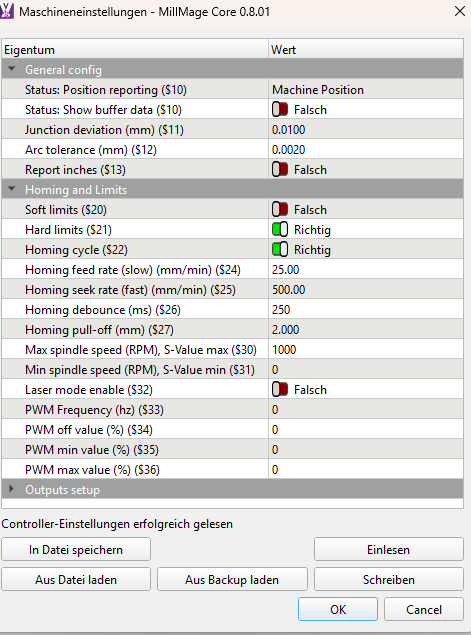
Is this your Home position?
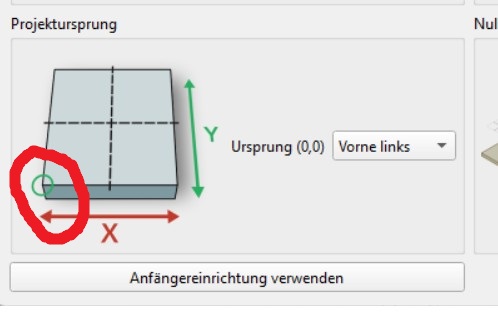
If so, you need to make a correction…
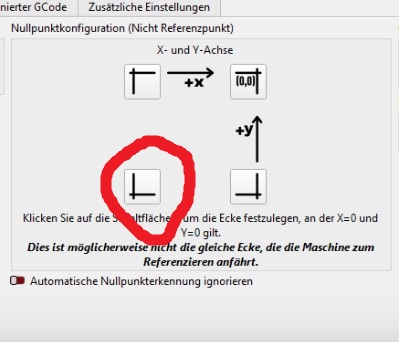
If I have this wrong, I need more information.
1 Like
I’ve already changed this setting. But it had no effect.
You are not telling us what you are changing from and to. You also did not answer my 2 questions, corner it Homes in and upload your file.
What kind of design file do you mean? The file itself, like in the picture? What settings do you need exactly? It has quite a few.
Your project file…
Sandra Birthday.mage (111,6 KB)
Will look at this in the morning. 
I think you have an issue in your setup. Your machine has a workspace of 300x180. But you set the project parameters to 300x177 and are using a 3mm mill. So, the machine can’t reach all positions of the project without crashing into the frame.
So, set your project parameters at the size of the actual workpiece. If it’s a piece of wood, set it to the real size. Then move the tip to the front-left position and set all positions to zero. Then you can start.
1 Like
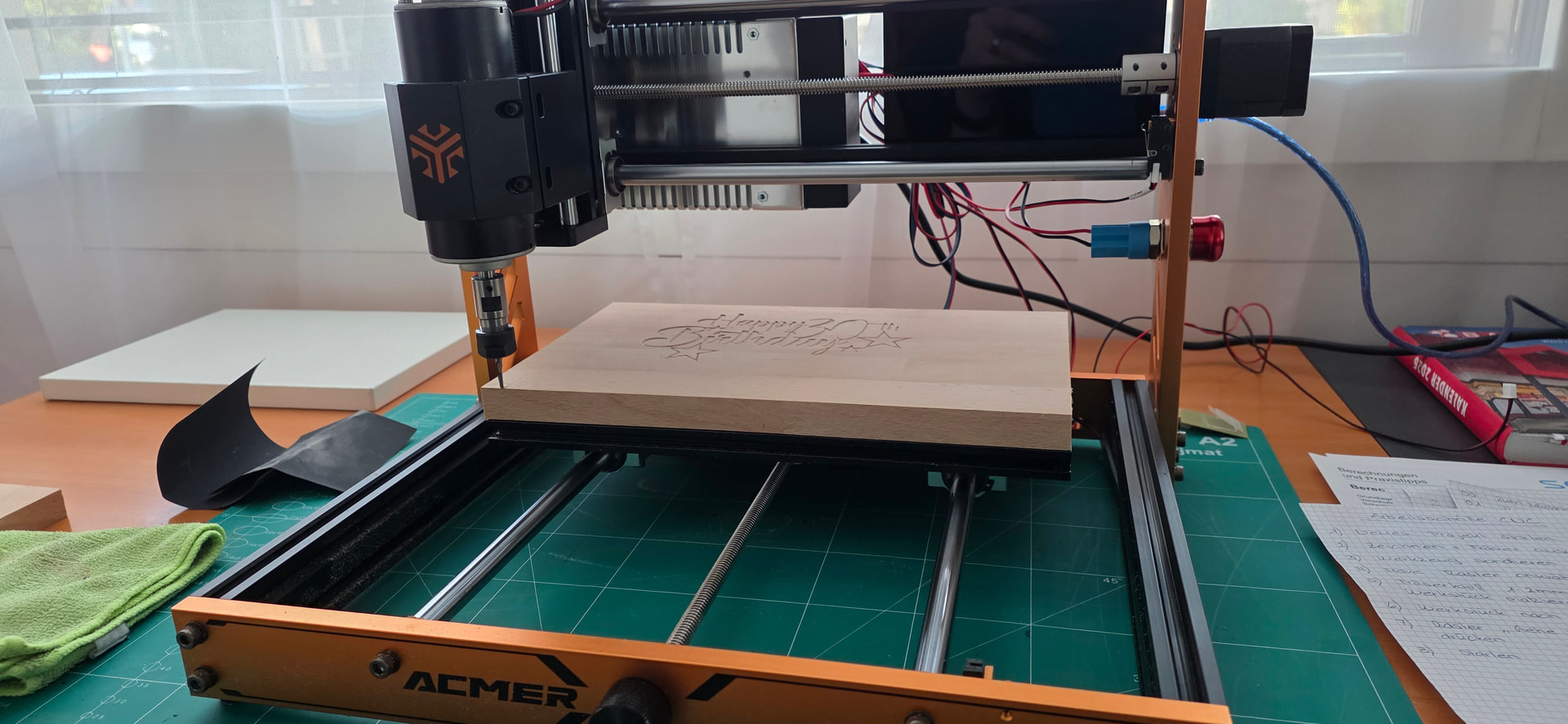
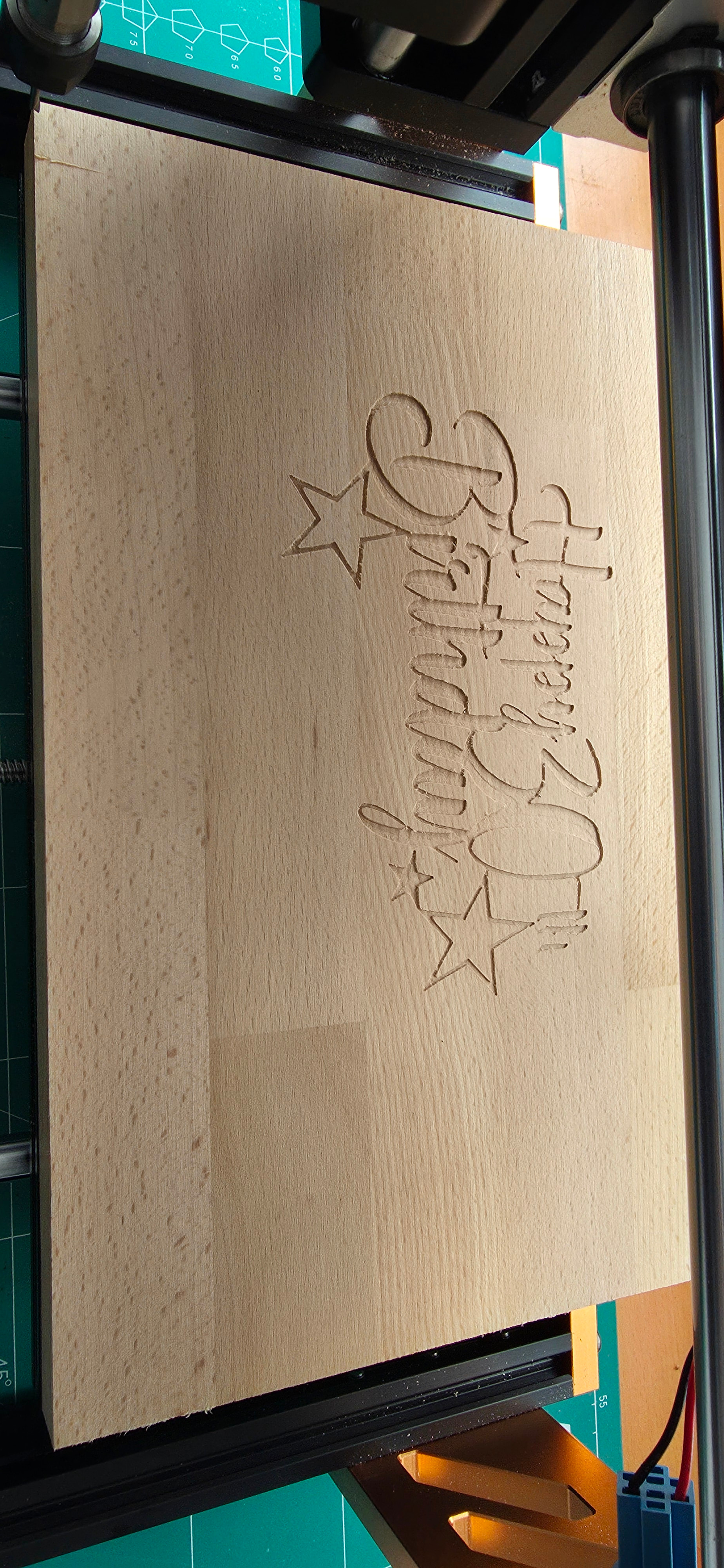
I wanted to cut out the name Sandra in the bottom right corner so I could insert a black laser-cut acrylic plate there. Unfortunately, this isn’t working yet. Even if I place a name in the middle, for example, I get the same warning message about being outside the boundaries.
I set my machine as 300x200 and did a preview without errors.
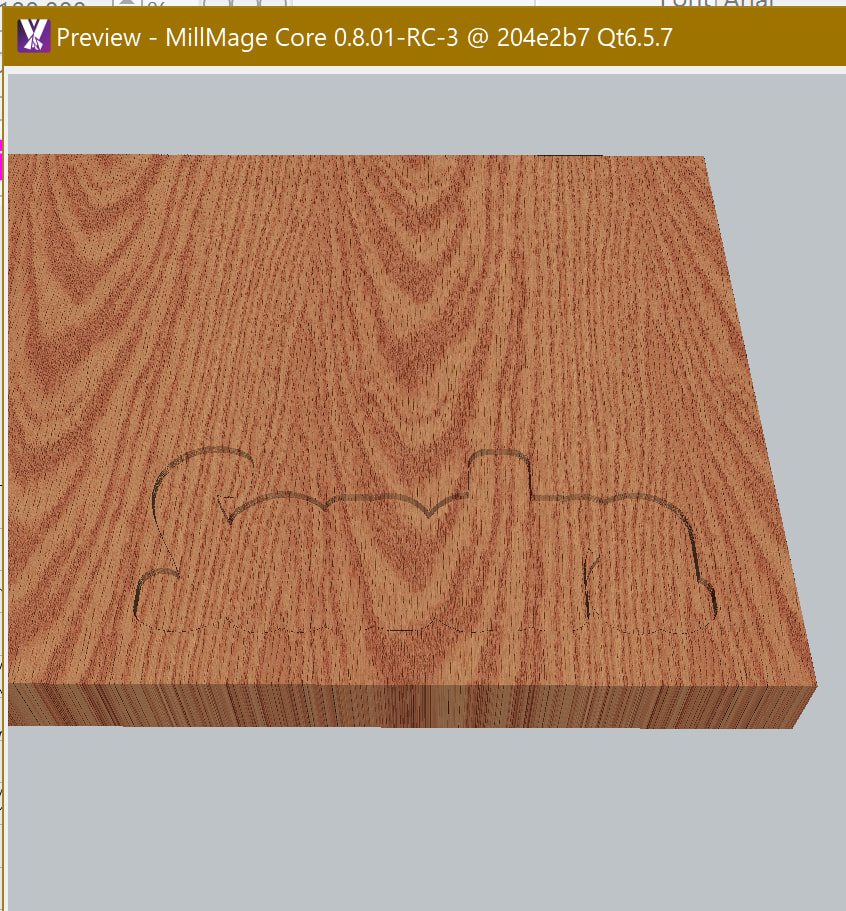
Set the Final Depth to just mark do a preview and run the job to check if okay. If okay change back the Final Depth run the job. If not just a fine sanding remove the marks.
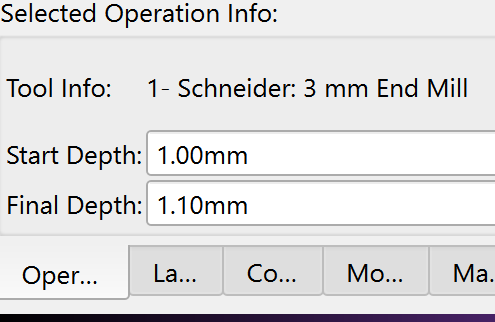
So the issue might be the z axis. You might need to invert it or set the zero position to the bottom of the material instead of the top. Depends on how your machine is configured.
I need a final depth of 3mm because the acrylic sheet is 3mm thick.
My preview is always error-free.
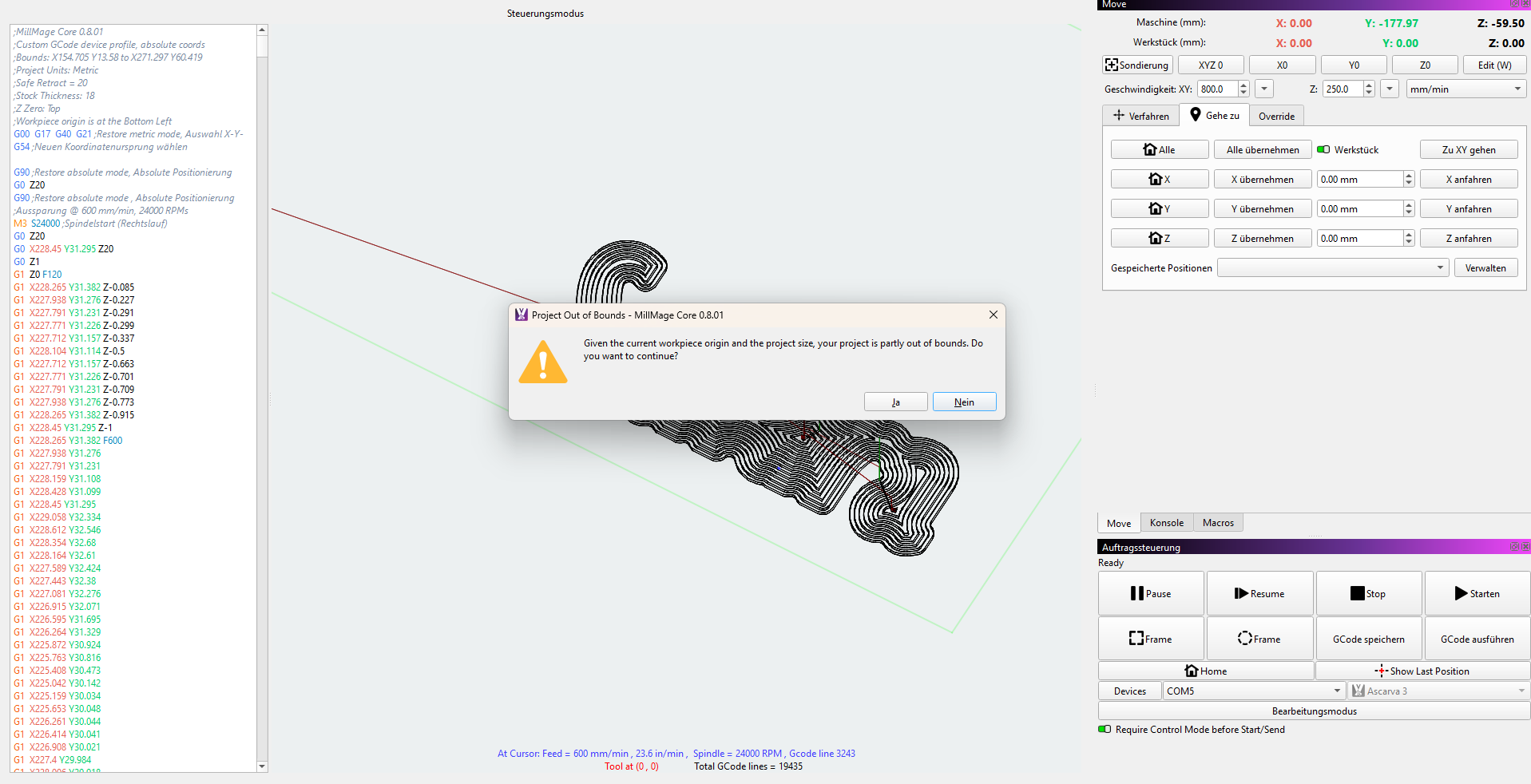
The message always appears at the end when I try to start the project.
I think it’s still a coordinate issue. Your position is -177 in y. Try to move the tip to the origin of the workpiece and set everything to zero. Then try again.
Additionally, your z-axis is at -60, maybe you nearly reached the maximum?
Try to make sure that you home the machine and the coordinates are reported correctly then. Then move to the job origin and set everything to zero.
Start with 0,1 depth to check, if everything ok set the depth to 3mm and run the job again.
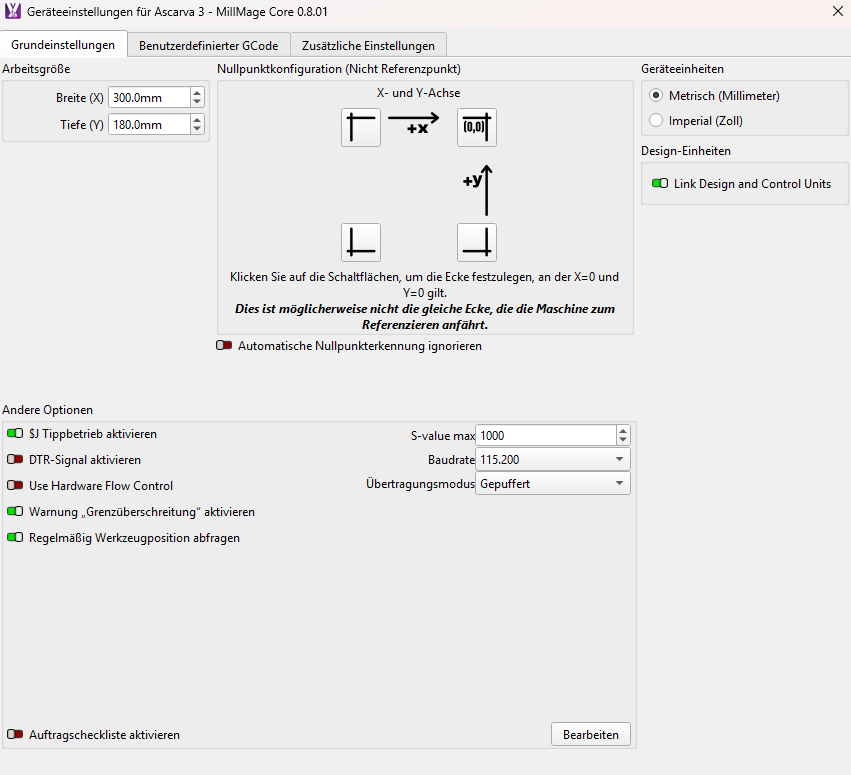
No matter how I set the coordinates, it doesn’t work. I can place my workpiece at the back, in the middle, or at the front, but I always get the same message.