I’ve been using the v2.4 of Lightburn for some time but as I had recently purchased a new laser I thought I would hook up the old laser to an old laptop which runs windows 10 and can’t be upgraded to windows 11.
Unfortunately the none of the v2 releases work, I have to go back to v1.7!
Under the documentation page elsewhere on this site it says v2 will run on windows 10 but that v1.7 is required for Linux users; as I am not using Linux it seems v2 should not crash on windows 10?!?
LightBurn requires 64-bit Windows 10 (build 1809) or later - so it should run on most Windows 10 installs. Have you upgraded your Windows 10 to the latest release?
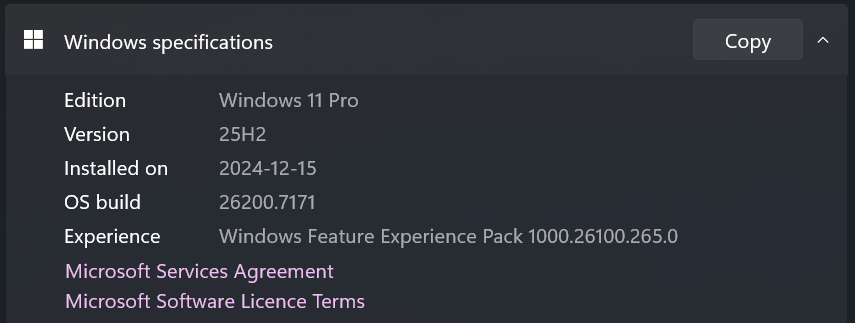
You can press the Windows Key then type ‘About this PC’ then press enter, and see what release you are on. Scroll down to the Windows Specifications - here’s what mine looks like on Win 11:
Search the Forum for “crash report” to determine where it might be located on your machine. Send the report to Support@LightburnSoftware.com and include the URL of this thread.
If there is no Lightburn crash report, it is likely a Windows issue, like needing to update the C++ Redistrubles Library.
You can upgrade to windows 11 by using the CMD, you need to have a copy of Windows 25H2 on a USB drive and then use the command line below
C:\windows\system32>E: ( or whatever drive your USB is in)
E:\cd sources
E:\sources>setupprep.exe /product server
This will install win 11 to match whatever win 10 you have, home or pro and you will not be bothered by no TPM or any other win 11 glitches
When you upgrade from Windows 10 to Windows 11 the installer will determine which version of Windows you’re upgrading from and replace that version with the same version of Windows 11 be it Home/Home N/Pro/Pro N.
If you have the N version Lightburn will not run.
You need to delete the Windows partitions and then format the drive again and then install the non-N version of Windows 11 that you want to run.