yeah, mine too. New tickets don’t show by default unless they do something. Rubbish really. Not impressed with XTool really. the machine is good but support is terrible.
Instead of selling, are you able to return the machines? That would be a clearer message.
Are either of you able to run the g-code through XCS to see the behavior?
Yeah, I like the machine so don’t want to sell. Just want Lightburn to work with it.
Oddly enough, I did ask about return but they charge a huge fee (up to 30% if machine is used!)
XCS doesn’t have the ability to just run g-code which is a pain. Or at least, not that I’ve found anyway.
The M1 allowed g-code import. Don’t know if this is also available on the S1:
Use xTool Creative Space (XCS) to Operate xTool M1 - xTool Support Center
Else, try loading g-code to the TF card.
How to Use the TF Card Offline Mode - xTool Support Center
That’s unfortunate about the return policy, especially when the machine is not fit for purpose.
Popping back in to report it appears we’ve resolved the triangle issue. More work is still ongoing. As is policy, we cannot provide a timeline for these improvements being released, but wanted to report the good news. We’re making progress.
Awesome Colin. Great news indeed. I’ll keep my eye open. Is it still worth me giving XTool grief on this?
Nachdem ich ein wenig hier im Forum gestöbert habe sehe ich das ich mit diesem Problem nicht allein bin.
Habe diese Probleme auf meine D1 20W nie gehabt, sind erst mit dem S1 aufgetaucht.
Den Fehler habe ich in verschiedenen Variationen gesehen.
Es sieht immer so aus als ob ein Punkt vom Laser ignoriert wird.
Daher wird aus dem Quadrat ein Dreieck.
Bei mir hat es meist geholfen einfach die Schnittlinie neu zu machen.
Das Problem hierbei ist das man nicht weiss ob die Linie scheisse wird, die alternative dazu wäre das man immer erst schneidet und danach Graviert, lößt das Problem nicht aber man verschwendet nicht zuviel Zeit…
Die Frage ist wie sinnvoll ist es xTool damit auf den Geist zu gehen.
Immerhin wird gesagt der S1 mit Lightburn kompatibel ist.
Wenn die Macher von Lightburn noch keinen S1 haben soll xTool denen verdammt nochmal einen kostenfrei zusenden!
Arbeite seit der ersten Stunde mit Lightburn und ich finde das es ein verdammt gutes Programm ist wo ich das Geld dafür sehr gern bezahlt habe!
Und bei aller Liebe… XCS ist leider keine Alternative zu Lightburn…
After browsing the forum a bit I see that I am not alone with this problem.
I never had these problems on my D1 20W, they only appeared with the S1.
I have seen the error in different variations.
It always looks like a dot is ignored by the laser.
Therefore the square becomes a triangle.
For me, it usually helped to simply redraw the cutting line.
The problem with this is that you don’t know if the line is going to be bad, the alternative would be to always cut first and then engrave, doesn’t solve the problem but you don’t waste too much time…
The question is how useful it is to get on xTool’s nerves.
After all, the S1 is said to be compatible with Lightburn.
If the makers of Lightburn don’t have an S1 yet, xTool should damn well send them one free of charge!
I’ve been working with Lightburn since the beginning and I think it’s a damn good program and I’m very happy to have paid the money for it!
And with all due respect… XCS is unfortunately no alternative to Lightburn…
I’ve contacted a handful of the users in this thread and offered an alpha release of LightBurn that has the S1’s initial fixes for testing.
We will hopefully roll this out into a Public Beta version soon.
If you were not contacted, please be patient - requests in my DM’s will not be responded to at this time. We’re not looking to distribute the alpha widely as it needs more testing.
We have an alpha version in test with a small group right now that is looking very promising. Here It corrects issues with Jogging, probing, Multi-layer problems (the triangle issue and air assist) and many other issues.
Once we have a some more testing we will release it to a beta in the near future.
So… ich habe mich mal in einer Mail an xTool gewand um zu schauen was die sagen:
Hallo,
ich habe lange gezögert mich an Sie zu wenden da ich versucht habe die Probleme die ich seit der nutzung meines S1 habe selber zu lösen.
Um eines vorweg zu nehmen: Ich nutze Lightburn in der aktuellsten Version mit xTOOL_S1_V2.lbdev Datei die ich von der xTool Seite habe.
Am Anfang ist mir aufgefallen das bei Schnittdateien öfter und scheinbar willkürlich Punkte vom Laser ausgelassen werden so das ich beim beispiel eines Viereckes plötzlich ein Dreieck habe.
Dies hat schon mehrfach dazu geführt das ich zum Teil größere Projekte nochmals schneiden musste da das erste entsprechend zerstört war.
Ich habe vorher einen D1 Pro 20W betrieben welchen ich auch ausschließlich mit Lightburn betrieben habe.
In einem Forum las ich das ein Nutzer von xTool den Hinweis bekam er solle doch XCS nutzen.
Ich habe mir den S1 gekauft da ich davon ausgegangen bin das dieser (wie beworben) vollständig mit Lightburn kompatiebel ist.
Sie brauchen mir auch nicht vorschlagen das ich meine Projekte “einfach in XCS bearbeiten soll”.
Auf Ihrer Website schreiben Sie wie toll das Programm ist und wieviele Leute daran arbeiten.
Mir bringt es nichts da das Programm mich in meiner Handlungsfreiheit massiv einschränkt.
Ich habe in den letzten Wochen versucht Projekte in XCS zu bearbeiten aber bin damit verdammt unzufrieden.
Das Programm ist vielleicht für leute etwas die kleine sachen schnell und ohne große Bearbeitung machen wollen.
Aber sobald man ein gewisses Level erreicht ist XCS leider keine gute Wahl denn ich rege mich bei jeder Nutzung nur auf.
Meine Erwartung an Sie ist das die Probleme, die der S1 mit Lightburn hat, beheben.
Vielleicht sollten sich mal von Ihrer Seite mit dem S1 und Lightburn hinsetzen und schauen warum es nicht richtig funktioniert.
Bei meinem D1 hat es ja schließlich auch immer funktioniert.
Denn sollten die Probleme nicht gelöst werden, würde ich auf einen zukünftigen Kauf von xTool Produkten abstand nehmen.
Viele Grüße
Hier die Antwort:
Hi Customer,
Thanks for reaching out to us.
We truly appreciate the time you have taken to provide your feedback.
The S1 machine does have some problems on Lightburn and is not fully compatible. You can try to re-insert the SD card or try another SD card. Sometimes the S1 processing file does not match the actual one, which is probably due to the SD card. Card problem. If there is no improvement after replacing it, it is a compatibility issue between S1 and Lightburn itself.
We apologize for any inconvenience this situation may have caused and appreciate your understanding and cooperation.
Yours Sincerely,
Shelley💖
Meiner meinung nach überhaupt nichts aussagend… was ist eure Meinung dazu ?
Grüße
So… I sent an e-mail to xTool to see what they had to say:
Hello,
I have hesitated for a long time to contact you because I have tried to solve the problems I have had since using my S1 myself.
To say one thing up front: I am using the latest version of Lightburn with the xTOOL_S1_V2.lbdev file that I got from the xTool site.
At the beginning I noticed that the laser often and seemingly arbitrarily omits points from the cut files so that I suddenly have a triangle in the example of a square.
This has led to me having to cut larger projects again several times because the first one was destroyed.
I previously used a D1 Pro 20W which I also used exclusively with Lightburn.
I read in a forum that a user of xTool was told that he should use XCS.
I bought the S1 because I assumed that it was fully compatible with Lightburn (as advertised).
You don’t need to tell me that I should “just edit my projects in XCS”.
On your website you write how great the program is and how many people are working on it.
It’s no use to me because the program massively restricts my freedom of action.
I’ve tried to edit projects in XCS over the last few weeks but I’m damned dissatisfied with it.
The program is perhaps something for people who want to do small things quickly and without a lot of editing.
But as soon as you reach a certain level, XCS is unfortunately not a good choice because I get upset every time I use it.
I expect you to fix the problems that the S1 has with Lightburn.
Perhaps you should sit down with the S1 and Lightburn and see why it’s not working properly.
After all, it always worked with my D1.
If the problems are not solved, I would refrain from buying xTool products in the future.
Best regards
Here is the answer:
Thanks for reaching out to us.
We truly appreciate the time you have taken to provide your feedback.
The S1 machine does have some problems on Lightburn and is not fully compatible. You can try to re-insert the SD card or try another SD card. Sometimes the S1 processing file does not match the actual one, which is probably due to the SD card. Card problem. If there is no improvement after replacing it, it is a compatibility issue between S1 and Lightburn itself.
We apologize for any inconvenience this situation may have caused and appreciate your understanding and cooperation.
I just got an xTool S1 as my first laser cutter today, and ran into this exact issue. I just want to say an enormous thank you to everyone in this thread for all of the debugging you did to get to the core of the issue, and to the Lightburn team for working out a fix. I look forward to it becoming available 
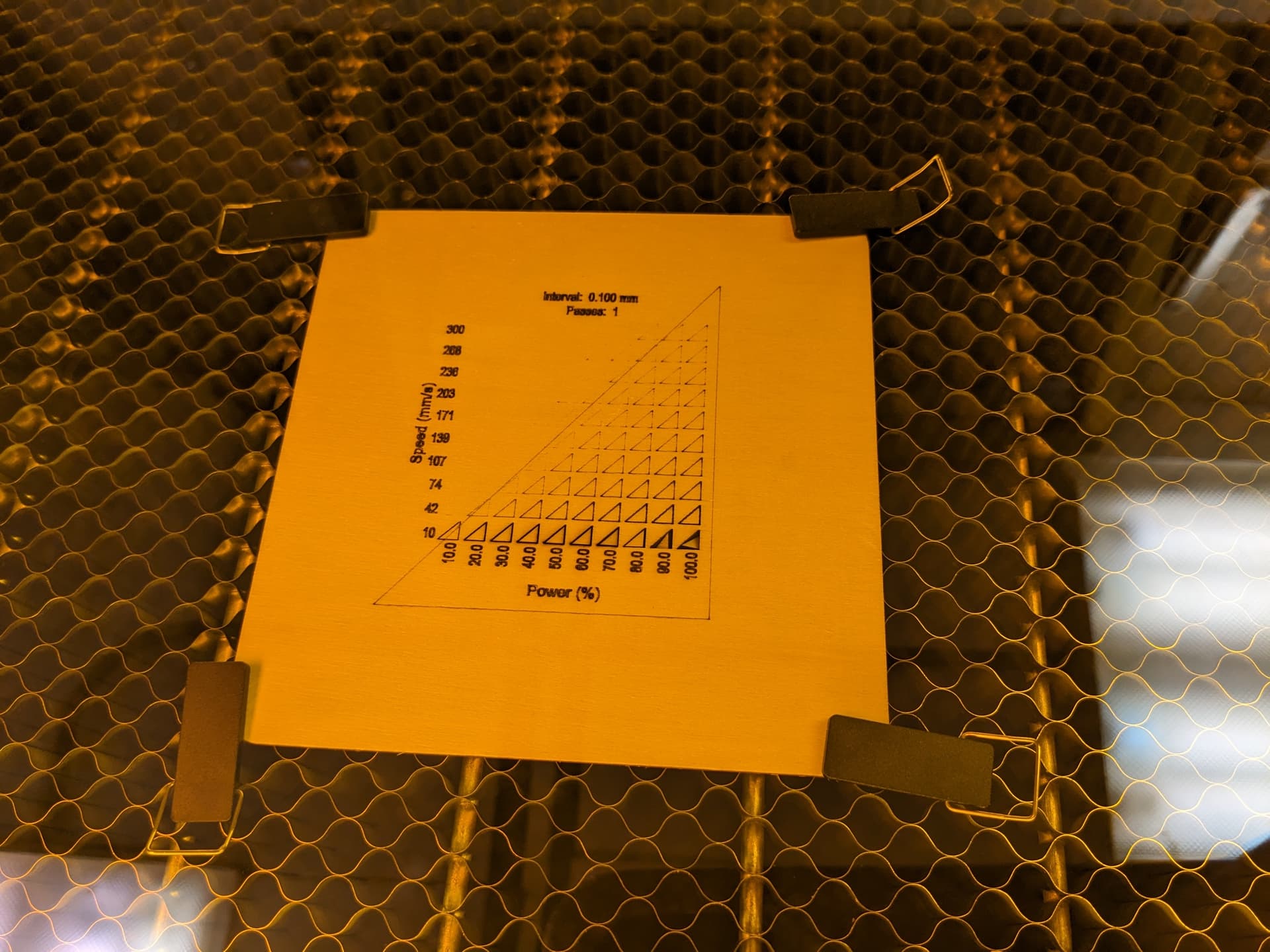
This happened to me yesterday whilst cutting out parts for a leather handbag, it’s going to cost me £60 for a new piece of leather. So ihope the new bug fix is released soon.
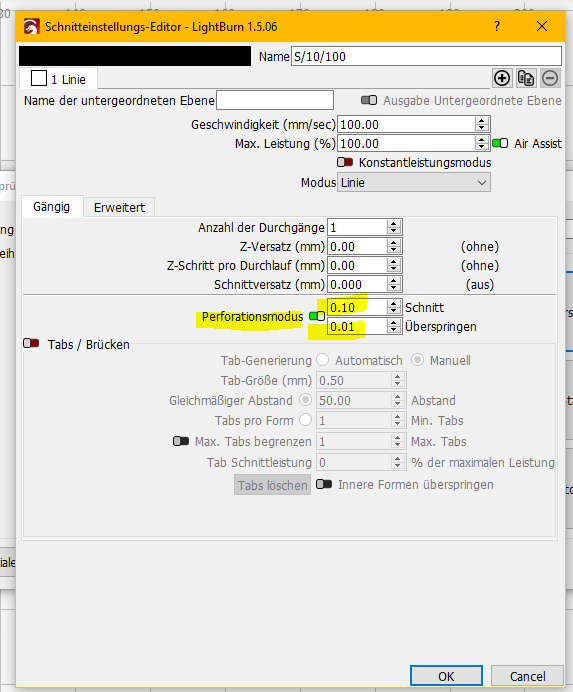
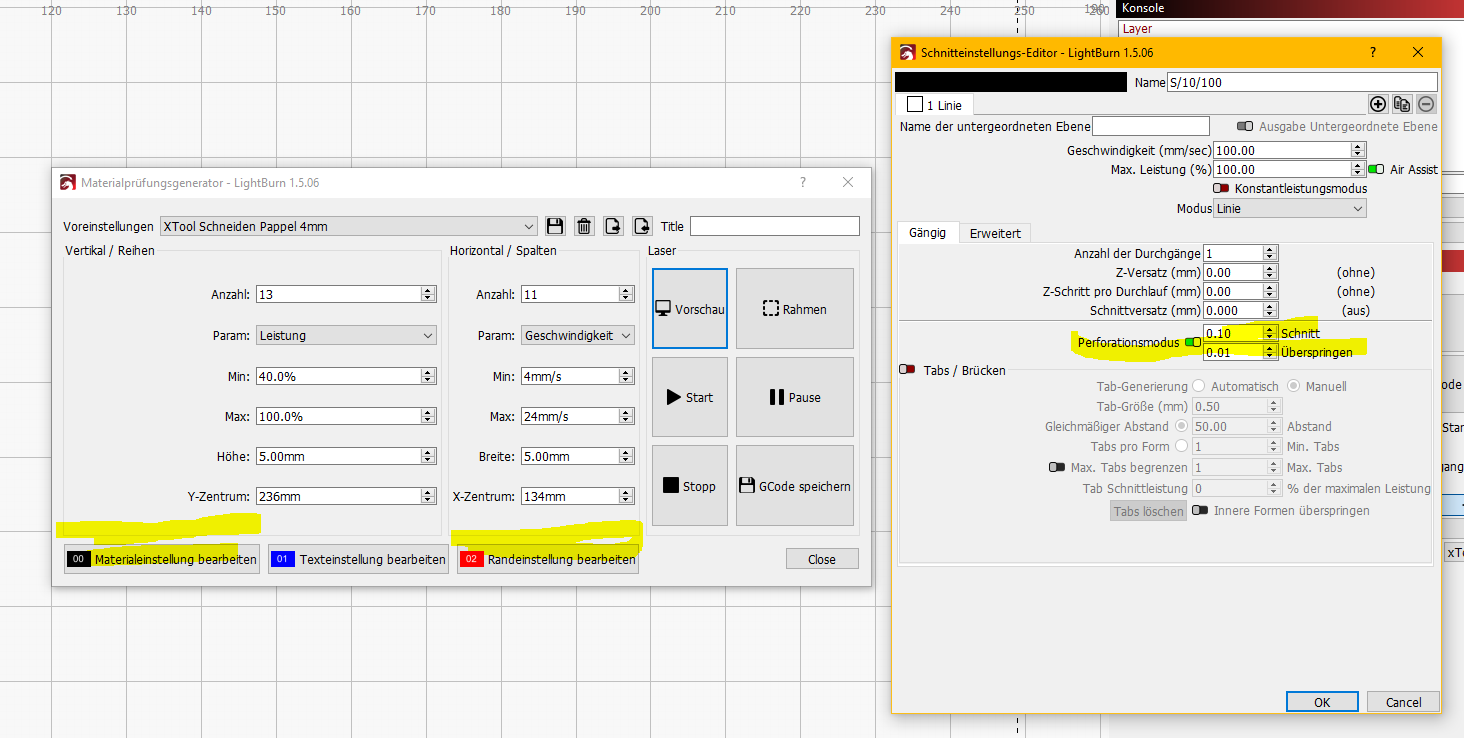
Habe das ganze angepasst und es geht.
I have adjusted the whole thing and it works.
mitsu LM.lbrn2 (1,2 MB)
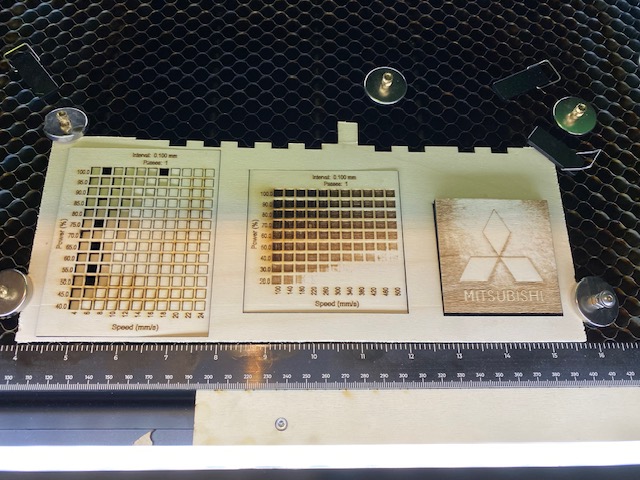
Interesting idea of using perforation mode with skip sections smaller than your kerf to basically introduce additional points. It’s not an ideal solution but may work as a workaround in a pinch.
Did the attempted workaround from that alpha version not make it into this release, or is the current expectation that this is resolved? I note the problem still persists when using Lightburn 1.5.06.
We have fixed most of the S1 issues in the 1.7 beta release. Feel free to try it.