After setting the workpiece zero point to the center, framing the work is to the bottom left of the zero point, half on/off the workpiece. Using TwoTrees TTC450 pro
The zero point is normally at the front left corner of the material. Can you upload your .mage file so we can see what you are trying to do?
After tinkering with it, I now discovered that it’s the framing that’s off to the side but the project does execute properly if I disregard the popup warnings
I do not know if that is a win or not. At least it is running. 
are you running core 8.0.2 or pro when this happens ?
@MikeyH might be same issue ,as that other topic , not framing correctly
Yes, running 0.8.02. Popup warnings about being out of bounds but the project runs perfectly
Yes, running 0.8.02. Popup warnings about being out of bounds but the project runs perfectly. I was using Dollar Tree bamboo boards to practice on when it happened, but when it executed properly, I swapped and resized the project to a larger, better board. THEN it framed and cut properly. Starting to think my machine is screwing with me for fun…
 i wonder that sometimes also
im picking its a bug, there is another topic with similar issues
when i opened their file i got out of bounds warning also.. but object well in bounds ,but control mode looks ok this is one for the developers to look into @MikeyH you would know who best to tag in this one
Can you screen capture (SHFT+WinKey+S) this for us? I am wondering if it is X/Y or just Z giving the message.
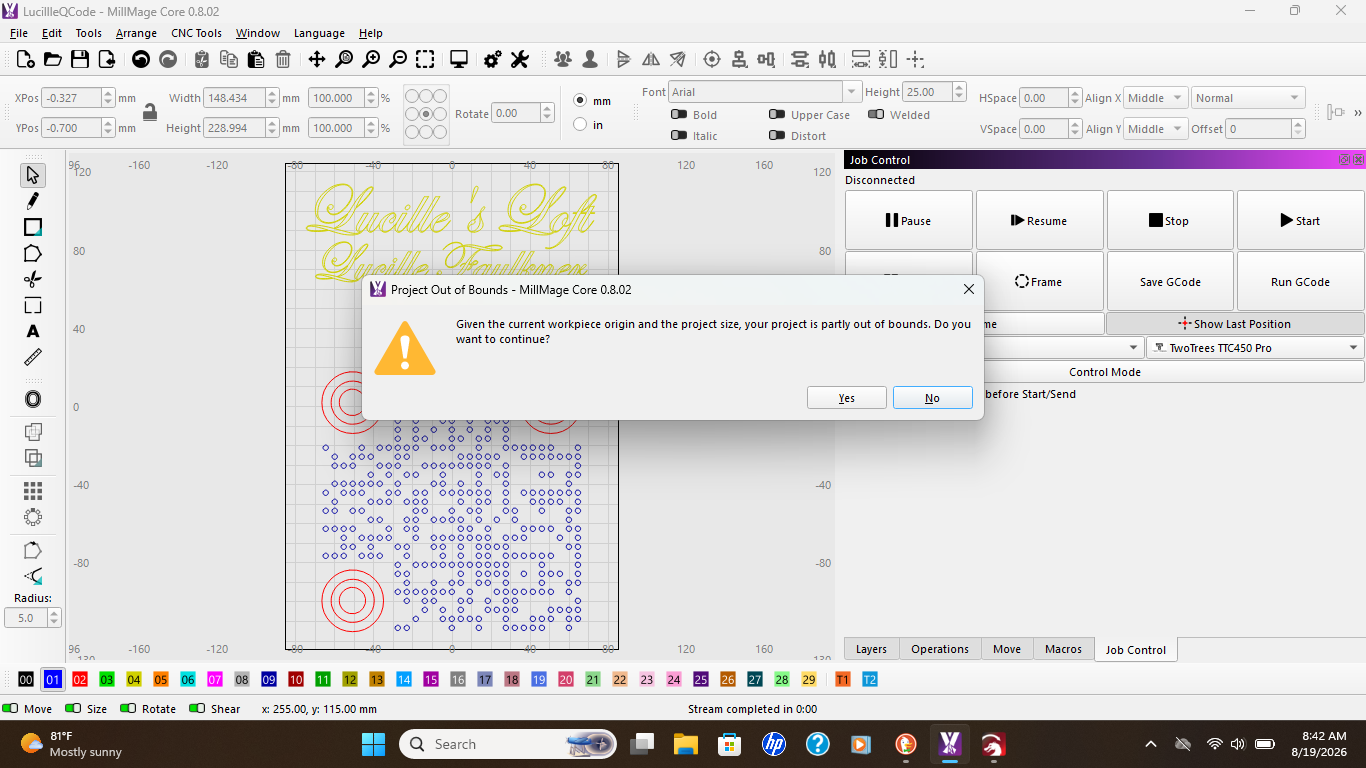
When I moved the Origin (green square) to the front left using the Project Setup Edit window, the popup window went away. If you get an Alarm 2 in the Console window, review all youe coordinate related settings.
what doe that show you ?
thats what happens in the video in other post also, he says it zero point swapped its fine
It opens the Windows Snippit Tool, allowing you to frame and capture any portion of the screen. Much better than the old “print screen” option.
you learn something everyday ive been using snipping tool , i must have 2 different one on my computer
Pretty sure it is the same one. One PC has an icon, the other 2 do not so I just use the key combo on all of them.
nah mine are different
Yeah, looks different in the little window, but does the same thing. I think how you launch it makes the difference.