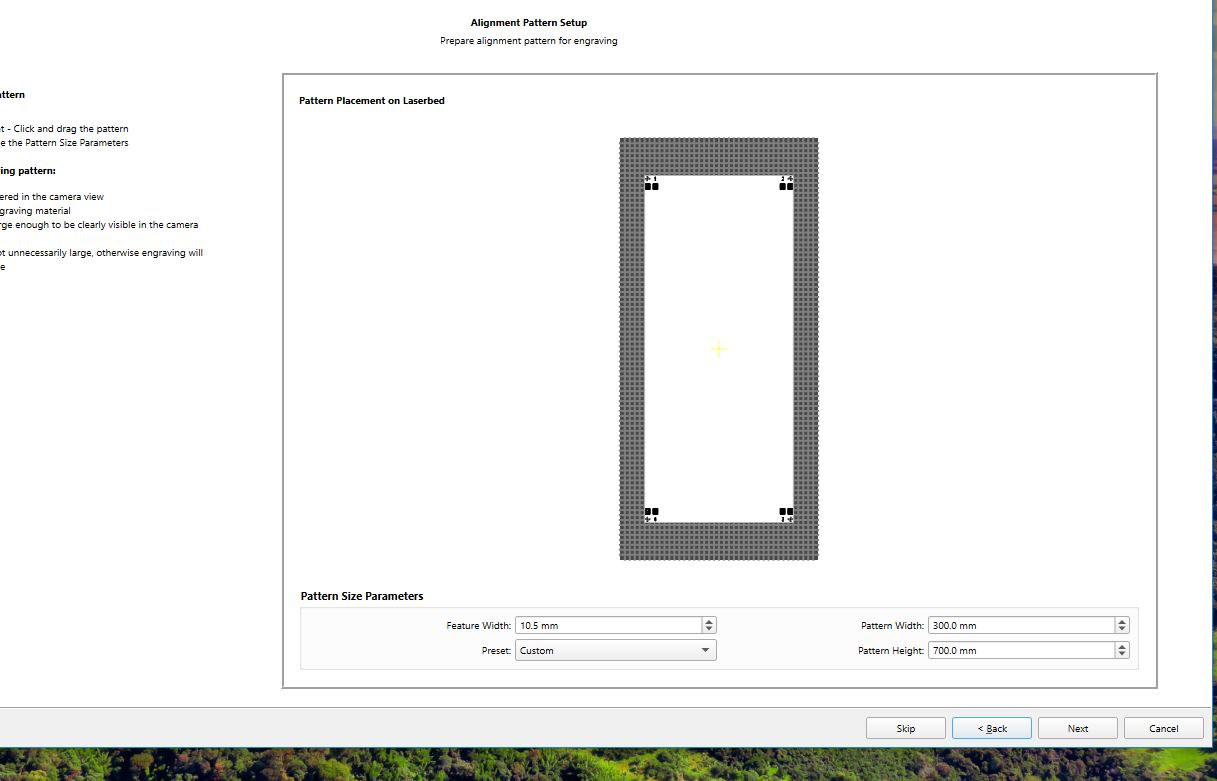
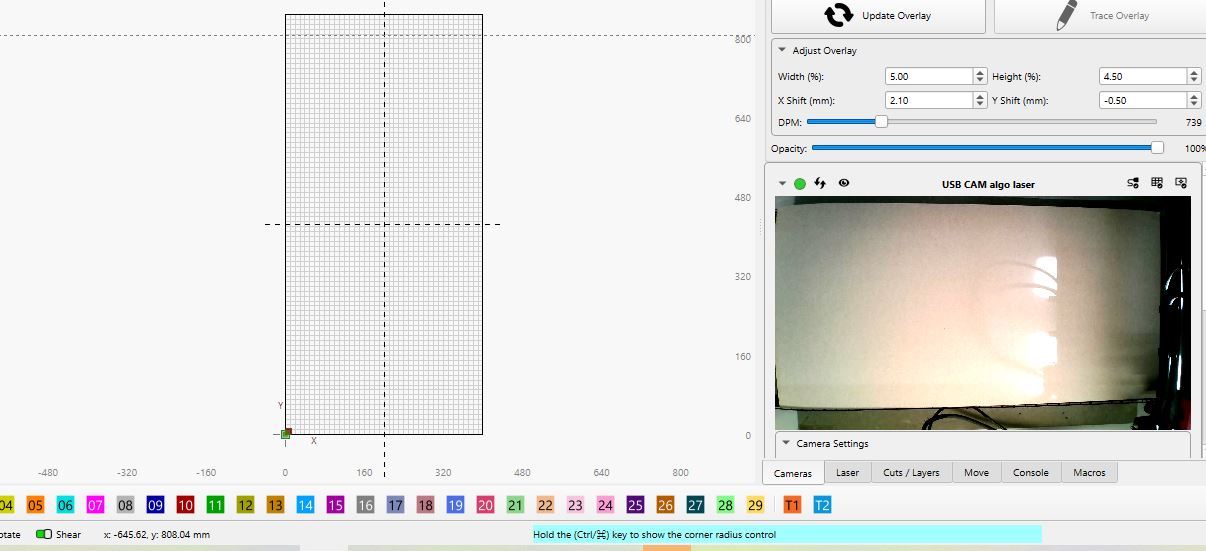
I’m a little confused that you have in your profile “Your laser: xtool d1 pro 20 w” but in the pictures shown there is a different bed size.
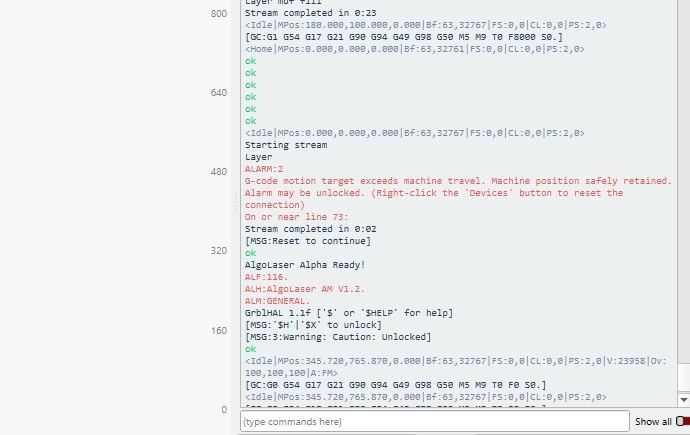
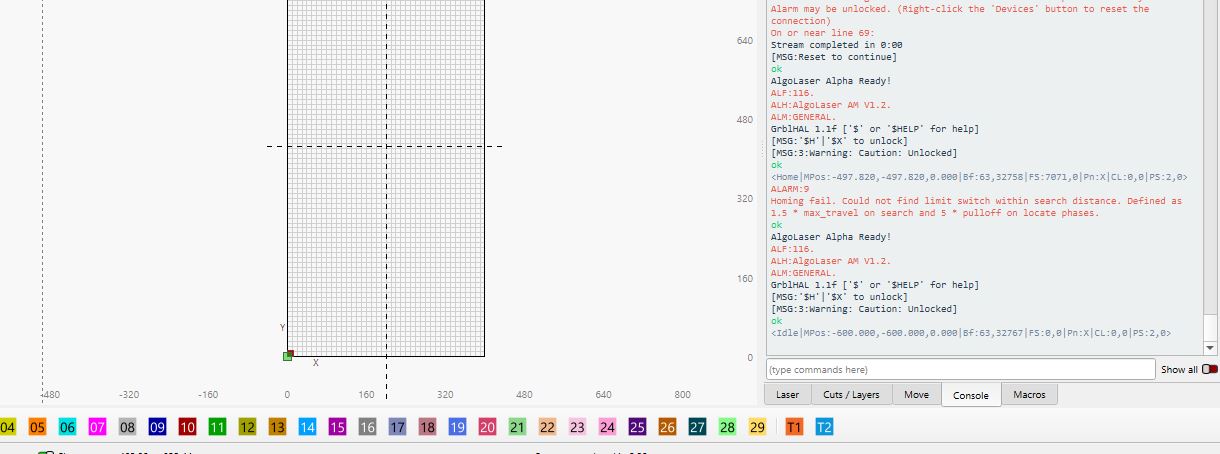
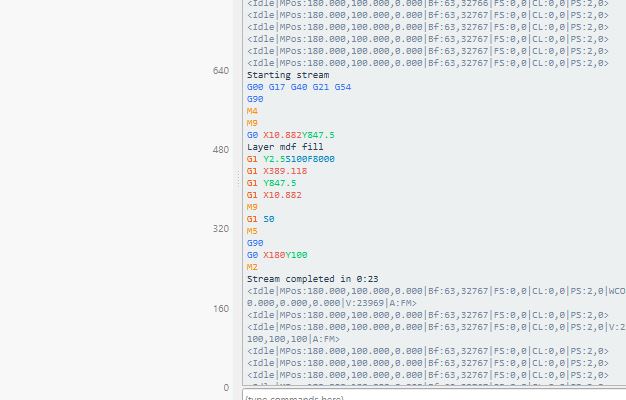
In one of the error messages it says that it “cannot find home”, it could be related to the mismatch in your used X Y dimensions/home position.
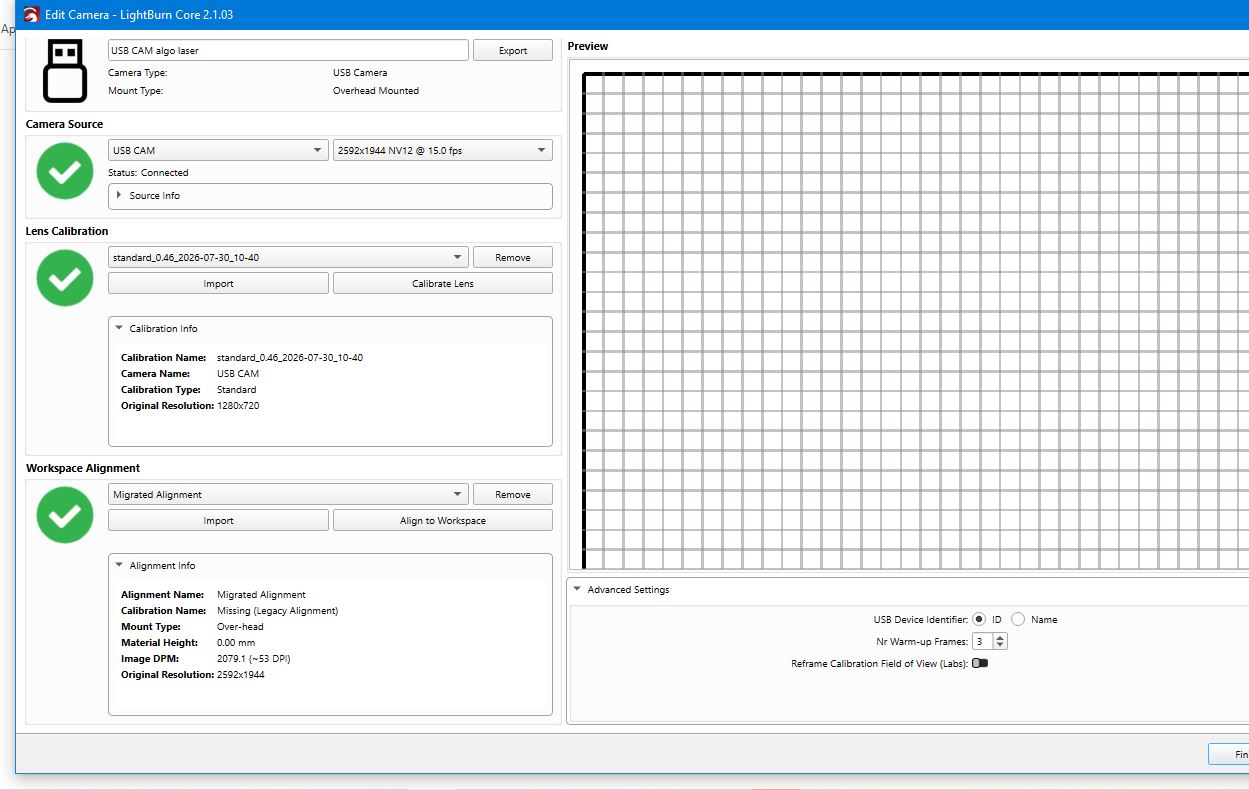
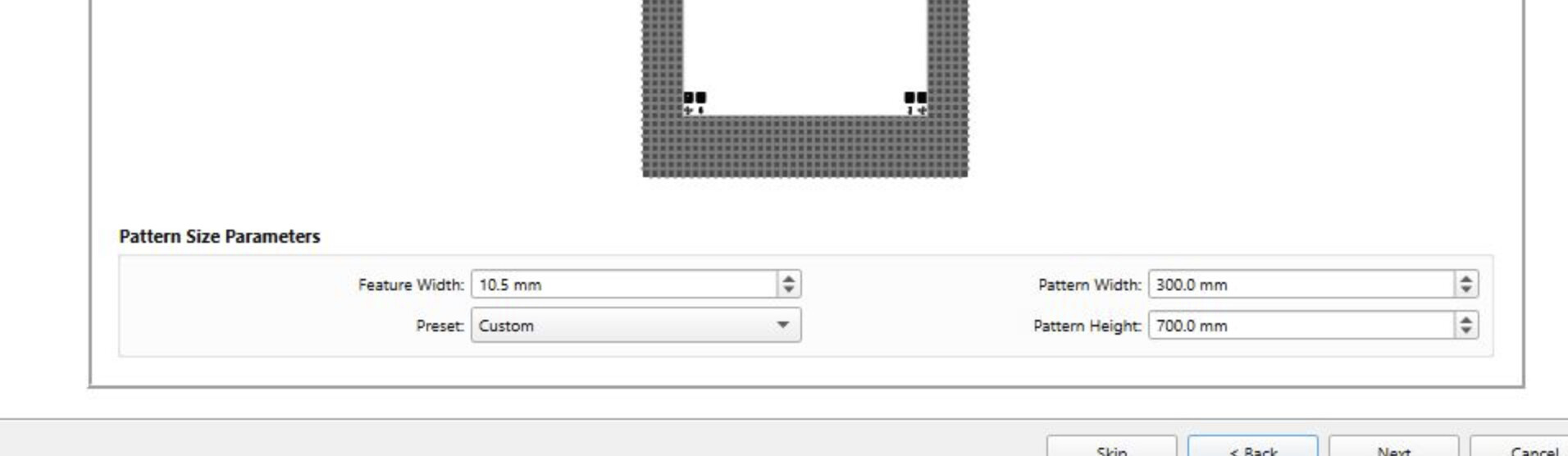
Something else that catches my eye is that you are using very small April targets, is there an explanation for that? And why is your DPM set to 739? There are also different results in your camera lens correction and workspace alignment, which I don’t remember being “normal”.
My suggestion is to start by setting up your machine with the physical dimensions it has and use an “auto” process for calibration. You can always change/fine-tune it later if the basic system itself works first.
havent update profile since i threw that piece of junk in the bin, cant find where to change it under profile
i have had current laser for 2 years and that is 1st time ive evr had that error , it homes perfectly when running a job which shows in both screenshot , i ran 2 jobs after creating this post no issues at all only brings up that error when trying camera alignment
that is the defult size that comes up , DPM again that is what comes up i havent touched that
camera has worked fine in previous version, just not this one , so un installed and did fresh install to see if it wouldwork but it still dosent
how does pic say something else, thats great yours is set to 30 , as i said before that is what comes up on my screen same with dpm , did you ever think that did camera will have dif settings and DPM
mikey you got any ideas as to what would be causing the exceed machine travel,
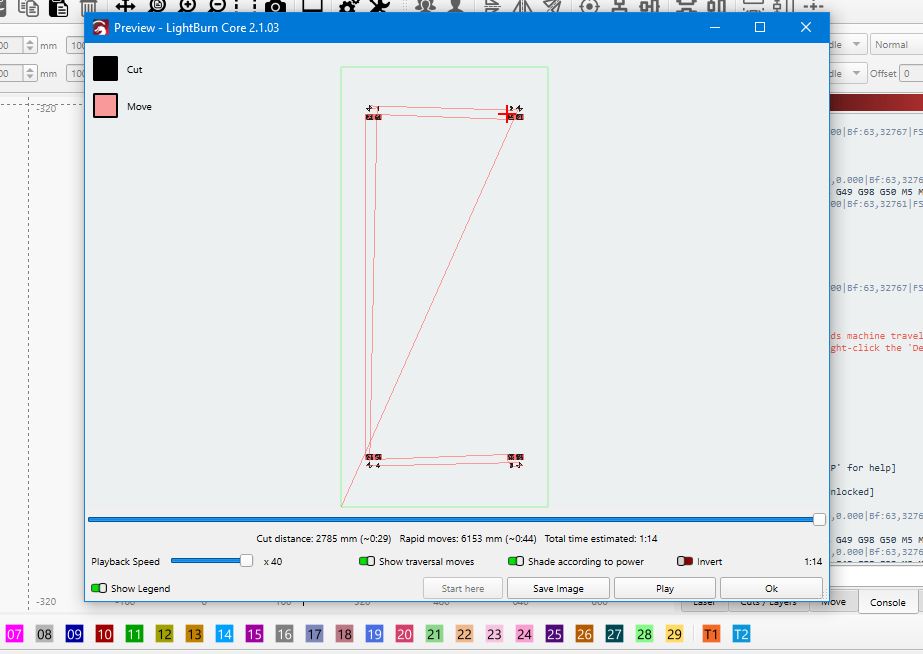
seems odd that when running jobs, it homes correctly ,runs full bed of 400 x 850 , no errors
but in camera alignment it sends alarm codes of exceed travel
i assume in new versions of LB like in MM if bed size in device settings is dif to board size in machine settings a warning pop up would appear, i haven’t had a pop up
hmmm the more i think of it the more it makes me wonder during update if it defaulted machine settings to 400x 400, but not device settings and no warning has been activated
I haven’t used LB or laser much in last few months so not been in the loop of its development MM getting all my attention so looking at it from that angle which i assume runs the same
Not exactly. MillMage is getting features not in Lightburn, and the other way around. We, at least I, hope some of the great features in one migrate into the other.
You confirmed Absolute Coords, but always check to make sure.
Are you saying using the camera to align is sending alarms?
I am new to the camera, so please be gentle. With your design in the location you desire, do the camera overlay. Then position your material where you think it should be. Now do a screen capture of the workspace design grid showing it all. If your project is not proprietary, can you upload the .lbrn2 file with the image capture as well?
no im trying to set up my camera under camera manage so i am able to use it , but its the final alignment process that wont work
always with you re absolute tripple confirmed
thats the problem the camera wizard is causing the alarms so i cant complete the alignment process, so cant even get to the overlay capture to work part
Even crappy, it should give you some kind if result.
I have to leave for a bit, but I will ping you and we can go thru the process if you like. Maybe some feedback on your results while you are doing it will help.
I went thru it twice and got very good results the second time. There is a posting somewhere.
i had camera working in older version but camera overlay wouldn’t work in this version , so deleted camera and am trying to reinstall it , but now have hit this error
 re absolute tripple confirmed
