It “definitely” has something to do with disk access. When I turn off autosave there are no “interruptions”. But when I manually save I see the little rolling color wheel again, so that’s why I think that there is a connection with disk access. As I said, the interruption is 2-3 seconds long and I haven’t seen it in older versions of LB, but I don’t dare say whether it came with RC3 or RC2… If you would like me to test it, I can reinstall an older version of 2.0 again.
Thank you for testing. I didn’t experience this on Windows so far.
Are you saving the project file an external location that’s slow to write to? - (It still shouldn’t lock up while saving)
You can download older RC versions from here
I don’t see the use case for a zoom function. Can you explain what you want to do?
What a sharpness setting would do is probably something like Edge Enhancement. I’m not sure if that would improve the actual accuracy of the image.
I believe, that’s already the case? If you can’t change a setting, do you maybe have “Auto” enabled here?

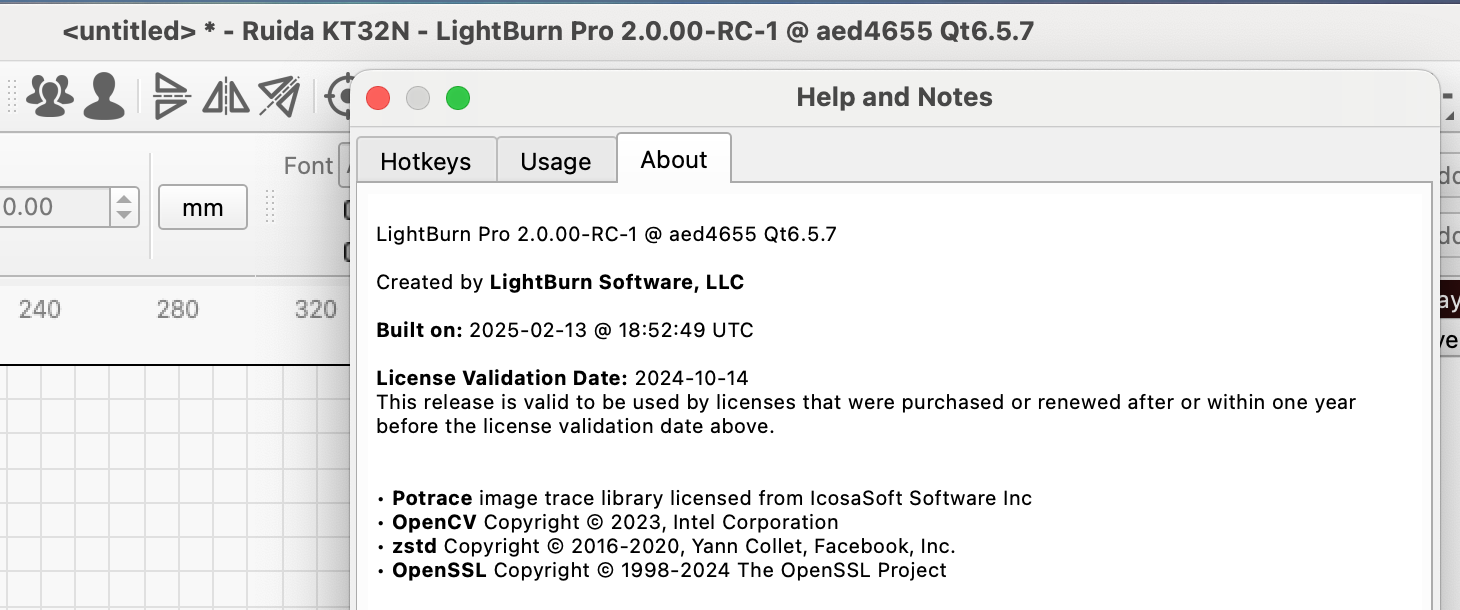
No problems with version RC1(2)…
I have installed RC3 again and the pauses are there immediately when opening existing files or saving something
That’s helpful information. We are investigating.
To narrow it down further: Did you say, the pauses are not happening in the RC1 and RC2?
Using the RC3, I couldn’t reproduce this on a Monterey system.
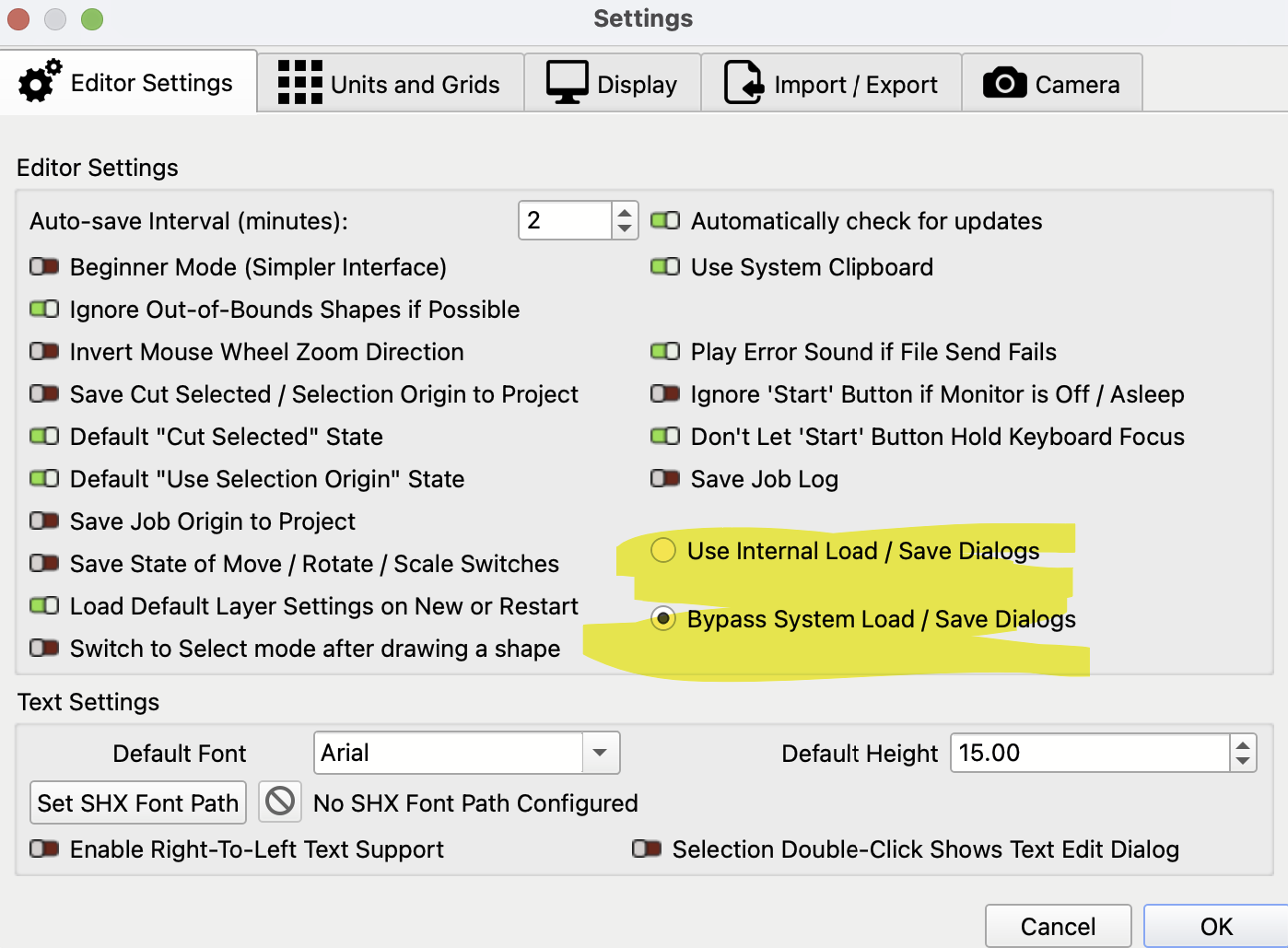
I’ve tried with both settings for Load / Save Dialogs- “Use Internal”
and “Bypass”
Might be a shot in the dark, but can you see if changing this helps?
I downloaded and installed RC1, but during installation I couldn’t see exactly if RC1 and RC2 are merged, hence my screenshot. I will download RC2 and try again.
It has no effect, the interruption occurs at the autosave rate (but it’s more of a feeling, I haven’t measured the time).
RC2 has the same problem as RC3, here at my place.
But now my LB RC1 crashes when I try to start the program.
I’m sending the report, it might be useful to you. (to be renamed to pdf)
RC1-Crash.txt (193.6 KB)
I’m installing RC3 and turning off autosave for now, I just have to remember to save the projects myself 
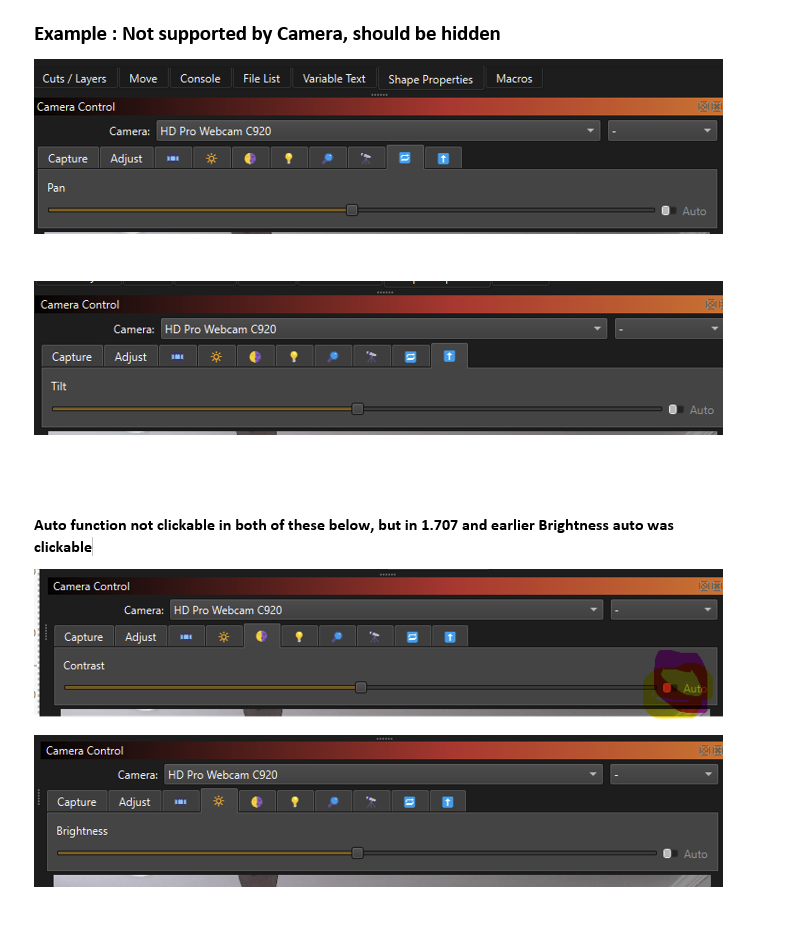
@gilaraujo Regarding hiding functions for the camera, just like zoom, tilt, pan - if the camera does not support them, they should not be in the camera app panel. I know zoom works with my camera regardless of the use case, but the function does not work in the camera app. As well as the auto function does not work for brightness and contrast, as this is confusing to end-users who will try to click it, and they are non-clickable - thus I get emails about this, these should be hidden just like the functions that do not work with the camera. Regarding sharpness, when doing intricate engraving as an example on jewelry, the sharpness aids in the the smallest details when zooming.
Also, I know this has been mentioned several times, inculding by me, the switching of the machine units every few runs - will this be fixed? Thank you
1 Like
wonder if it’s related to the issue I have with one of my files which is too large for LB to save. I’m still using linux at this time and used to see this all the time where there was a huge slowdown in saving/autosave. I was seeing 15-20 secs though.
That doesn’t sound good. However, I don’t experience these kinds of problems on my “laser” computer which is also a Linux machine. How big is the file you’re talking about?
95mb. There was a copy of the Aztec calendar in there set for engraving along with alot of other files. The calendar pushed it over the limit. It’s a file I got 15 years ago and used on my CNC with Mach3 and Aspire
I am also experiencing the spinning beach ball on a Mac when saving files in RC3. I used a new empty file saved to my hard drive for testing. I was able to get screen recordings with the beach ball and sent them to the betasupport email address. I am getting the same results with both settings for Load / Save Dialogs.
2 Likes
How could you get the colored spinning ball in your video? I couldn’t film it.
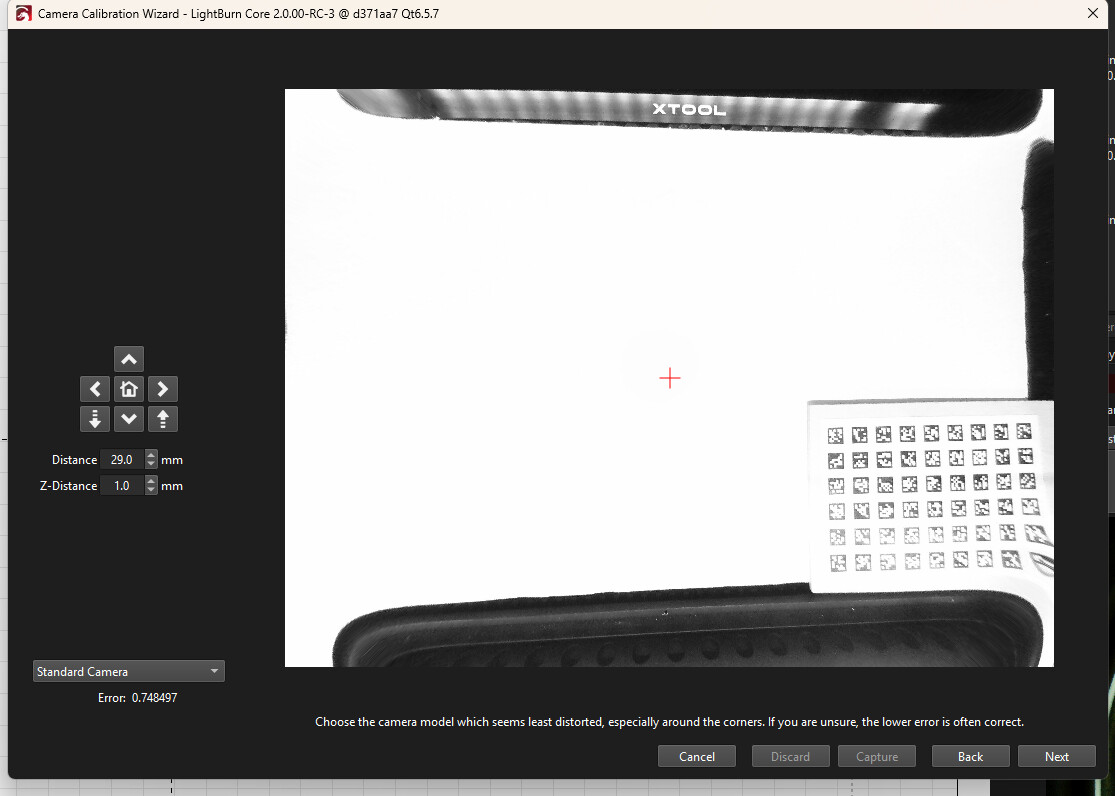
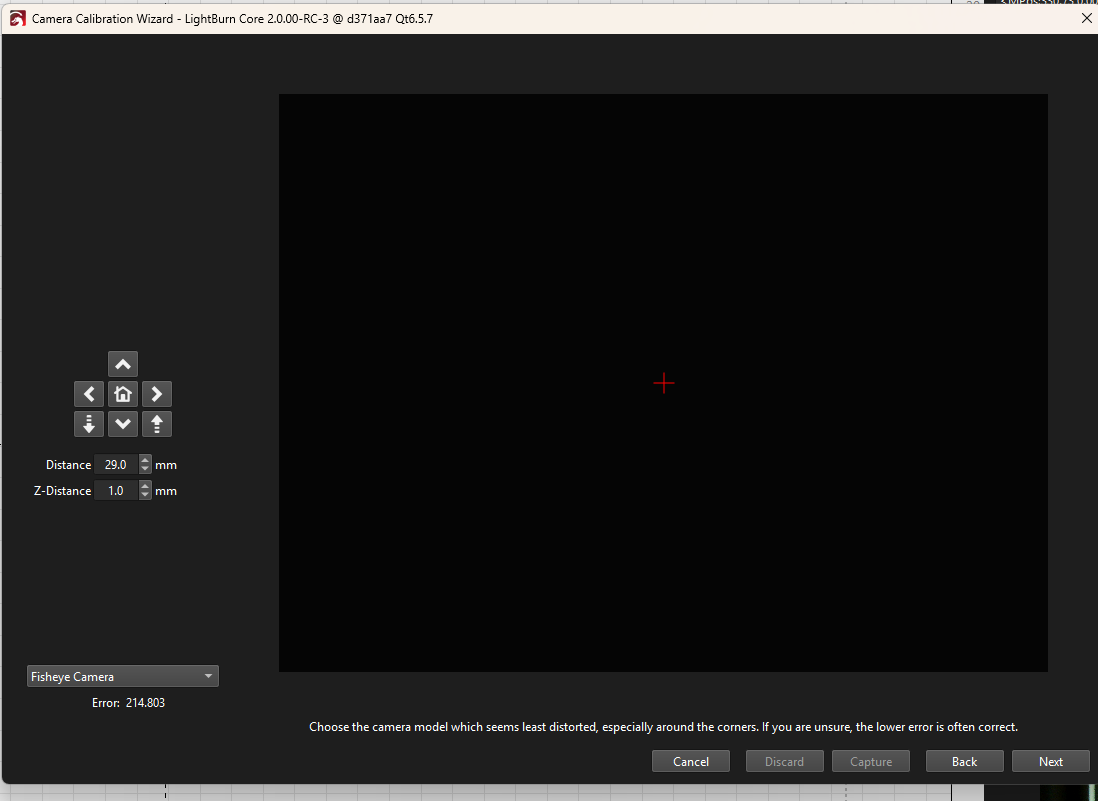
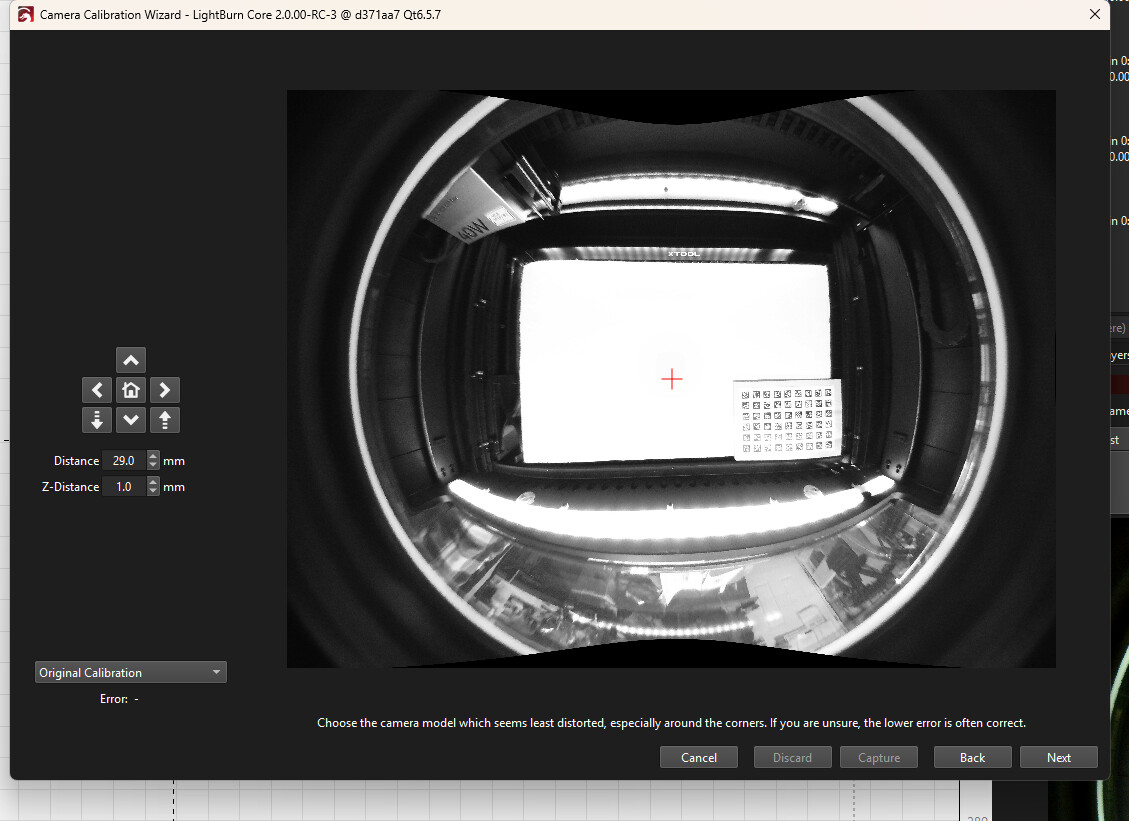
@Aaron.F @gilaraujo I tried the new experimental camera lens calibration tool. The beginning works great, took 38 samples, then hit next, and it shows building standard camera model", then the system crashes, non responsive. I let it run for 10 minutes, How long should it take?
Ran the experimental calibration lens tool again, this time with 14 samples, Standard calibration was way off. When selecting the fisheye selection the screen was blank
Ran the experimental calibration lens tool again, this time with 12 samples. Same result, see screen shots below:
Brian
1 Like
Hello,
I would like to ask abou compactibility between versions.
On my main PC where I preparing lasercut I ussing linux and as 2.0 is not for linux I will probably stay on on 1.7 and on second computer which is connected to laser I currently have also Linux but this one is not problem to reinstall to Windows and use version 2.0.
And question is if prepared lbrn2 file from version 1.7 will be compactibile with version 2.0 and later?
Thank you
–On numeric edits panel using the % to scale a shape:
-IE with a 100mm square:
-If I add a 0 (set scale % to 1000) it works well (1000mm square)
-If I add two 0 (set scale to 10000) the result is wrong (9000mm square instead of 10000mm)
– With various lightburn instances open, sometimes the instance where the camera is active jumps from one to another.
-IE: Open 3 lightburn instances. I’m on instance “1” with the camera active. after not using the computer for some time (10 minutes maybe?), I found i can’t get image from camera on instance “1”… I go to see instance “2” and “3” and the camera is active in one of these instances.
RC3 windows 11
1 Like
Argh! 
Martin, I design/construct on macOS with RC3 and send the files to my Linux PC with the latest 1.7 version of LB, at the workshop. Apart from a popup that points out the version difference, I haven’t been able to observe any problems.