I’m running. Omtec 1624 With a. KT332N Ruida controller and LightBurn. 2.2.0 1.. The issue I’m having is. That when I click the home button in light burn. The Omtech does not respond. I can. Use the move buttons to move the. Laser head around the. Machine. The origin button works. But if I hit the home button it does not work.. Also when I open the controller The controller panel. It does not respond.. I cannot type in it and it does not show. Any commands Going from Light burn to The controller. I’m guessing that because I can move the laser head around With the move tabs and. The origin button. My USB cable is OK. I guess I’m just missing something Simple with LightBurn. On my last project, The controller. Would say there was a communication error, but it was still running the project As expected. Can anybody help me with it?
If you haven’t changed any of the basic settings in relation to how the machine was running while it was running… , I would strongly recommend using a LAN connection to your laser machine. I have been in a similar situation with the exact same machine/controller and speak from experience.
As @bernd.dk suggests, switching to Ethernet will greatly improve your Quality of Life.
Some background:
Thank you for the replies gentlemen. I have hesitated using the Ethernet connect because my laptop does not have an Ethernet port. Only usb A and usb C connections. I would need an adapter, not always reliable. Still don’t understand why the console panel is greyed out. Occasionally it is functional and occasionally the home button will work. I’ll get the Ethernet setup and go from there.
If you’re on your local lan and you need to be to talk to the Internet, then you’re already pretty much there. Unless you know networking, you probably don’t want to connect directly because you need to configure the port you’re using, that you don’t have.. 
The other option is the Lightburn PI bridge, which is discontinued they used to sell. It does a great job of transferring data because it has a layer of software to support he Ruida.
I’ve got a t-link wifi bridge that has worked for years, got it from Amazon for about $12 US. I know they’ve gone up, but still a low cost.
This is mine, we have thunderstorms and the PI seems to have an issue with higher humid conditions.
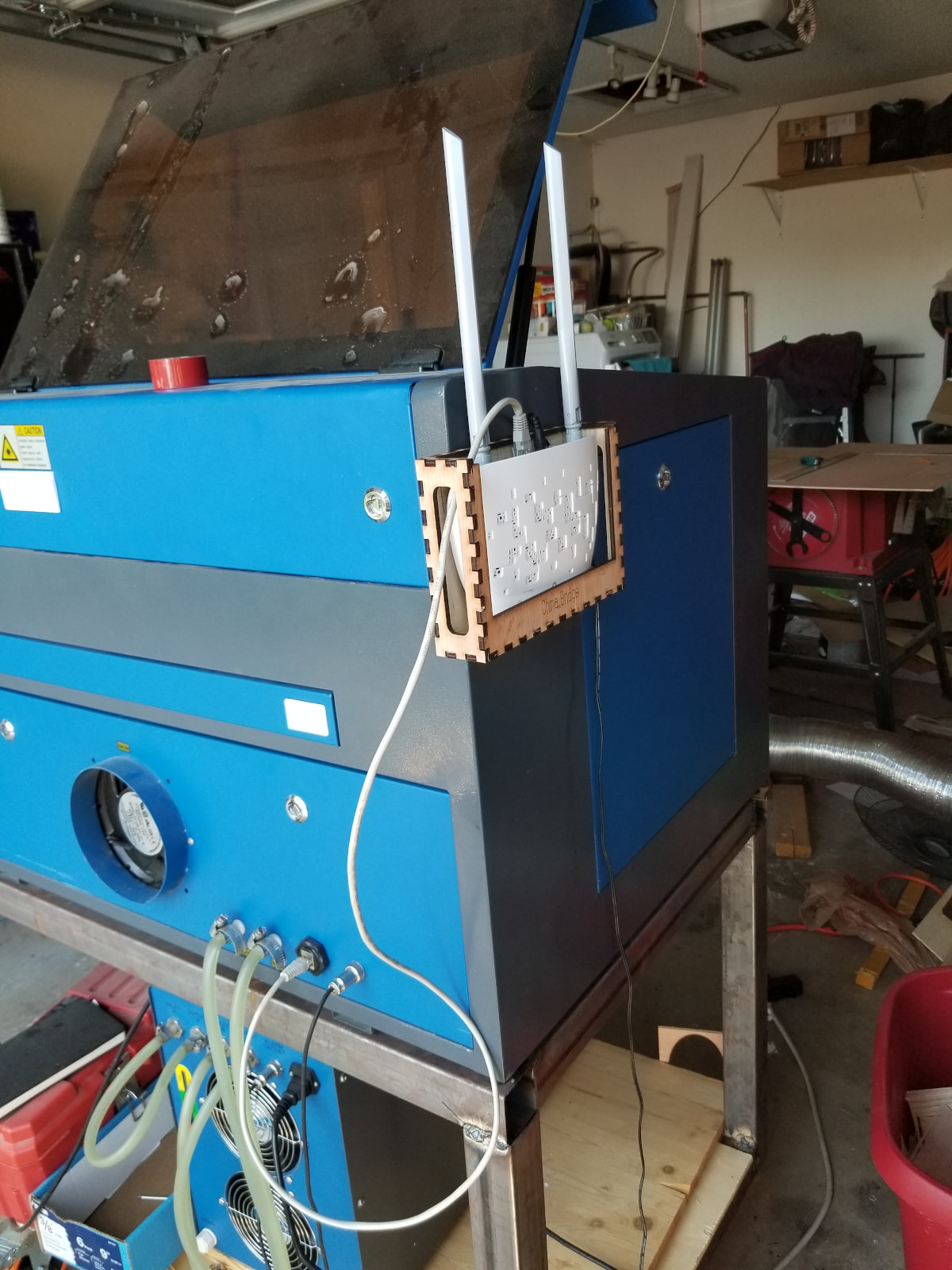
The sooner you move to an Ethernet connection, the better it will operate. In the field, they are all networked, not usb.

That’s because Ruida controllers don’t use G-Code and, thus, do not have the human-readable interface shown in the Console.
Per the doc:
Users with DSP or Galvo lasers with Ruida, TopWisdom, Trocen, EZCAD2, EZCAD3 or BSL boards cannot use the Console Window to communicate with their laser’s controllers.
If the laser is within reach of an Ethernet port on the router or you add a Bridge, you can control the laser from the laptop through the network.
Because the Ruida uses a fixed IP address, you must assign it outside the router’s DHCP range to avoid having another device get the same IP address.
Some background: