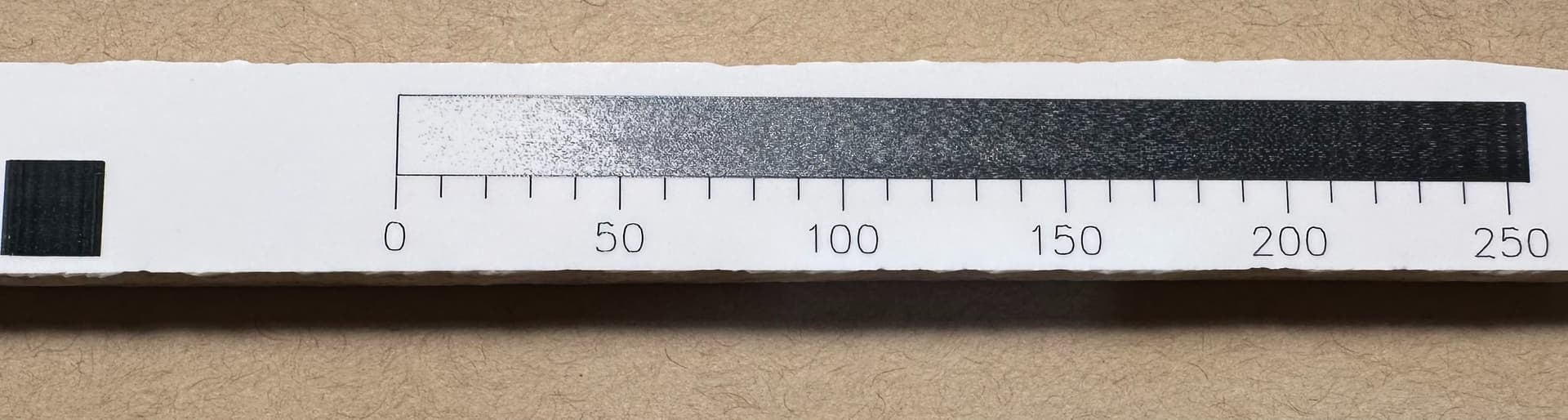
First I’d suggest you use the materials test in Lightburn. This will ensure you are varying the power/speed values as expected in your test…
You need to understand and think about how this power is being applied to the material and what the expected results are.
Generally speaking, if the speed is low and the power is high it’s going to do the most damage to the material compared to high speed/low power, less damage to the material…
I would not expect the 500mm/m square to be equal to the 1400mm/m square at the same power level…
I’d also think there is a problem when the darkness of the 500mm/m at 20% is almost identical to the same speed with 100% power, add to that in the center of that speed, were the power is 50% and it’s almost white…
Look at this test grid from @dkj4linux at post 168, you can see the change goes smoothly from low to high not only in speed but in power also.
Make sense?
There could be a few issues here…
- artwork you made, isn’t asking the machine to do what you think it supposed to do.
- TiO2 coating isn’t evenly distributed across the area
- you have hardware issues.
I doubt you have hardware issues… it’s most likely that the coating is not even… I’ve had this issue. But it’s difficult to make these material tests, especially when it’s as large as yours requiring pretty good knowledge of how the layers and attributes …
The materials test does all of this for you including good labels… it’s quicker, easier and isn’t error prone as something hand rolled…
I understand why you posted here, but this is really better as a new thread… When you jump into a thread that’s 300+ posts, it’s hard to relate to, manage and keep track of…
We won’t shoot you for starting a new thread… 
Maybe @JohnJohn can move this to it’s own thread…
Good luck