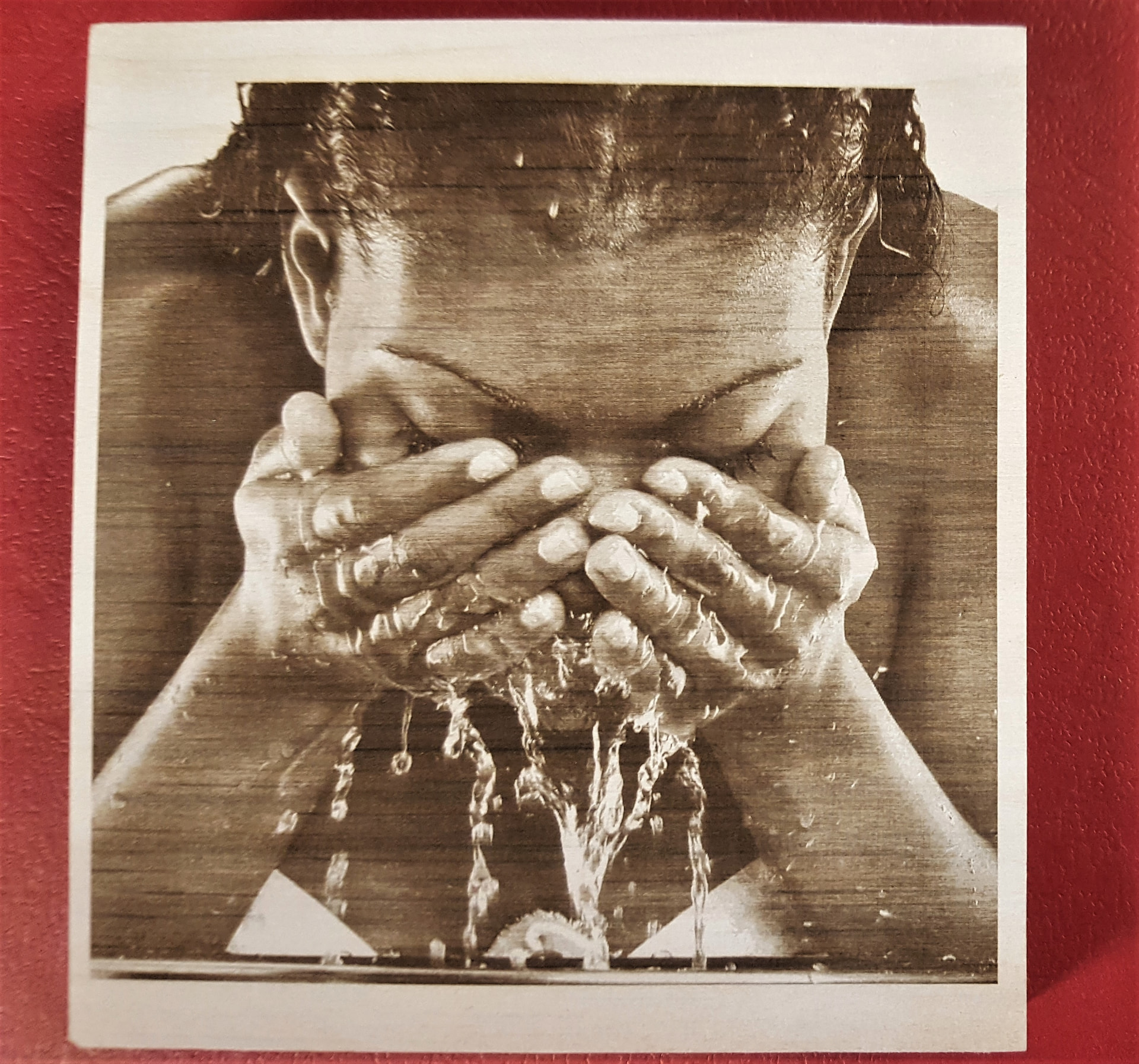
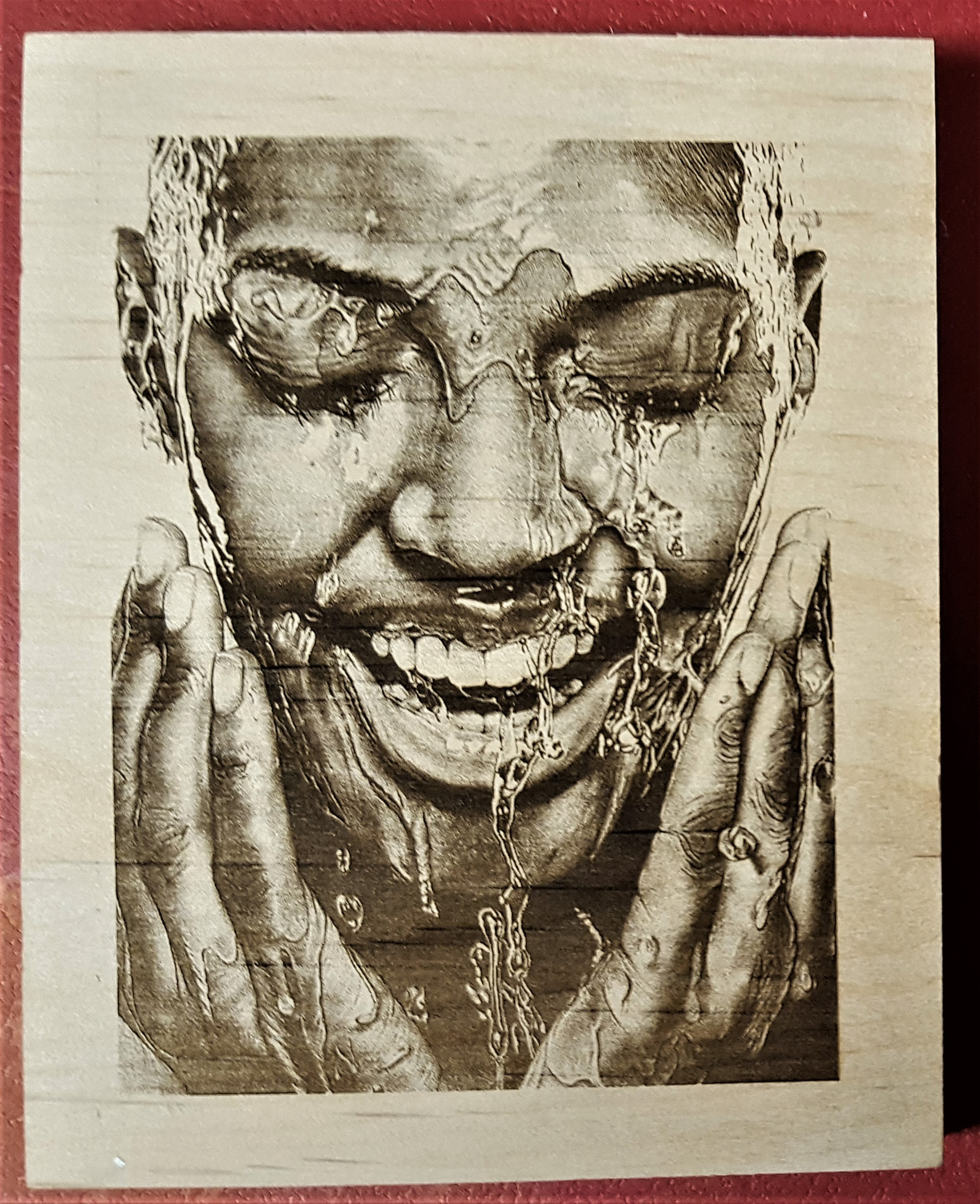
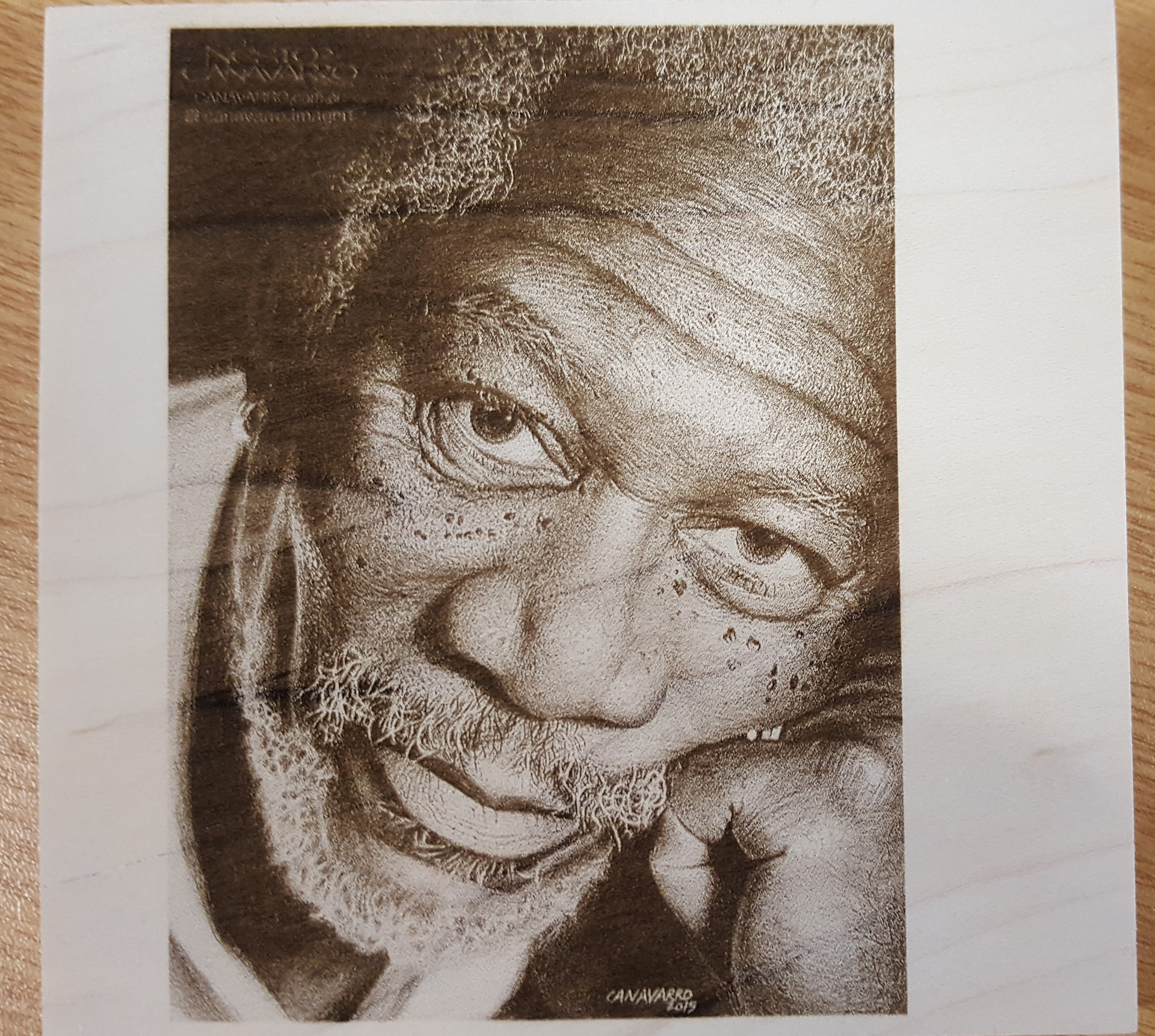
Trying to engrave photo on wood and slate if I get it right. This is what I have after several tries

.
Trying to engrave photo on wood and slate if I get it right. This is what I have after several tries
.
I understand the intuition behind using grayscale mode to reproduce photos. However, it seems that this is for those who have experience or use software with dedicated functions for reproducing photographs using a laser machine.
From what I’ve seen, using the “stucki”, “Dither”, “Jarvis”, etc. modes is much more effective for beginners.
I myself have tried to improve and reproduce photos with grayscale mode and it’s usually frustrating.
Thanks for that Kurt but I have tried those as well and didn’t much better results. Well back to the drawing board.
As Luis said, Greyscale is a bit tricky and Stucki will get you off to a better start. I think you should try to remove any background in the photo and you could reduce the dpi.
I like to use 204dpi to get me started, I’m using a 20w diode module and I’m not sure what dot size you have.
8000? Is that mm or inches/min. I think 3000mm/min and 20% power might be a good start.
You could also crop the photo to just one person as it will take less time and space so you get more attempts at it…when you get one right, they should all be better.
What size is the image and what are all the settings? If you learn to ‘Screenshot’ and post your settings it will really help to get you dialled in.
Use ‘Preview’ of the job to try minimise the darkness that is across the entire image, the faces in the picture should be relatively clear but not washed out, and you can use ‘Image Adjust’ to make those changes.
When your getting good results but not quite enough detail you could make the picture/cropped image Twice as big and that will allow more detail and you can adjust from there.
It’s all about practice and you’ll begin to know intuitively what works best under different conditions.
Photos are pretty tricky compared to other type images…as I’m learning this past week and when you start to get it you’ll be happy with the results…but happier about learning how do do it.
Ask anything anytime.
I had better luck with Greyscale, but I am in the 2% club. I never had much luck with the other modes, but I usually quit (get discouraged) too soon.
I am guessing for every successful image burn, there are 15-20 pieces of wood in the scrap pile.
@Pete.IRL said it best with, “It’s all about practice and you’ll begin to know intuitively what works best under different conditions.“
Probably the best videos when learning these is by the Laser Everything people. They have a bunch of videos.
This is probably the best pair. It’s done on a fiber but the process works with any laser and material.
Your limiting resolution for the piece is dependent on your machines spot size and the type of material. To get a certain resolution, both laser and material need to be able to have that detail.
If you strike the material with the laser and it takes out a chunk twice the size of your spot size, then the size of the chunk is the best resolution you’ll be able to achieve.
Make sense?

I will look at this video tonight. How that I think of it my choice of material was not the best. Probably the worst. I will start with better wood. Any suggestions on that??
First thing I need to do is get better wood. Any suggestions on that?
Baltic Birch or Basswood have a fine grain.
Ok great. I will get some of that and go from there. I know that the wood is only a part of the problem. and another part is me. 
Hang in there…  photos are probably, the most difficult thing you can choose to do with a laser.
Good luck.
Yes this is a good video but somewhat confusing, or maybe technical for a old mind. But I did I something out of it.
Follow Mike’s suggestion!
In my country, despite producing a lot of wood, very little of it reaches the retail store counters. It’s all destined for export or the furniture industry.
Regarding plywood, what I’ve managed to get is of poor quality, with a lot of glue and knots in the middle.
I rarely find a sheet that’s worthwhile.
Therefore, I don’t consider myself the most qualified person to advise you on wood to achieve better results.
To add to what @jkwilborn said, those ones you see that look like photo quality could be done with a 5w diode. There is one member that has an $800 laser module alone with something like a 0.02mm dot. His work is stunning, but not realistic for the rest of us.
Our docs have a nice list too: 5 Steps to Perfect Image Engravings - LightBurn Documentation
Thanks Jess
I have some bass wood comming and I’l try some of your suggestions when I am able. Thank you.
@DBat STAY AWAY FROM greyscale
You require proper wood (Alder)
You require knowledge of Tonal Adjustments
Most Diode and Co2 struggle with PWM
Start simple with Vectors using LightBurn Stucki or Jarvis
I spend HOURS with Greyscale on 5 watt diode
Good results BUT when tuned in to dithers ..not worth the effort
These are greyscale using Alder wood
LOTS of failures dialing in