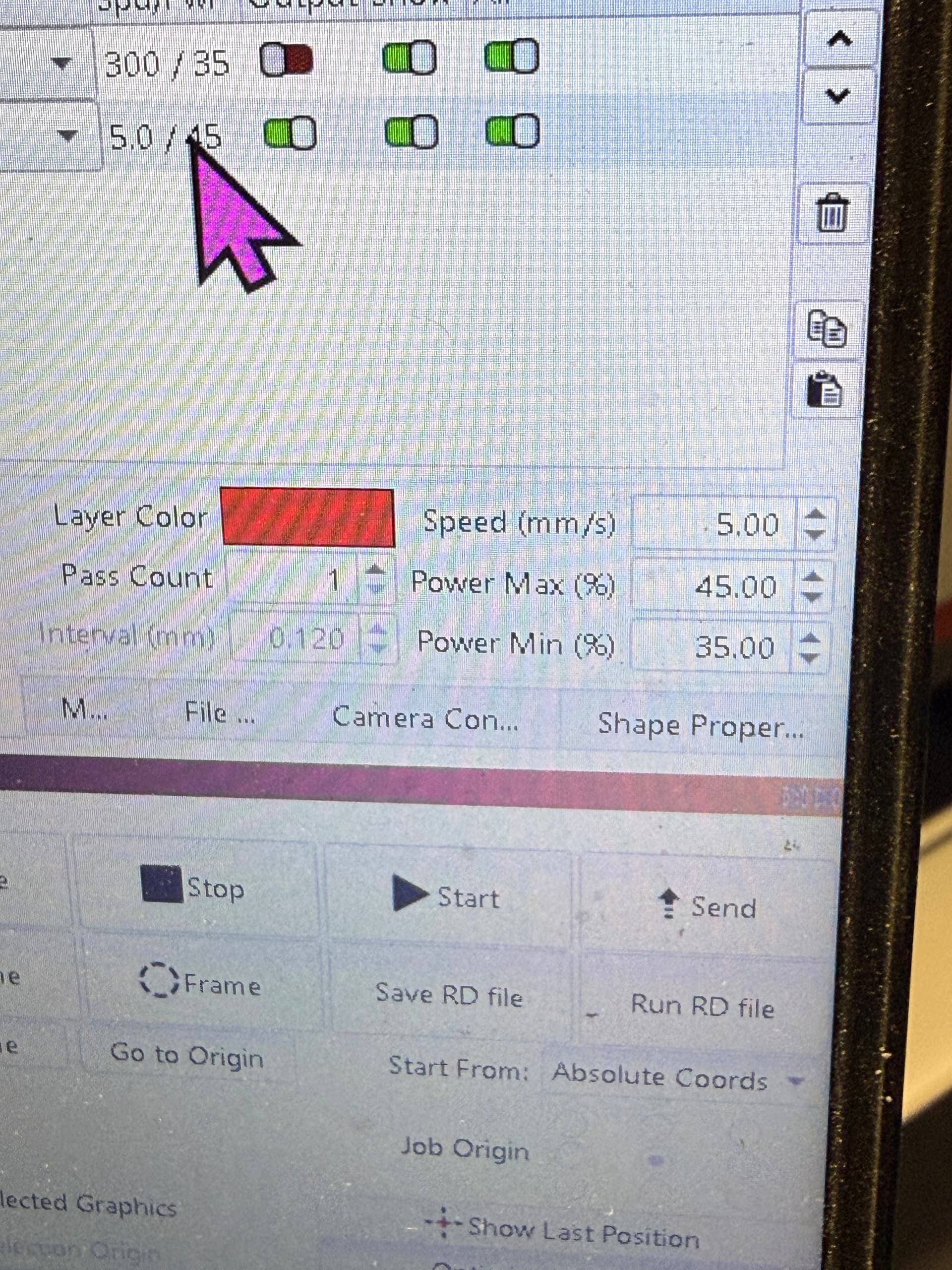
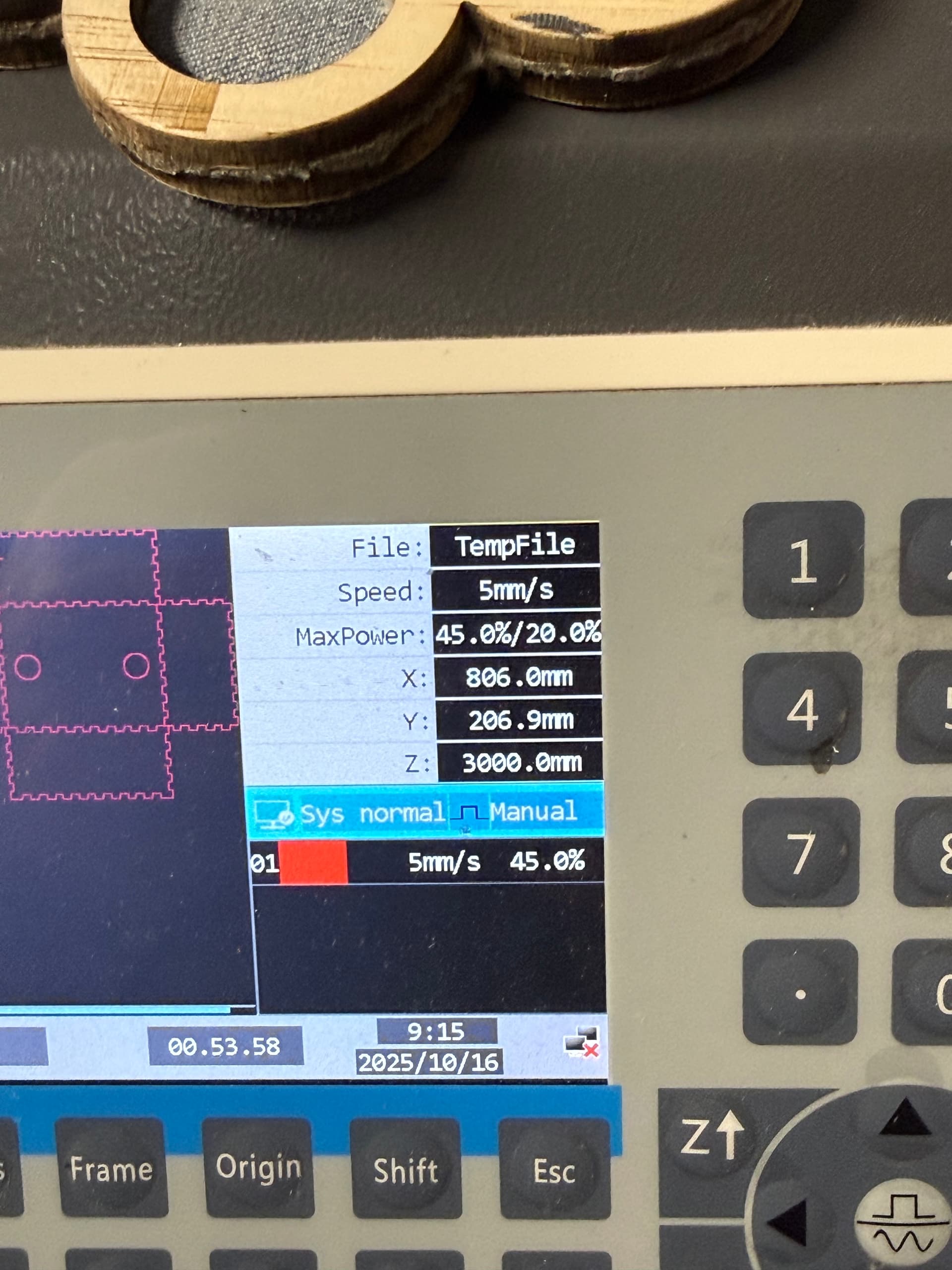
Hello all! Typically, I don’t come to ask for help because I know it all. I think I just found a flaw in my design and I need your help. I’m cutting six mil plywood and I’ve noticed before but now I don’t have time to notice I needed to cut, but my settings in light burn that I send to my Comptroller are different than what my Comptroller says usually in the way of the minimum power. Any help is much appreciated 3 1/2 years of this stuff and I still don’t know it! J, I know you’re never busy, help a brother out!!! 
Im sorry but I can’t read that without a texan accent, and its excellent.
Could what do you see for Min value on LightBurn, and what do you see on the control?
Maybe there’s a power scale applied on the controller to artificially lower power, to prevent tube degradation? Seems to be a thing, but I confess I haven’t played with it Power scaling on Ruida RDC644XG––I have some questions
So to check if power scaling is enabled on that controller (which looks like a RDC6445G series) (digging)
Wait.
I see Manual on your controller. If you press Reset, does it go back to 35%?
I just manually overrode the min power here on my home Ruida laser and it did work as expected there, but I haven’t re-run a job yet
1 Like
The MaxPower settings are the values set directly on the console by poking the Power button, rather than in a job layer. Those apply when the machine is not running a job and you’re playing Etch-a-Sketch with the laser.
Also, the 5 mm/s layer speed is (probably) below the controller’s Start Speed, which is usually 10 mm/s (or so). In that situation, the controller unilaterally reduces the power to the layer’s Min setting while running the layer:
That’s almost certainly the setting for the jog arrow buttons:
Manual= moves a specific distance for each pressContinue= moves until button is released
There’s a Menu setting for the Manual step distance.
Or, hey, I’m about to learn something new today … 
Okay, @Colin THANK YOU! As far as the rest, didn’t even need to go beyond the usual suspect controller. I’ll be dead honest, I’ve been engraving for 17 years, the last couple with a Ruida but have not once read the manual. I will now because I was being throttled by settings that made no sense from some jerky who sent me the wrong tube in my machine. Shoulda checked! 50% and I wondered why my 80 watt smoked it and the 100 watt couldn’t. So, “user parameters>engrave settings”. changed it to 99% for a 50% test and smoked through it in one pass, clean as a whistle! Now did someone move the QR codes? Can we also not have “offset” pop up window not go directly over what I’m offsetting? It’s the little things.  Thanks bro.
1 Like
Nice! Glad to hear it!
This topic was automatically closed 30 days after the last reply. New replies are no longer allowed.