@goeland86 , Jon, you nailed the fix. Thank you !
I finally got around to testing LB V2.0.03 RC3 for the OP problem, it’s working great now.
There are even some very nice sweeteners, such as fixing the pesky jogging error thrown when the working size was exactly the XY dimension in grbl config $130, $131, AND you made a nice warning dialogue popup upon first use to tell the user the dimensions don’t match ! I see the jogging boundry clamp is -1mm from defined working size, nice choice; that eliminates grbl rounding over the boundary dim when steps/mm are not evenly divisible by 10, such as the case with my machine. I use to keep working size intentionally different by -1mm and set my working area via G10 L2 P1 to allow a 0.5mm gutter on all sides to avoid the error. Well done. The Help on this topic is well done also. Machine Size Mismatch - LightBurn Documentation And all this works with grbl soft limits ON !
I’m providing some screen shots for others to see in case they may run into this setup. To be clear, I’m using my CNC 4 axis grbl machine for routing, plasma, and laser process. When routing and plasma, I use another CAM and UGS sender, laser is all LB. I’m fooling around with MillMage as time permits, as possible replacement for routing sw. I use LB CAD for all 2D work anyway.
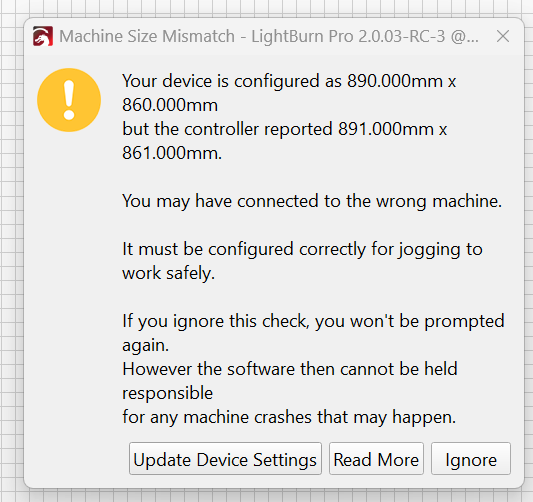
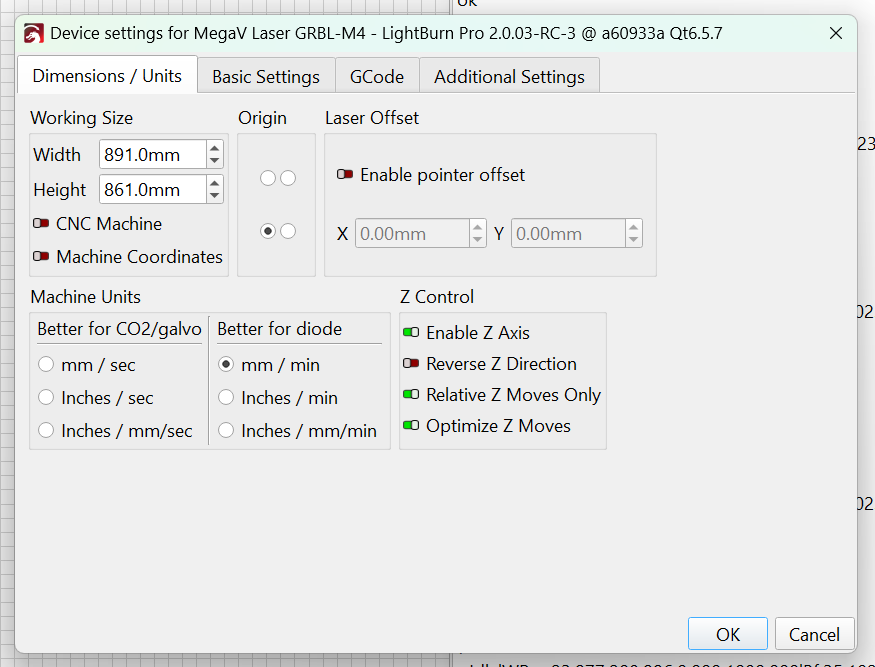
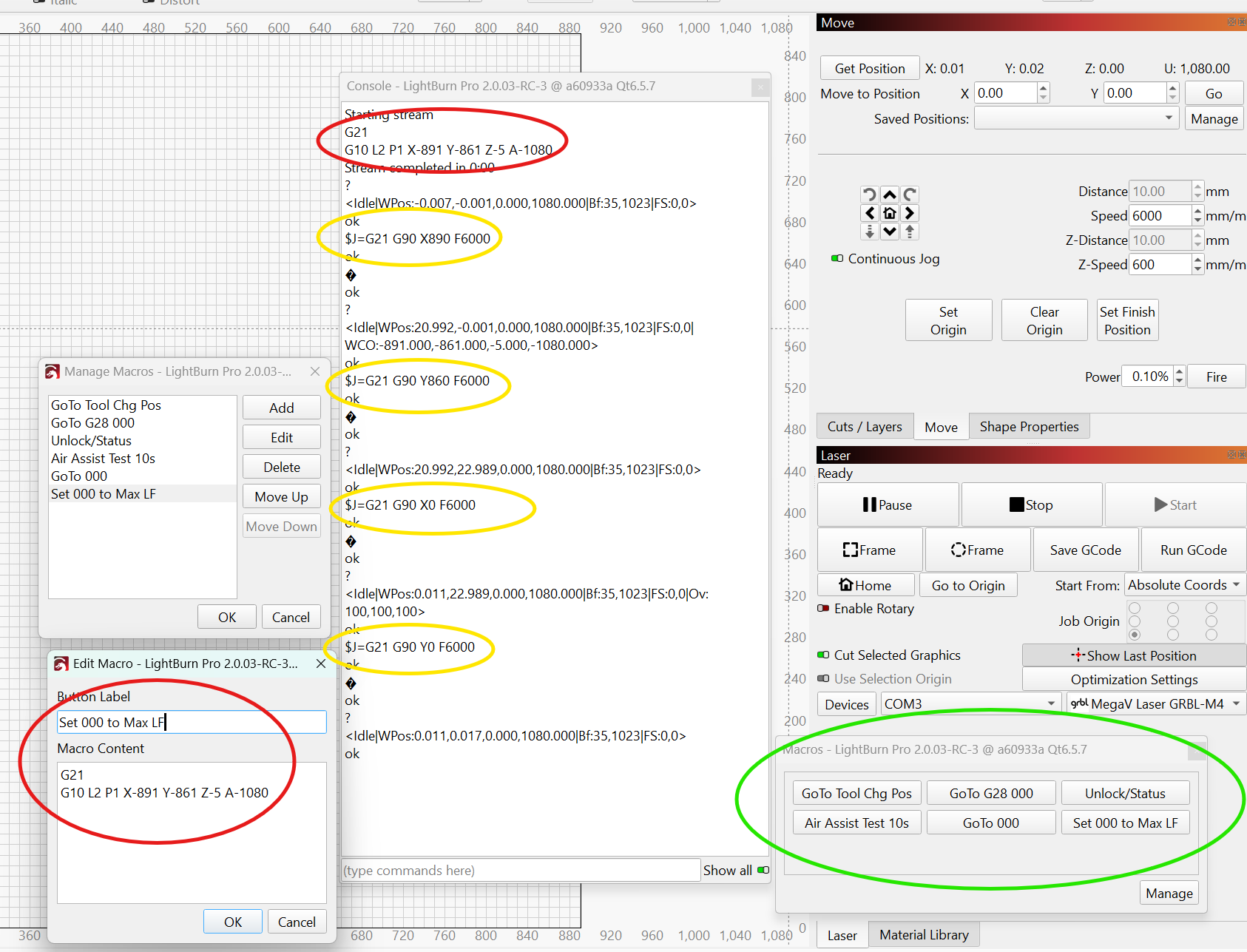
my grblHAL config…
$$
$0=10.0
$1=255
$2=0
$3=6
$4=0
$5=15
$6=1
$9=1
$10=4094
$11=0.002
$12=0.002
$13=0
$14=70
$15=0
$16=0
$17=0
$18=0
$19=0
$20=1
$21=0
$22=3
$23=1
$24=50.0
$25=1000.0
$26=250
$27=5.000
$28=0.100
$29=0.0
$30=1000.000
$31=0.000
$32=1
$33=5000.0
$34=0.0
$35=0.0
$36=100.0
$37=0
$39=1
$40=0
$43=1
$44=4
$45=3
$46=0
$47=0
$62=0
$63=2
$64=0
$65=0
$100=57.288
$101=57.288
$102=200.000
$103=13.333
$110=16000.000
$111=16000.000
$112=3000.000
$113=15000.000
$120=800.000
$121=800.000
$122=700.000
$123=4000.000
$130=891.000
$131=861.000
$132=88.000
$133=2160.000
$341=0
$342=30.0
$343=25.0
$344=200.0
$345=200.0
$346=1
$376=1
$384=1
$398=35
$481=0