Same here, but, after reorganizing to my liking, LB remembers my settings and starts up “normally” the next time. So it’s more of a one-time adjustment that the user “has” to make and not a real bug, in my opinion 
I retract my last post, LB does not remember the changes to the desktop settings, @nzmerlin is right !
While it may not be a showstopper, I’m expecting RC4 in short order.
My taste in window arrangement is … very singular. 
1 Like
…well, a little, it’s not fun to have to reorganize the entire LB desktop before I can start working. So I’m currently not spending the same amount of time on R3 as I would have otherwise.
Unfortunately, RC3 definitely still has the Print and Cut error I hit in RC2:
The current failure is the same: after setting the two targets & activating the non-scaled PnC, framing the template behaves as though PnC was not activated.
Doing the targets & activation a second time seems to behave properly.
Given the windowing problems in RC3, I must revert to RC2 until something happier comes along.
1 Like
Hello Rick, I’ve just installed the latest RC update and the scaling issues are still a problem. I’ve tried adjusting display settings and the settings within LightBurn, but nothing has worked. Every time I relaunch the programme, all my preferences for toolbar layout, etc, have reverted to default, and I lose the bottom of the window and have to play around with the window normal/maximise button to get the programme to display correctly.
1 Like
That’s the same layout I get every time I reopen LightBurn. 
i keep having an issue when doing 3d coins at around the hour and a half mark either the laser or the software freezes not sure which one it is. if i turn the laser on and off i can restart the engraving but ive lost all progress. i have video but i cant seem to upload it here
 just submitted another software request with crash logs.
ALL Lightburn versions 2.x.x crash on startup on my Win 11 pro system including 2.0.03-RC3
I have again reverted to 1.7.08 which runs fine.
I am hoping one day this gets fixed and I will be able to run 2.x and see the new features…
The splash screen appears then it crashes. Anyone else having this issue?
I recommend anyone to adjust the Power Management settings to prevent Windows from putting USB devices to sleep.
You can use YouTube or Vimeo to upload videos and share the link here.
Additional display and layout work for the next patch release is underway.
I haven’t heard that in a while.
Do you see a Stack Trace like this?

This mentions a LightBurn_Crash_Log.txt file saved to your Desktop. If you have one, please send it to support@lightburnsoftware.com and include a link to this forum thread.
Hi Aaron,
I submitted requests on this to Lightburn Support and posted here, the ones before on 7/14, 7/15 and today.
The last time I was asked for the LightBurnLog.txt file (in my documents directory, none by any name on my desktop) it was determined the application wasn’t getting far enough to create one (it was zero bytes).
When I start the program I get a brief splash screen then it goes away and nothing. I searched my entire system for the current log…nothing.
I submitted the below Event Viewer Crash Error Log. If there is something more I can provide please let me know.
Summary
Log Name: Application
Source: Application Error
Date: 8/20/2025 9:56:23 AM
Event ID: 1000
Task Category: Application Crashing Events
Level: Error
Keywords:
User: HP800-G4\Dave
Computer: HP800-G4
Description:
Faulting application name: LightBurn.exe, version: 0.0.0.0, time stamp: 0x689c72f8
Faulting module name: LightBurn.exe, version: 0.0.0.0, time stamp: 0x689c72f8
Exception code: 0xc0000005
Fault offset: 0x0000000000176441
Faulting process id: 0x2B58
Faulting application start time: 0x1DC11E29647427C
Faulting application path: C:\Program Files\LightBurn_PreRelease\LightBurn.exe
Faulting module path: C:\Program Files\LightBurn_PreRelease\LightBurn.exe
Report Id: 312d7a46-25c5-408e-aae9-050652de7ba6
Faulting package full name:
Faulting package-relative application ID:
Event Xml:
1000
0
2
100
0
0x8000000000000000
61264
Application
HP800-G4
LightBurn.exe
0.0.0.0
689c72f8
LightBurn.exe
0.0.0.0
689c72f8
c0000005
0000000000176441
0x2b58
0x1dc11e29647427c
C:\Program Files\LightBurn_PreRelease\LightBurn.exe
C:\Program Files\LightBurn_PreRelease\LightBurn.exe
312d7a46-25c5-408e-aae9-050652de7ba6
Thank you for your emails and the info that you were able to resolve this by installing the Windows " VC_redistx64" Redistributables.
It is not usually necessary to do this during every installation.
Thank you for mentioning it again. I’m personally not experienced enough with the PnC feature. I’ll forward it to look into it.
1 Like
Something network-y has changed for the worse in V 2.0.
In both RC-2 and RC-3, LightBurn reports occasional “failed to send” messages for various files, with sizes from moderate (15 kB RD file) to trivially small (two 10 mm circles).
I always use Start, rather than Send, so there are no files stored on the Ruida to confuse it.
The files are truncated beyond the error, although both of those little circles came through unscathed. I’ve been able to finish longer jobs using Preview → Restart from the point just before the failure.
This either did not happen with 1.7 or was so infrequent as to lie beyond my event horizon. Now it’s a regular, albeit intermittent, problem.
Network-y details:
- Ruida has static IP address
- Not in router’s DHCP range
- No IP squatters
- PC & laser use same gigabit Ethernet switch
- Local desktop control, not RDP
There have been a few reports of similar-ish problems with 2.0:
Other than missing data in the Ruida, there’s no excitement or crash.
Would a (voluminous) log be of any assistance?
Apparently Release Candidate versions ignore the Automatically check for updates switch:
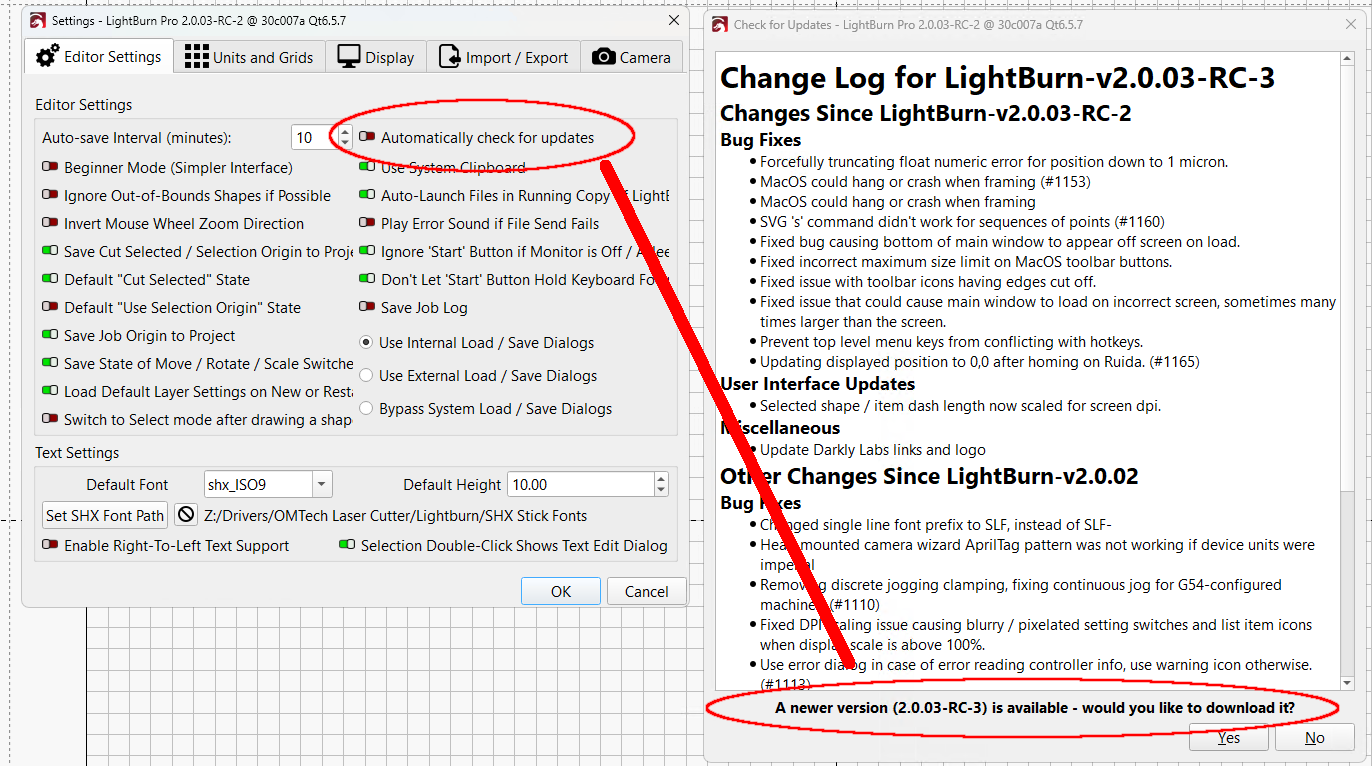
That’s in RC-2, but it’s probably true for all RCs.
At this point I’m holding in RC-2 due to the window glitches in RC-3, so I must refuse “would you like to download it?” every time.
Thank you for the detailed report, @ednisley; it’s greatly appreciated. I will share this internally first, then request any additional information if needed.
@Rick I do not know if this has been discussed. After I setup a screen and set the control panels as I like. If I minimize the screen and then maximize, or move the screen over to my other monitor, or exit lightburn, the screen resets. I have attached screen shots of setup and then after moving the screen onto my other monitor. This is in my office with my test system, and not attached to laser
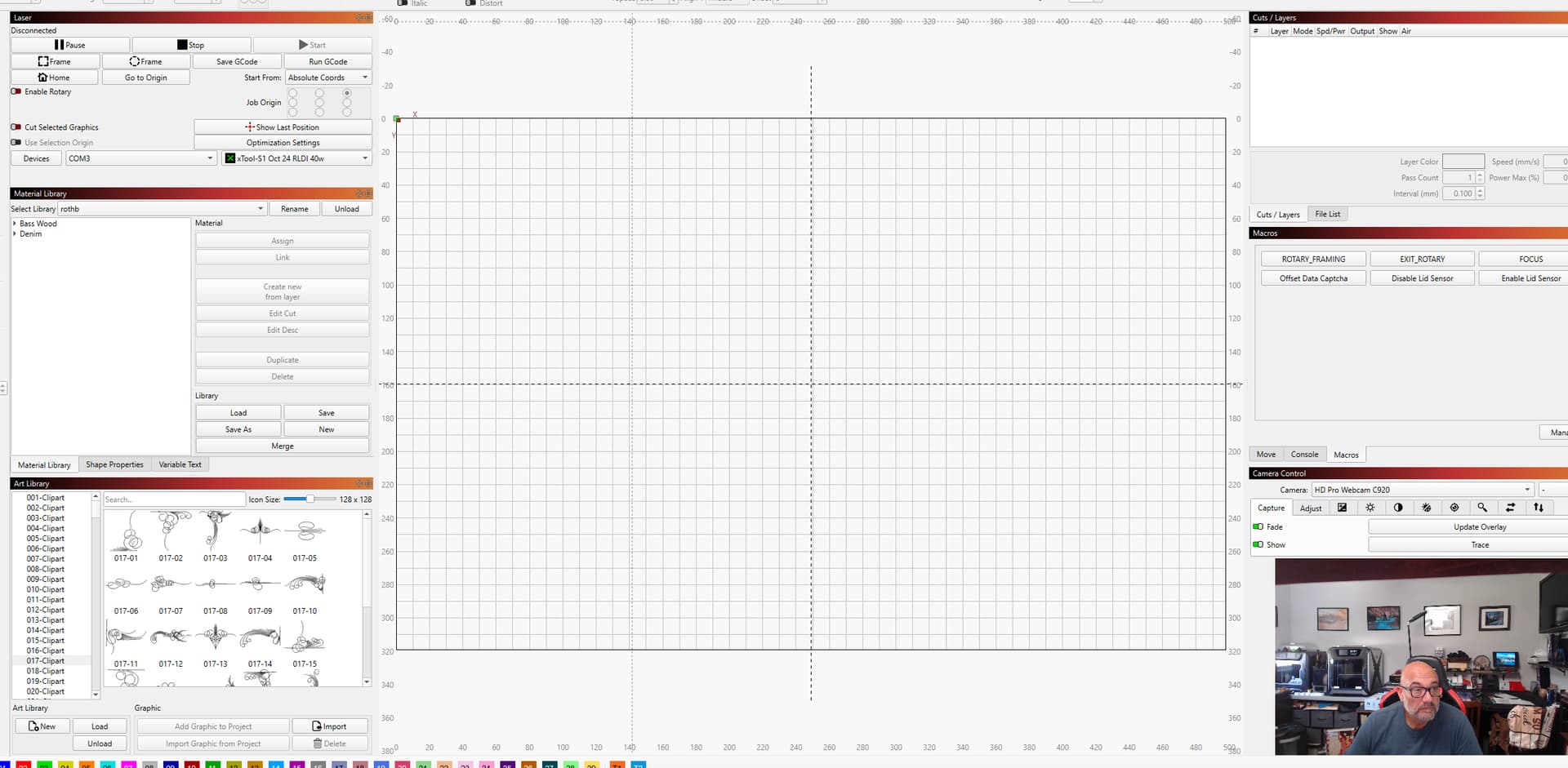
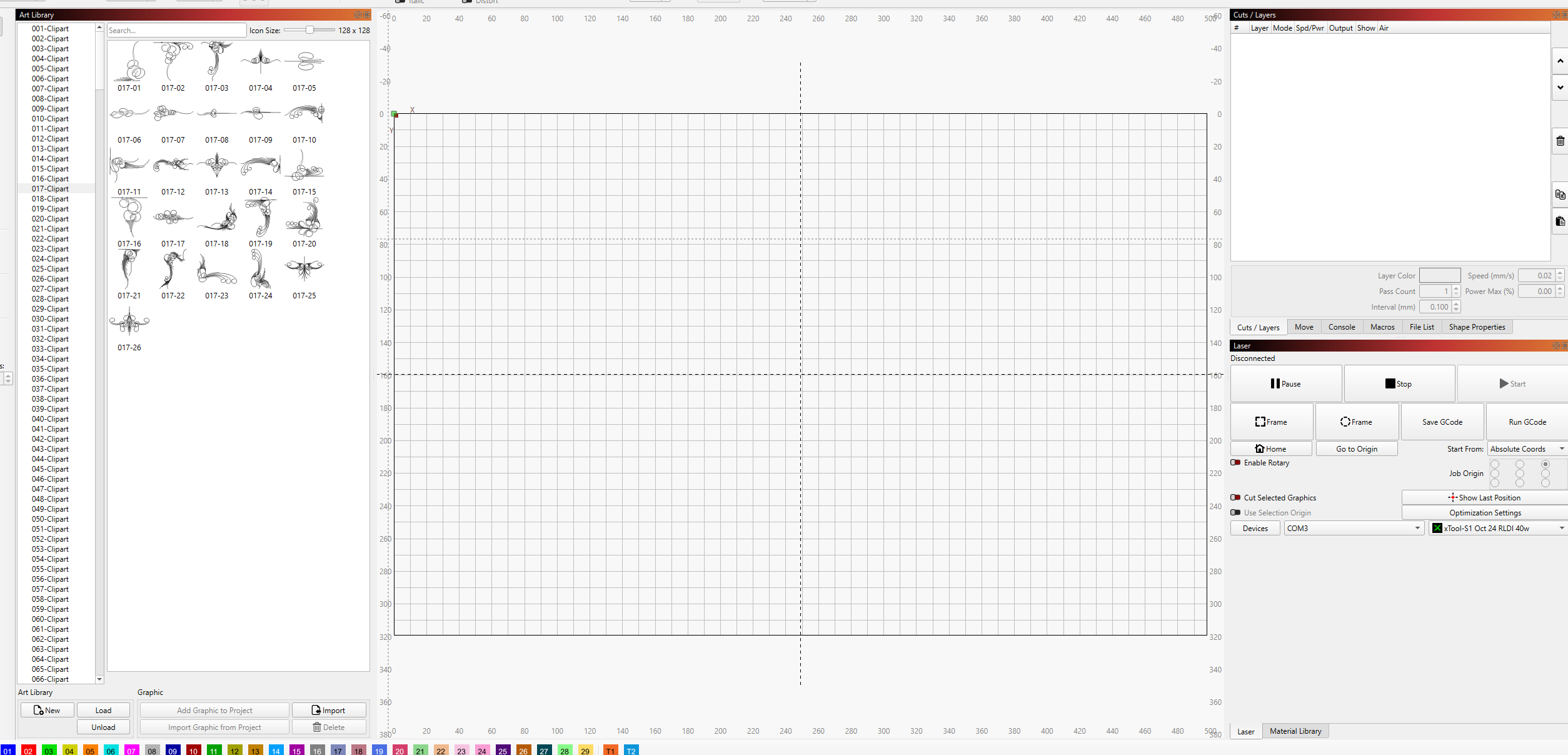
Yes, a lot of internal discussions and a new RC dropped this morning addressing the windowing and restoration of layout. 
That post is here for your consideration: LightBurn v2.0.03-RC4 Release Candidate
1 Like